
mrcreate1502 - Minecraft Skins & Skin History
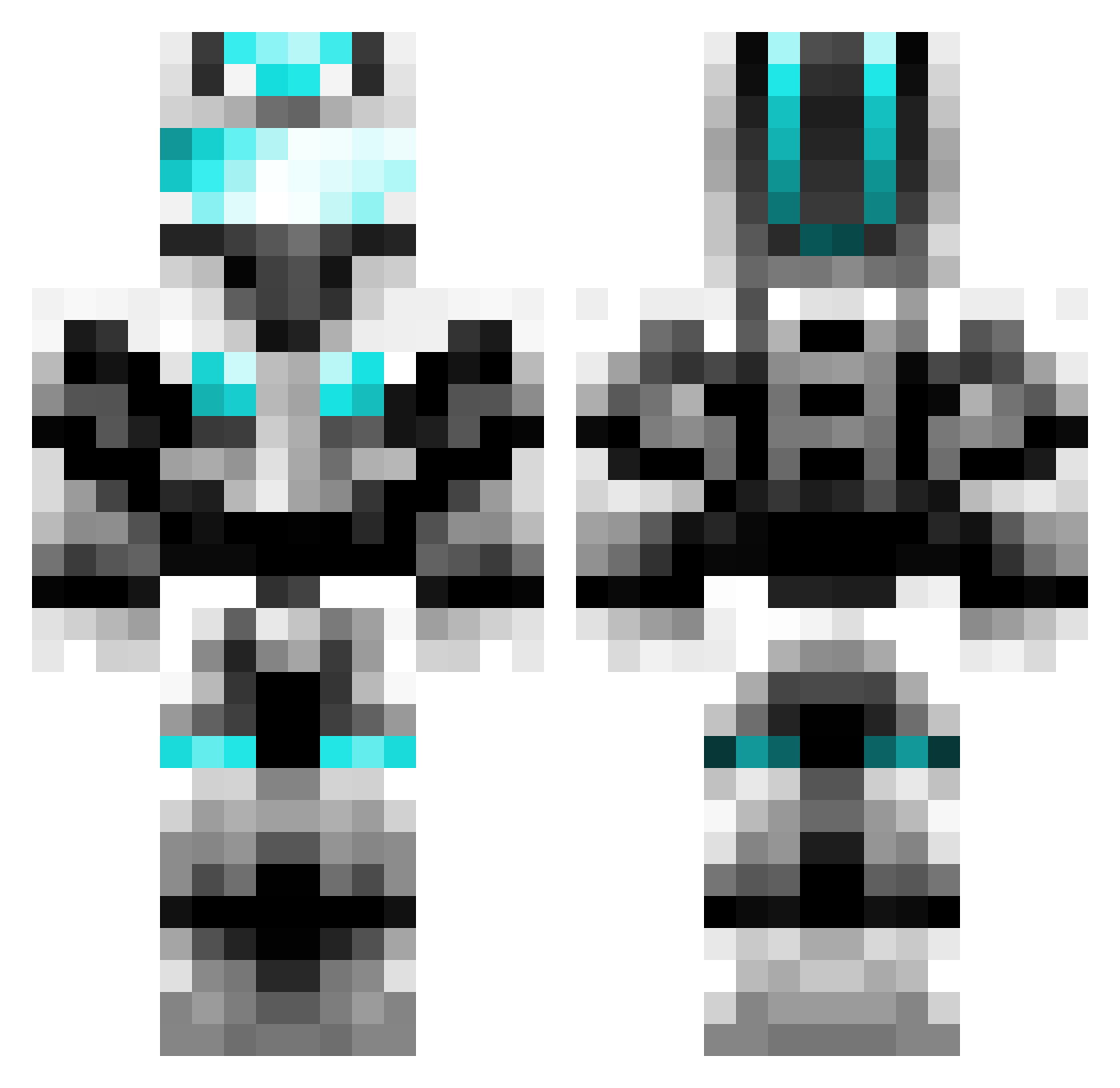
Current Minecraft skin of the player mrcreate1502, loaded from the official Mojang API. Rotate the 3D model with your mouse or finger, then download the skin as a PNG file and use it in Minecraft: Bedrock Edition or Java Edition for free. When mrcreate1502 changes their skin, this page updates automatically and the old skin stays in the history below.
Other players with this skin (600)
mrcreate1502 was the 287th player we have seen with this skin, first spotted on 09.09.2026. The same skin was seen on these players. Open a nickname to see their current skin and skin history.
 runningboy3 MXPHOENIX ManagedStone 3579_cesur_yurek Krystalkid24 Mr_Biggles_ Silent_Momento V3mon_7 mattysheehan billycarman502 Wormster2004 DarkCamz jra8502 NGGamer14 4NN1H1L4TeD Syyzygy bandwidth123 Dallas49m JxeHo1 TheHolyOneX crazy__soldier solier 03jacke ulterguy _RainzyAFK20 BBCF_Carlo Masterchief0228 Addynuff HeyGuys_PvP alem300 bwinterton
 JaBue2 iCeMaN2ooo M_Eternal distrikt7 borussiaben Isyz12 NeverGP Edwinrain lockon7500 XShadow_ReaperX laxkidmarshall15 creeperlover378 maghel jusalex88 Zedoary sanddaxx DeMalo007 nazgul_milano NativeAssassin69 chamo62 Creeperkiller0o0 piggie211345 abtt FruityNutFlakes Kninja CAPTAIN_PVP ARed729 minemaker9999 Be_Great
More Cyber Soldier Minecraft skins
See all 43 Cyber Soldier skins
How to install the mrcreate1502 skin
- Press the Download button above to save the skin as a PNG file.
- Minecraft: Bedrock Edition (PE): open the Dressing Room from the main menu (or tap your character → Edit Character), go to Classic Skins → Owned, press the + (new skin) button, choose the downloaded PNG and pick the Classic (Steve) model. Works on PC and mobile; consoles cannot import custom skins.
- Minecraft: Java Edition: open the Minecraft Launcher, go to the Skins tab, click New Skin, load the PNG, pick the Classic (Steve) model and press Save & Use. You can also upload it at minecraft.net → Profile → Change Skin.
The skin does not show up after import - what should I do?
Restart Minecraft and open the Dressing Room again - imported skins sometimes appear only after a restart. Also make sure you selected the imported skin and picked the Classic (Steve) model.
Which model should I choose, Classic or Slim?
This skin is designed for the Classic (Steve) model. If you pick the wrong model, the arms of the skin will look stretched or squeezed.
Is the skin of mrcreate1502 free to download?
Yes. Press Download, save the PNG file and use it in Minecraft: Bedrock Edition or Java Edition - no payment or registration needed. The skin also works on multiplayer servers and Realms.
More skins
Looking for more? Go back to all Minecraft skins and check the top skins of the week, month and all time, or find any player's skin by nickname.