
mr1nice1guy - Minecraft Skins & Skin History
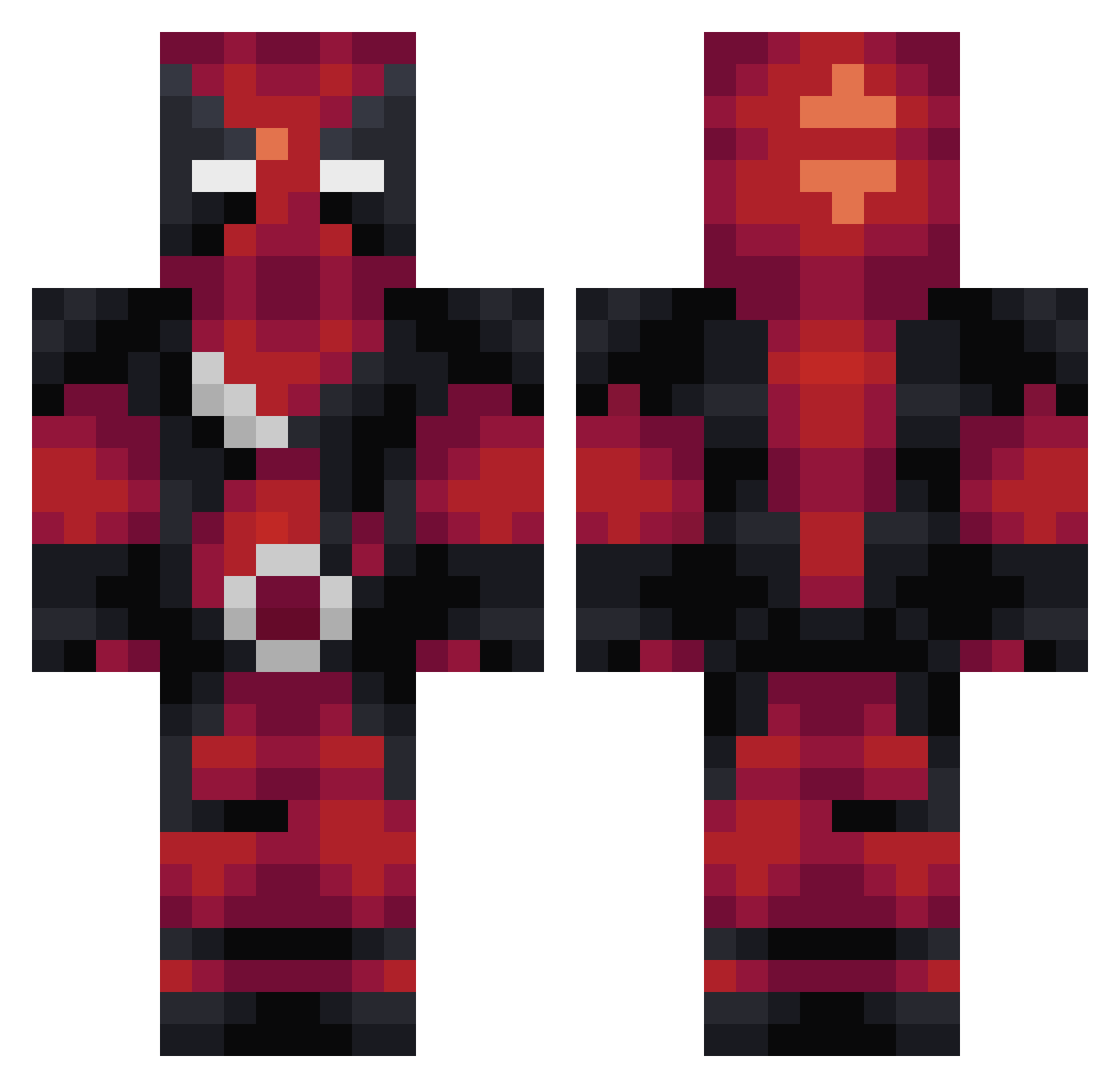
Current Minecraft skin of the player mr1nice1guy, loaded from the official Mojang API. Rotate the 3D model with your mouse or finger, then download the skin as a PNG file and use it in Minecraft: Bedrock Edition or Java Edition for free. When mr1nice1guy changes their skin, this page updates automatically and the old skin stays in the history below.
Other players with this skin (283)
mr1nice1guy was the 145th player we have seen with this skin, first spotted on 09.09.2026. The same skin was seen on these players. Open a nickname to see their current skin and skin history.
 AllanonBrooks Mr___Wei PatasGaii AugustoHM04 ddogadieddog iSaYz974 RaYooJung CreeperGuyHQ kingkurk0 thegamer190 jakoozki serfizzy VagabondSorcerer PigletKing Zard33 nicktopia kethlan VimeR_est Pijeck thebratgp SmittyAD Charlatand 88RSI Gotamatch2022 Denm_a mrskarikari dragons_bane05 DarkStarSVK Happypandau Inspectra Lennox_ Addelais komodo_55 lauxkey camachosgroove GamEdZoD Realy2705 theniuzy DarkestMajor Behotti XSHABX jackt01 nkg_nkg unkotintin Ctp224 CodeWiz08 NailzNation123 Arkentifth_ BillyTheTank4 TYranosaurusRx Redops50 BigChongoz GorengPotato Smakt37 tonrei TFH_Death Superr_ MinecraftNoob6 NecoGame CplYumYums
More Deadpool Minecraft skins
How to install the mr1nice1guy skin
- Press the Download button above to save the skin as a PNG file.
- Minecraft: Bedrock Edition (PE): open the Dressing Room from the main menu (or tap your character → Edit Character), go to Classic Skins → Owned, press the + (new skin) button, choose the downloaded PNG and pick the Classic (Steve) model. Works on PC and mobile; consoles cannot import custom skins.
- Minecraft: Java Edition: open the Minecraft Launcher, go to the Skins tab, click New Skin, load the PNG, pick the Classic (Steve) model and press Save & Use. You can also upload it at minecraft.net → Profile → Change Skin.
The skin does not show up after import - what should I do?
Restart Minecraft and open the Dressing Room again - imported skins sometimes appear only after a restart. Also make sure you selected the imported skin and picked the Classic (Steve) model.
Which model should I choose, Classic or Slim?
This skin is designed for the Classic (Steve) model. If you pick the wrong model, the arms of the skin will look stretched or squeezed.
Is the skin of mr1nice1guy free to download?
Yes. Press Download, save the PNG file and use it in Minecraft: Bedrock Edition or Java Edition - no payment or registration needed. The skin also works on multiplayer servers and Realms.
More skins
Looking for more? Go back to all Minecraft skins and check the top skins of the week, month and all time, or find any player's skin by nickname.