
monsterminor20 - Minecraft Skins & Skin History
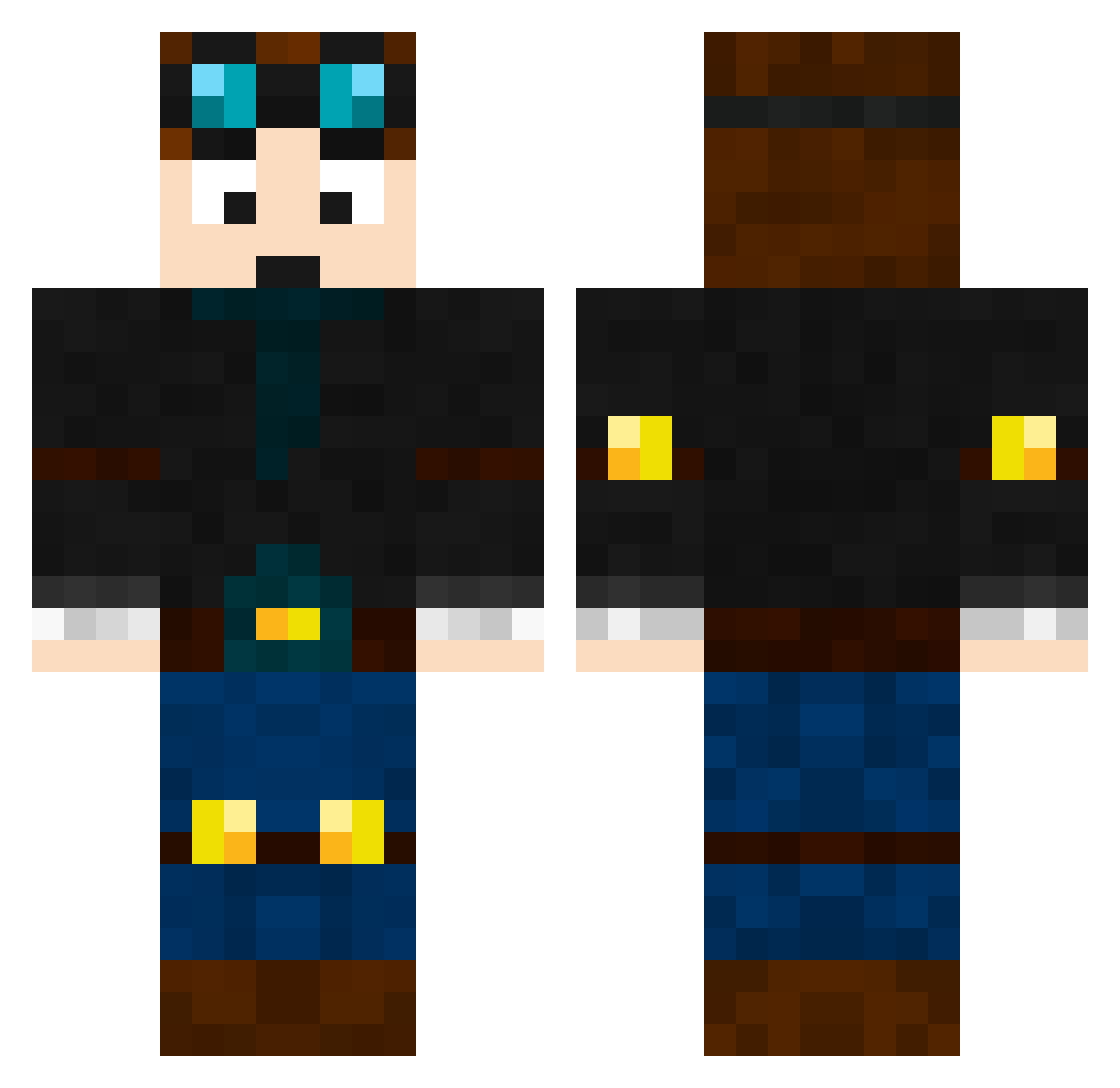
Current Minecraft skin of the player monsterminor20, loaded from the official Mojang API. Rotate the 3D model with your mouse or finger, then download the skin as a PNG file and use it in Minecraft: Bedrock Edition or Java Edition for free. When monsterminor20 changes their skin, this page updates automatically and the old skin stays in the history below.
Other players with this skin (669)
monsterminor20 was the 327th player we have seen with this skin, first spotted on 01.10.2026. The same skin was seen on these players. Open a nickname to see their current skin and skin history.
 GETost deathcracken GrizzlyBear1226 noahbeee codybuz369 For72 GamerBro2511 BrendanS100 mkotte08 fetcheveryone killZone9091288 Belistic_George6 NCT2010 RIPETT Explosion_Ninja 9100200 johnandcaitlyn Munch958 AdrenalineMarkII LucasaWil tomrog83 edgygraph35 zap2643 SammyBaz SS_Cob 2cobra2 7AM5 anish2003 Jew_Nose Tomlinson2335 Roundsy96 SamWinn08 johnhock captainsparkles3 vlrep RadBoyz JTCsniper CookieBlaze CaptCamaroo 1974 DarkShadow46 2Propanon LHLOVE13 jesserhoades Gilles19 Edy12 TailsPro67 MolecularBroom CrossbowSouffle pizza_king12345 ToldbodDK Rykan daschade Doobie888 Tyler8156 footystar1704 sithlord2116 evilninja13 jontela MattMNG
More Engineer Minecraft skins
How to install the monsterminor20 skin
- Press the Download button above to save the skin as a PNG file.
- Minecraft: Bedrock Edition (PE): open the Dressing Room from the main menu (or tap your character → Edit Character), go to Classic Skins → Owned, press the + (new skin) button, choose the downloaded PNG and pick the Classic (Steve) model. Works on PC and mobile; consoles cannot import custom skins.
- Minecraft: Java Edition: open the Minecraft Launcher, go to the Skins tab, click New Skin, load the PNG, pick the Classic (Steve) model and press Save & Use. You can also upload it at minecraft.net → Profile → Change Skin.
The skin does not show up after import - what should I do?
Restart Minecraft and open the Dressing Room again - imported skins sometimes appear only after a restart. Also make sure you selected the imported skin and picked the Classic (Steve) model.
Which model should I choose, Classic or Slim?
This skin is designed for the Classic (Steve) model. If you pick the wrong model, the arms of the skin will look stretched or squeezed.
Is the skin of monsterminor20 free to download?
Yes. Press Download, save the PNG file and use it in Minecraft: Bedrock Edition or Java Edition - no payment or registration needed. The skin also works on multiplayer servers and Realms.
More skins
Looking for more? Go back to all Minecraft skins and check the top skins of the week, month and all time, or find any player's skin by nickname.