
MattMNG - Minecraft Skins & Skin History
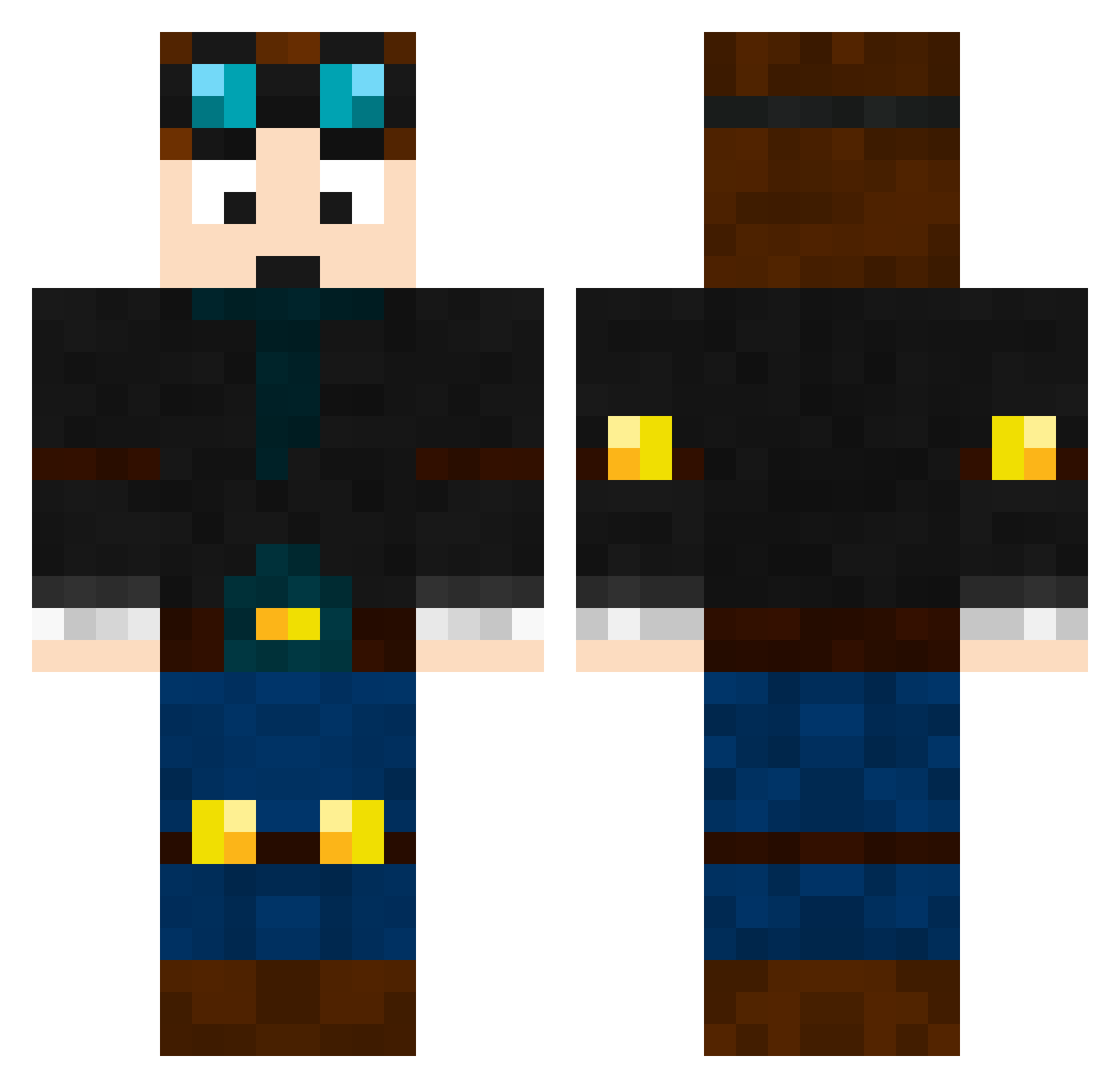
Current Minecraft skin of the player MattMNG, loaded from the official Mojang API. Rotate the 3D model with your mouse or finger, then download the skin as a PNG file and use it in Minecraft: Bedrock Edition or Java Edition for free. When MattMNG changes their skin, this page updates automatically and the old skin stays in the history below.
Other players with this skin (465)
MattMNG was the 356th player we have seen with this skin, first spotted on 05.10.2026. The same skin was seen on these players. Open a nickname to see their current skin and skin history.
 sithlord2116 Arens12 footystar1704 Tyler8156 Doobie888 daschade HolyPotatoes ProIdiot98 Baconator211 pizza_king12345 Edy12 sminkycaine jesserhoades LHLOVE13 DarkShadow46 acidstar101 twoface9 pitcha06 AwesomeET22 Falling1234 CookieBlaze captainsparkles3 Tayler2010 johnhock charlie032005 _5nivy_ SamWinn08 ObinMicah Roundsy96 Tomlinson2335 Joshua040404 7AM5 ashdub123 SuperNinja985 cheergirl001 liammaxd SammyBaz YOSHIBLAKE Poly906 KYERON LucasaWil AdrenalineMarkII Munch958 Theemerald27 wcturner 9100200 MinecraftTonyo bauerthegiant Explosion_Ninja RIPETT Superfly666 Belistic_George6 drea_alb KohlerKingston daveywavey7 GK2004 GrizzlyBear1226 deathcracken GETost monsterminor20
More Engineer Minecraft skins
How to install the MattMNG skin
- Press the Download button above to save the skin as a PNG file.
- Minecraft: Bedrock Edition (PE): open the Dressing Room from the main menu (or tap your character → Edit Character), go to Classic Skins → Owned, press the + (new skin) button, choose the downloaded PNG and pick the Classic (Steve) model. Works on PC and mobile; consoles cannot import custom skins.
- Minecraft: Java Edition: open the Minecraft Launcher, go to the Skins tab, click New Skin, load the PNG, pick the Classic (Steve) model and press Save & Use. You can also upload it at minecraft.net → Profile → Change Skin.
The skin does not show up after import - what should I do?
Restart Minecraft and open the Dressing Room again - imported skins sometimes appear only after a restart. Also make sure you selected the imported skin and picked the Classic (Steve) model.
Which model should I choose, Classic or Slim?
This skin is designed for the Classic (Steve) model. If you pick the wrong model, the arms of the skin will look stretched or squeezed.
Is the skin of MattMNG free to download?
Yes. Press Download, save the PNG file and use it in Minecraft: Bedrock Edition or Java Edition - no payment or registration needed. The skin also works on multiplayer servers and Realms.
More skins
Looking for more? Go back to all Minecraft skins and check the top skins of the week, month and all time, or find any player's skin by nickname.