
mnsacco8 - Minecraft Skins & Skin History
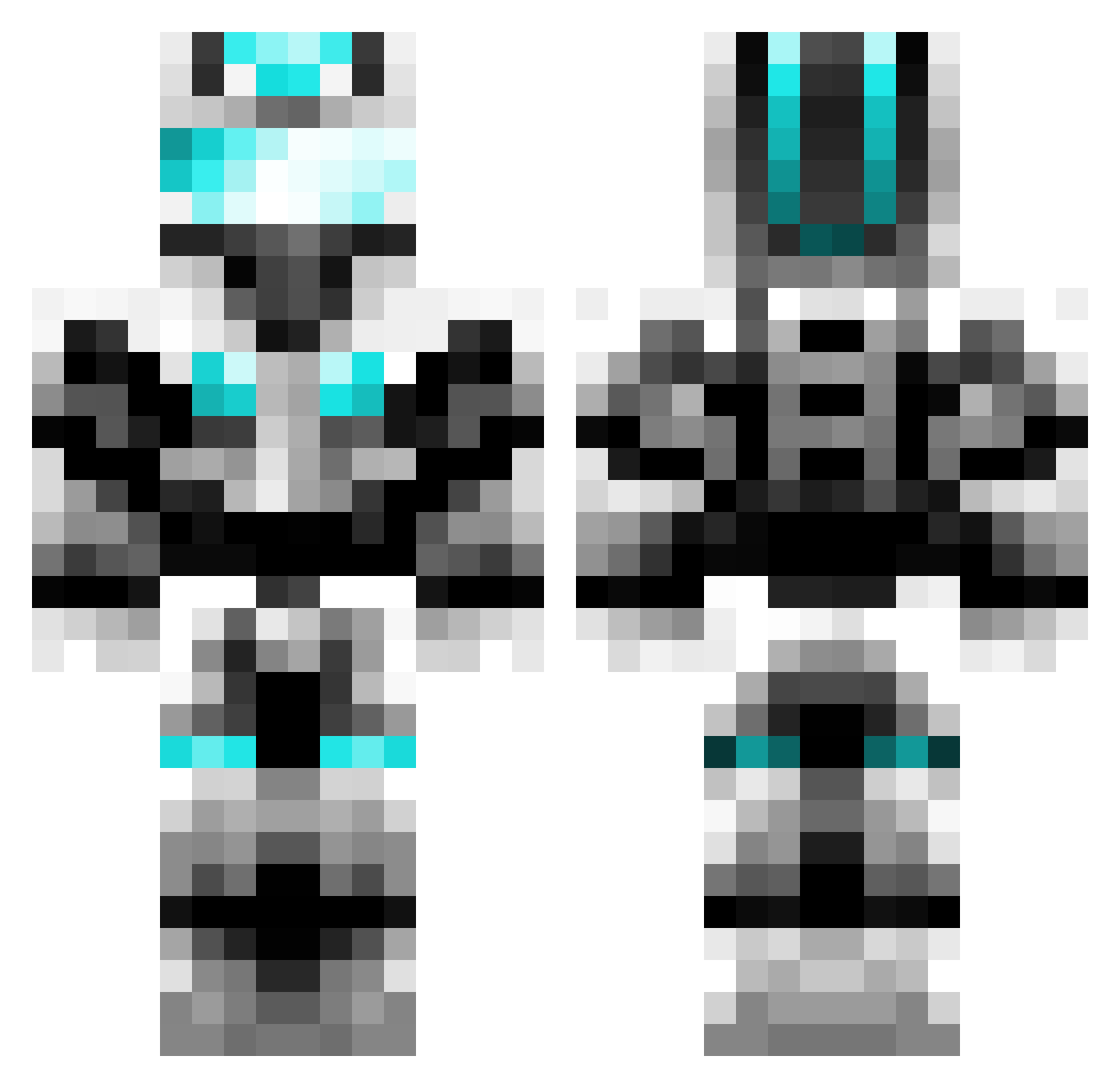
Current Minecraft skin of the player mnsacco8, loaded from the official Mojang API. Rotate the 3D model with your mouse or finger, then download the skin as a PNG file and use it in Minecraft: Bedrock Edition or Java Edition for free. When mnsacco8 changes their skin, this page updates automatically and the old skin stays in the history below.
Other players with this skin (57)
mnsacco8 was the 35th player we have seen with this skin, first spotted on 04.10.2026. The same skin was seen on these players. Open a nickname to see their current skin and skin history.
 Enderbuster906 Thealchemist4508 HeroicDoggo WarnerKiddos dirtbikedevin HeatedCatalyst dragonspartan418 erfiz Ethan040999 craftx77 W00D53Y wolftamer445 H_rv majorbaddude niperking bobbyluorule edias999 NathanPirate1 kspy1 creeper_mann2 samuel_yap crafter720 bartimon OGBarwick mrbobmrbob dyannick1 seba6229 fireman87657 TR17ON monarch8108 Thunderlord345 bbguy08 T1MMY27 fireowner123 legoboy3767 jjj333jjj lechandler stinger79 Donuts177 JMAN122609 cdsny woody371A tt_moreno Mango85313 H3LLBOY1609 shadow_killer92 studmonster2 callio1955 chantheman1221 zooom321 NinjaFish859 marc8747 CFreezer JP076 Shakirafied12345 Duckbasher relpek
More Futuristic Armor Minecraft skins
See all 512 Futuristic Armor skins
How to install the mnsacco8 skin
- Press the Download button above to save the skin as a PNG file.
- Minecraft: Bedrock Edition (PE): open the Dressing Room from the main menu (or tap your character → Edit Character), go to Classic Skins → Owned, press the + (new skin) button, choose the downloaded PNG and pick the Classic (Steve) model. Works on PC and mobile; consoles cannot import custom skins.
- Minecraft: Java Edition: open the Minecraft Launcher, go to the Skins tab, click New Skin, load the PNG, pick the Classic (Steve) model and press Save & Use. You can also upload it at minecraft.net → Profile → Change Skin.
The skin does not show up after import - what should I do?
Restart Minecraft and open the Dressing Room again - imported skins sometimes appear only after a restart. Also make sure you selected the imported skin and picked the Classic (Steve) model.
Which model should I choose, Classic or Slim?
This skin is designed for the Classic (Steve) model. If you pick the wrong model, the arms of the skin will look stretched or squeezed.
Is the skin of mnsacco8 free to download?
Yes. Press Download, save the PNG file and use it in Minecraft: Bedrock Edition or Java Edition - no payment or registration needed. The skin also works on multiplayer servers and Realms.
More skins
Looking for more? Go back to all Minecraft skins and check the top skins of the week, month and all time, or find any player's skin by nickname.