
mmmmmao - Minecraft Skins & Skin History
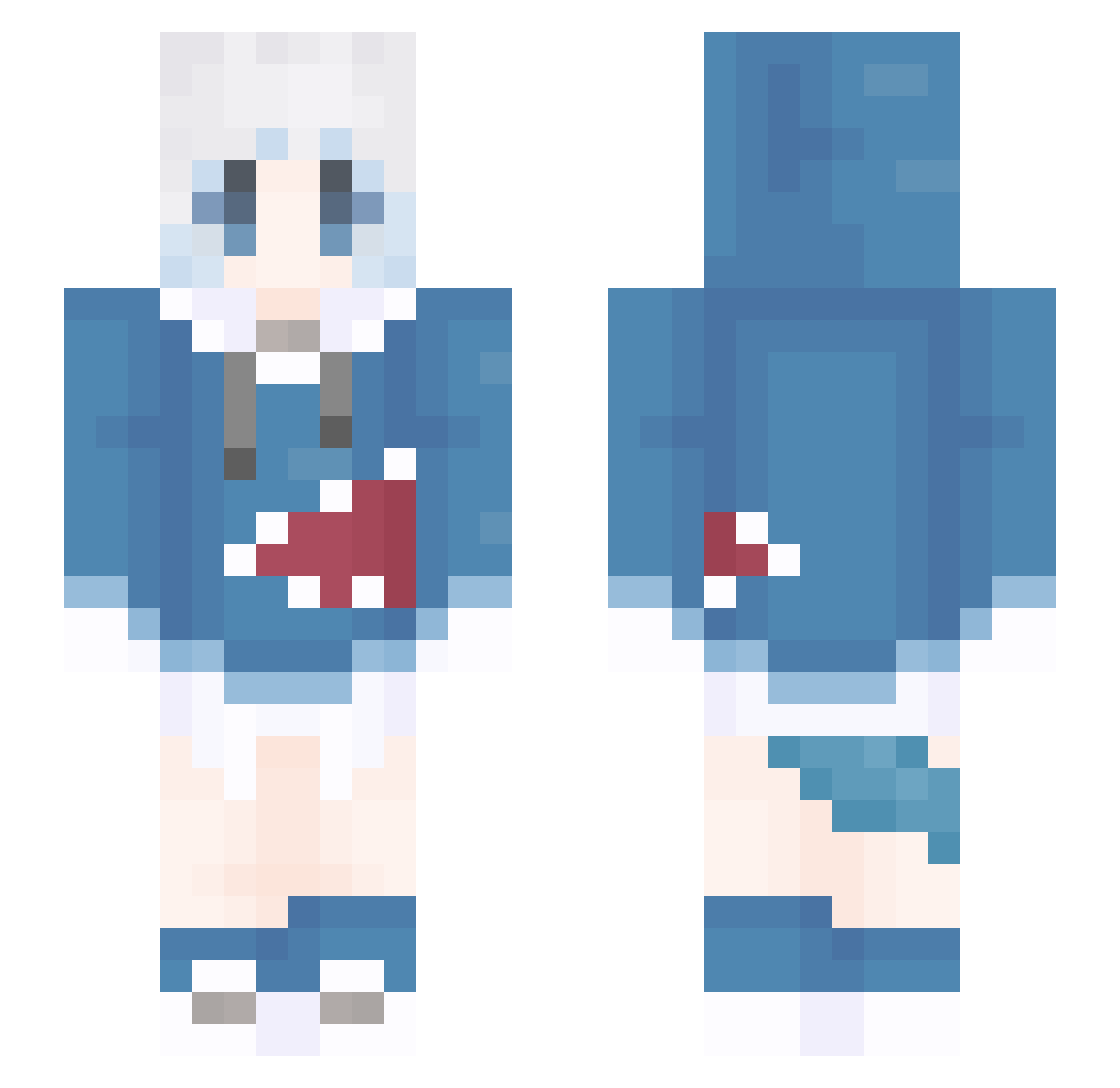
Current Minecraft skin of the player mmmmmao, loaded from the official Mojang API. Rotate the 3D model with your mouse or finger, then download the skin as a PNG file and use it in Minecraft: Bedrock Edition or Java Edition for free. When mmmmmao changes their skin, this page updates automatically and the old skin stays in the history below.
Other players with this skin (1106)
mmmmmao was the 442nd player we have seen with this skin, first spotted on 31.08.2026. The same skin was seen on these players. Open a nickname to see their current skin and skin history.
 Fair_X Chicklog87 gong_ju_ren fantoA Yus008 moyela_ Yundan233 H__YI icorne1208 RYoga135 XXen185 windboe LiangYK
 DrwyQzm Texas138 OhRUA x1ao_S DonMishh Imerance_ Ragn4Kk chnp NOSHE427 Shirsawa a91328665 kekemimi mongo_zz Masayuse_TW SUzeGE magnet02 L_Lei Natsuha0805 Zhewei1021 bt256 byefanta Fanguo_Xianyu Liquoral Majitensi Shinemelom0225 sundy1314 AtebitZZZ Jam0719 Emistotle Xia_Chen_ little_shark_233 xiaomao999 _tamako Decade0916 ECoXiaoBai jmqs121 lgy66666 RollingBomb Chanyulu YiHXa Yoyuqwq goose258 Vaneless Memory_rain fufu_fu Memory39 drowninfog
More Gawr Gura Minecraft skins
How to install the mmmmmao skin
- Press the Download button above to save the skin as a PNG file.
- Minecraft: Bedrock Edition (PE): open the Dressing Room from the main menu (or tap your character → Edit Character), go to Classic Skins → Owned, press the + (new skin) button, choose the downloaded PNG and pick the Slim (Alex) model. Works on PC and mobile; consoles cannot import custom skins.
- Minecraft: Java Edition: open the Minecraft Launcher, go to the Skins tab, click New Skin, load the PNG, pick the Slim (Alex) model and press Save & Use. You can also upload it at minecraft.net → Profile → Change Skin.
The skin does not show up after import - what should I do?
Restart Minecraft and open the Dressing Room again - imported skins sometimes appear only after a restart. Also make sure you selected the imported skin and picked the Slim (Alex) model.
Which model should I choose, Classic or Slim?
This skin is designed for the Slim (Alex) model. If you pick the wrong model, the arms of the skin will look stretched or squeezed.
Is the skin of mmmmmao free to download?
Yes. Press Download, save the PNG file and use it in Minecraft: Bedrock Edition or Java Edition - no payment or registration needed. The skin also works on multiplayer servers and Realms.
More skins
Looking for more? Go back to all Minecraft skins and check the top skins of the week, month and all time, or find any player's skin by nickname.