
mistuhwhiteyo126 - Minecraft Skins & Skin History
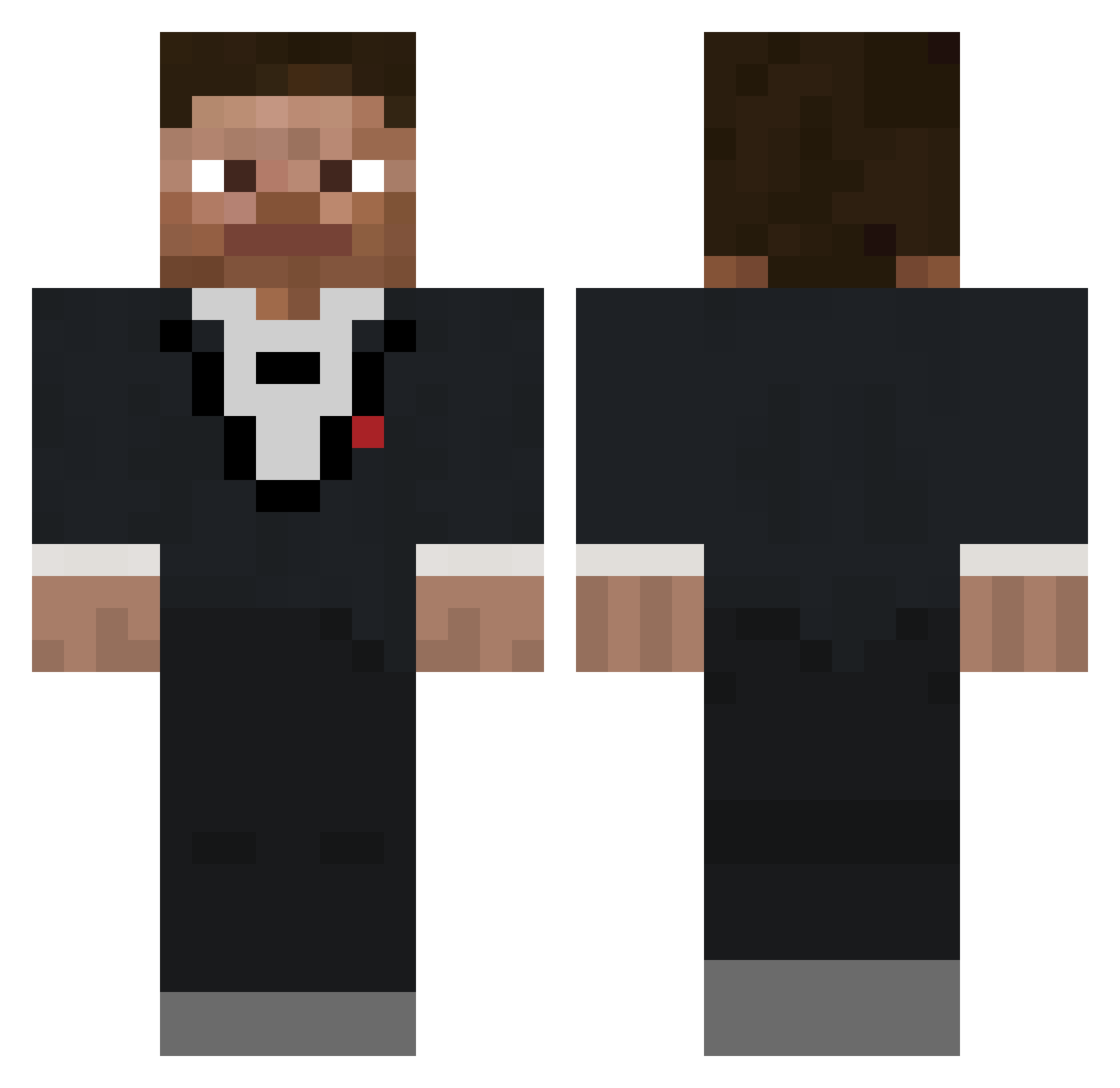
Current Minecraft skin of the player mistuhwhiteyo126, loaded from the official Mojang API. Rotate the 3D model with your mouse or finger, then download the skin as a PNG file and use it in Minecraft: Bedrock Edition or Java Edition for free. When mistuhwhiteyo126 changes their skin, this page updates automatically and the old skin stays in the history below.
Other players with this skin (687)
mistuhwhiteyo126 was the 344th player we have seen with this skin, first spotted on 21.09.2026. The same skin was seen on these players. Open a nickname to see their current skin and skin history.
 IceKoldTea Ijust8u2001 Fuzay20 Stockton1 VirgulinoLima michigann Bubblefets RaiderDoc2007 zand_r fiftener datboi_25 YoungAnakin FiatSeicento smoovea WinglessStew_ tuzynh jackwill2 snickswashere DarcyNick whrlock DR_DADDY__ szaglus_XF Game2play_ avc179 urbanheathen Krummbl Checkouts Pink_Squid ThatAsianJason BudskiesNugskies xBlunt909 M_S_Gaming 6entt jordanBRUH jaajko reddygreen Heroinbrine67 harvey3csr adkoymaor iTerminator07 Bab1010 KaseyKahne59 ustolos Knunal Mr_Eight_Ball KhrisPoon17 Schwabudel Bretaix042 samuelshawty warsick ahhhitsduck prizzmoo EmuTau gyatn Soress poopsock89 Starlight91650 IndianaJonesX1 7RT uselsesock
How to install the mistuhwhiteyo126 skin
- Press the Download button above to save the skin as a PNG file.
- Minecraft: Bedrock Edition (PE): open the Dressing Room from the main menu (or tap your character → Edit Character), go to Classic Skins → Owned, press the + (new skin) button, choose the downloaded PNG and pick the Classic (Steve) model. Works on PC and mobile; consoles cannot import custom skins.
- Minecraft: Java Edition: open the Minecraft Launcher, go to the Skins tab, click New Skin, load the PNG, pick the Classic (Steve) model and press Save & Use. You can also upload it at minecraft.net → Profile → Change Skin.
The skin does not show up after import - what should I do?
Restart Minecraft and open the Dressing Room again - imported skins sometimes appear only after a restart. Also make sure you selected the imported skin and picked the Classic (Steve) model.
Which model should I choose, Classic or Slim?
This skin is designed for the Classic (Steve) model. If you pick the wrong model, the arms of the skin will look stretched or squeezed.
Is the skin of mistuhwhiteyo126 free to download?
Yes. Press Download, save the PNG file and use it in Minecraft: Bedrock Edition or Java Edition - no payment or registration needed. The skin also works on multiplayer servers and Realms.
More skins
Looking for more? Go back to all Minecraft skins and check the top skins of the week, month and all time, or find any player's skin by nickname.