
mingattt - Minecraft Skins & Skin History
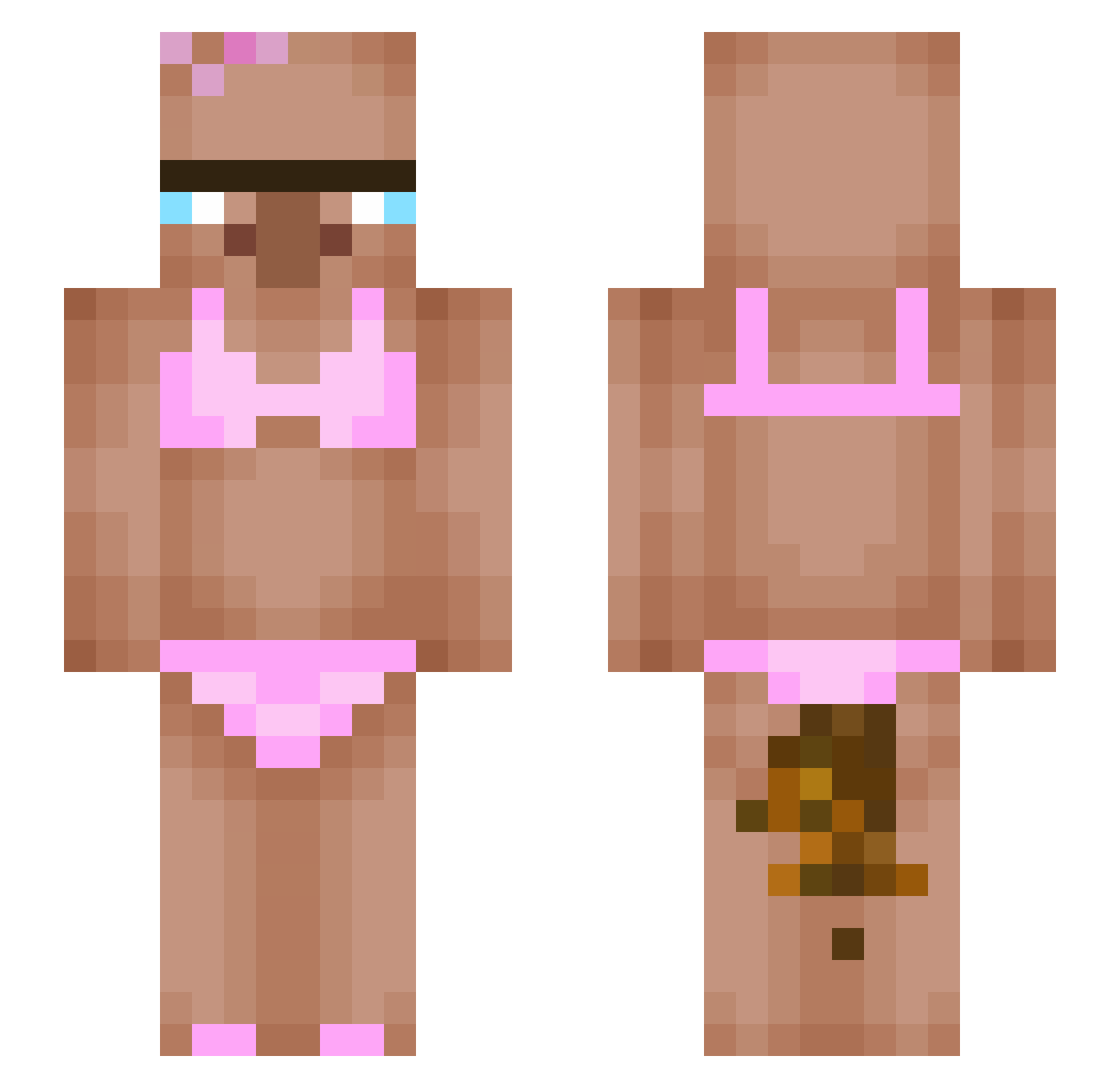
Current Minecraft skin of the player mingattt, loaded from the official Mojang API. Rotate the 3D model with your mouse or finger, then download the skin as a PNG file and use it in Minecraft: Bedrock Edition or Java Edition for free. When mingattt changes their skin, this page updates automatically and the old skin stays in the history below.
Other players with this skin (423)
mingattt was the 282nd player we have seen with this skin, first spotted on 03.10.2026. The same skin was seen on these players. Open a nickname to see their current skin and skin history.
 tomynng fedevigaaz_ Galaxy_sivert Bobkowicz1 PZdoyoon alekos204x simse1012 Colum_Le_Petit Gabbatunde eugeneshao k0ng3n_ 2xuss blackp1bww RubaTub__ hsjun1104 Nodeamizz Kalasnisse kabanos12321 0rcxYT Orangebrick69 _ZottMonte_ amandinhars printzz00 AutistischerJude EnderChest_EC xXNegatifXx sidol_sidol Mallchok chleba1307 glebchik BundaLengerz610 bangapda_ F4TB0Y12345 Falling_Staxx doqp DylanOsp Sl0rD00 giz_moha bobosohandsome signa_boy2012 flexiblethinking Roykum denxvixy TheZhanchik rasukiii neckklace7 Orgiasm Minifrutti oper5594 Ghost_Klem Vikzior andyalex2005 stone1745 Llucy2010 Mathler62 DANII092 PoldinoAsasino chrannie Milki3F JitaeRage
More Bikini Minecraft skins
How to install the mingattt skin
- Press the Download button above to save the skin as a PNG file.
- Minecraft: Bedrock Edition (PE): open the Dressing Room from the main menu (or tap your character → Edit Character), go to Classic Skins → Owned, press the + (new skin) button, choose the downloaded PNG and pick the Slim (Alex) model. Works on PC and mobile; consoles cannot import custom skins.
- Minecraft: Java Edition: open the Minecraft Launcher, go to the Skins tab, click New Skin, load the PNG, pick the Slim (Alex) model and press Save & Use. You can also upload it at minecraft.net → Profile → Change Skin.
The skin does not show up after import - what should I do?
Restart Minecraft and open the Dressing Room again - imported skins sometimes appear only after a restart. Also make sure you selected the imported skin and picked the Slim (Alex) model.
Which model should I choose, Classic or Slim?
This skin is designed for the Slim (Alex) model. If you pick the wrong model, the arms of the skin will look stretched or squeezed.
Is the skin of mingattt free to download?
Yes. Press Download, save the PNG file and use it in Minecraft: Bedrock Edition or Java Edition - no payment or registration needed. The skin also works on multiplayer servers and Realms.
More skins
Looking for more? Go back to all Minecraft skins and check the top skins of the week, month and all time, or find any player's skin by nickname.