
mikemandeluxe - Minecraft Skins & Skin History
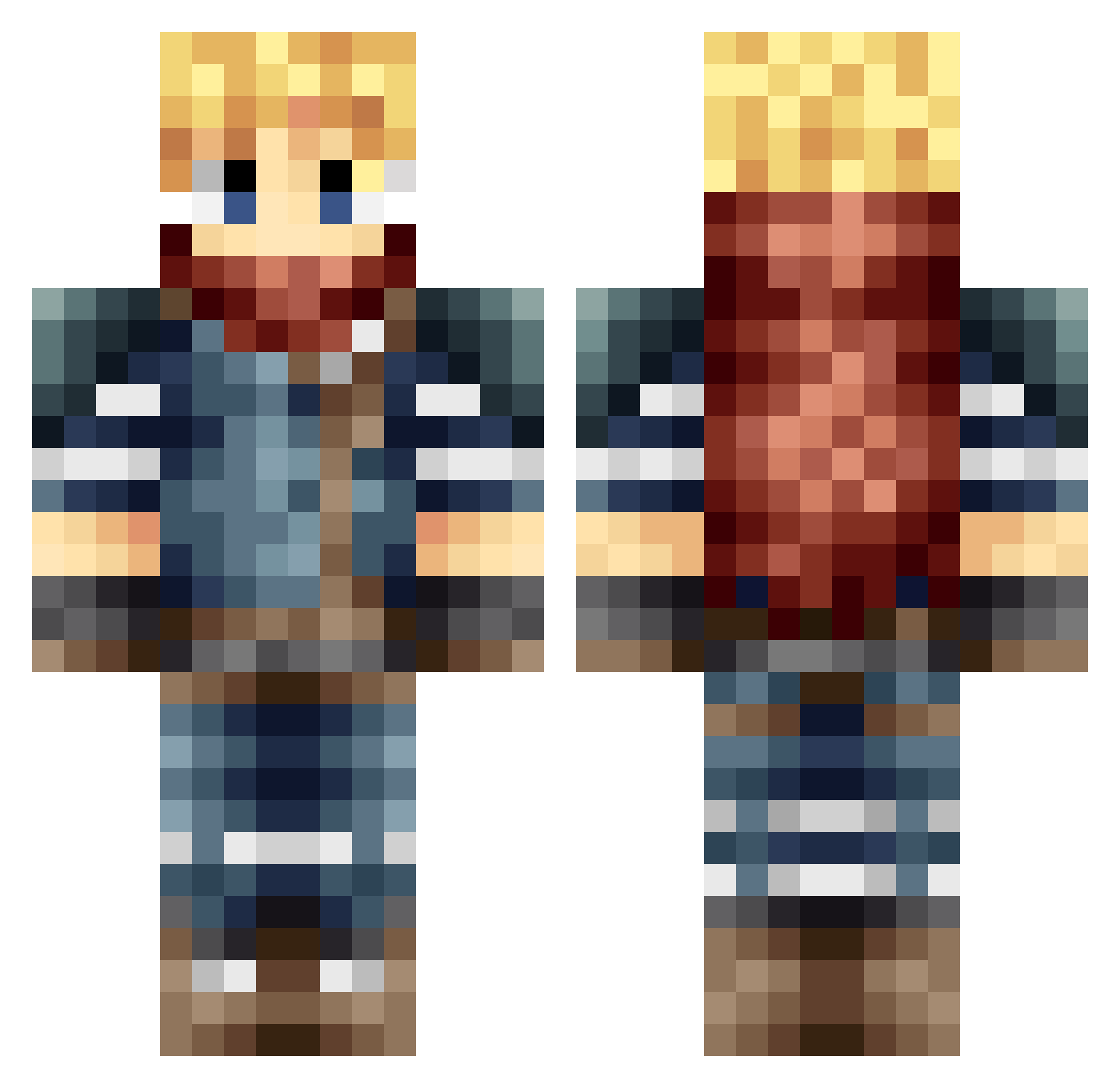
Current Minecraft skin of the player mikemandeluxe, loaded from the official Mojang API. Rotate the 3D model with your mouse or finger, then download the skin as a PNG file and use it in Minecraft: Bedrock Edition or Java Edition for free. When mikemandeluxe changes their skin, this page updates automatically and the old skin stays in the history below.
Other players with this skin (666)
mikemandeluxe was the 276th player we have seen with this skin, first spotted on 13.09.2026. The same skin was seen on these players. Open a nickname to see their current skin and skin history.
 GameInformerNL_2 reymo speebey Durend02 777Joshua Layose1986 Wackygame026 Finalbladestyle jivemelon AlastairRossC JoshTheBoss7258 Crads11 Crimsonbone KalvinEsco blargman3 Luca_Noir Rasmus9009 disview tamago214 august793 PhawzyBear cloudvault Foxslucken Avixxc Melanai GyMArCS Mnpaie Keyz_3 Salter24 jack_of_spades1 Haurace Xyrhas Little_Bottler ZengSanity MartinM23 OhArTeX Dinotski XarTix54 CEPOXA thebeautyofdecay Arisenal Nucl3arWaffle Zebbhead Shootboyz Drcopain the_supermod Aymericus10 Nuwtt SompyTrex Jinfa1314 bdrod92 TDingus Abom7md2 vengeance30 Davahkiin SquareMike Jerome33 SoubixRitsuka ThePloth NarcissusInc
More Adventurer Minecraft skins
How to install the mikemandeluxe skin
- Press the Download button above to save the skin as a PNG file.
- Minecraft: Bedrock Edition (PE): open the Dressing Room from the main menu (or tap your character → Edit Character), go to Classic Skins → Owned, press the + (new skin) button, choose the downloaded PNG and pick the Classic (Steve) model. Works on PC and mobile; consoles cannot import custom skins.
- Minecraft: Java Edition: open the Minecraft Launcher, go to the Skins tab, click New Skin, load the PNG, pick the Classic (Steve) model and press Save & Use. You can also upload it at minecraft.net → Profile → Change Skin.
The skin does not show up after import - what should I do?
Restart Minecraft and open the Dressing Room again - imported skins sometimes appear only after a restart. Also make sure you selected the imported skin and picked the Classic (Steve) model.
Which model should I choose, Classic or Slim?
This skin is designed for the Classic (Steve) model. If you pick the wrong model, the arms of the skin will look stretched or squeezed.
Is the skin of mikemandeluxe free to download?
Yes. Press Download, save the PNG file and use it in Minecraft: Bedrock Edition or Java Edition - no payment or registration needed. The skin also works on multiplayer servers and Realms.
More skins
Looking for more? Go back to all Minecraft skins and check the top skins of the week, month and all time, or find any player's skin by nickname.