
mikedacheesehead - Minecraft Skins & Skin History
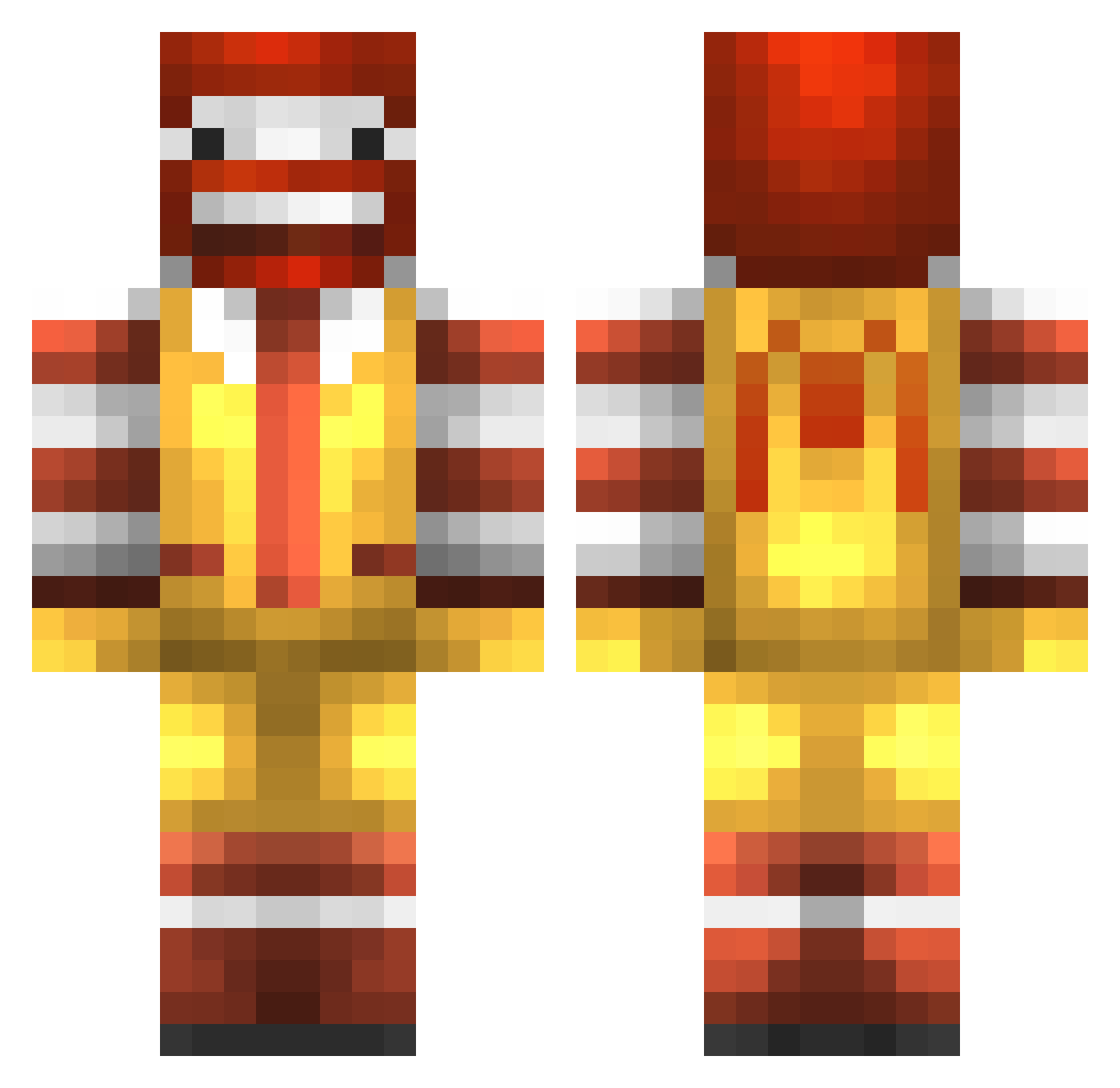
Current Minecraft skin of the player mikedacheesehead, loaded from the official Mojang API. Rotate the 3D model with your mouse or finger, then download the skin as a PNG file and use it in Minecraft: Bedrock Edition or Java Edition for free. When mikedacheesehead changes their skin, this page updates automatically and the old skin stays in the history below.
Other players with this skin (281)
mikedacheesehead was the 51st player we have seen with this skin, first spotted on 14.08.2026. The same skin was seen on these players. Open a nickname to see their current skin and skin history.
 amuzlife Quantum_Instinct mathiasnil snjfranks SBKennedy DougGimmedome1 TheCVJester Feer_Jur ShadesBot Girusika Morsik_Marta GranHouse Tamrabon SolPG BananaChocoChoco FYRIVAR C0rnFlox Z4ck_98 speed_bridging DJgamerYTC mymeme69 Chalsxai jeezyyy09 jhonasp07 TheChilakiller2 Merric21 ChatterBone JUBA_66 youngLox GOD_WOONG imakunnt Tian__Tian
 pertti_69 STARRSHINER LJH0320 UCCU2020 Sambaljochie Chi11dude D0uKe Hetro lightgodown Bushinator vrohoe Joey1117 IamKingo Catalase ebanistas13 14777 umiiy MurphyBlegg AlsknThundrFuk Big_Puss woodball_chou umitos80 Homka228 Online_Process Suprem_ps Izumi0285 RPS125 k8cnsk8
More Ronald Mcdonald Minecraft skins
See all 137 Ronald Mcdonald skins
How to install the mikedacheesehead skin
- Press the Download button above to save the skin as a PNG file.
- Minecraft: Bedrock Edition (PE): open the Dressing Room from the main menu (or tap your character → Edit Character), go to Classic Skins → Owned, press the + (new skin) button, choose the downloaded PNG and pick the Classic (Steve) model. Works on PC and mobile; consoles cannot import custom skins.
- Minecraft: Java Edition: open the Minecraft Launcher, go to the Skins tab, click New Skin, load the PNG, pick the Classic (Steve) model and press Save & Use. You can also upload it at minecraft.net → Profile → Change Skin.
The skin does not show up after import - what should I do?
Restart Minecraft and open the Dressing Room again - imported skins sometimes appear only after a restart. Also make sure you selected the imported skin and picked the Classic (Steve) model.
Which model should I choose, Classic or Slim?
This skin is designed for the Classic (Steve) model. If you pick the wrong model, the arms of the skin will look stretched or squeezed.
Is the skin of mikedacheesehead free to download?
Yes. Press Download, save the PNG file and use it in Minecraft: Bedrock Edition or Java Edition - no payment or registration needed. The skin also works on multiplayer servers and Realms.
More skins
Looking for more? Go back to all Minecraft skins and check the top skins of the week, month and all time, or find any player's skin by nickname.