
miiiizukii - Minecraft Skins & Skin History
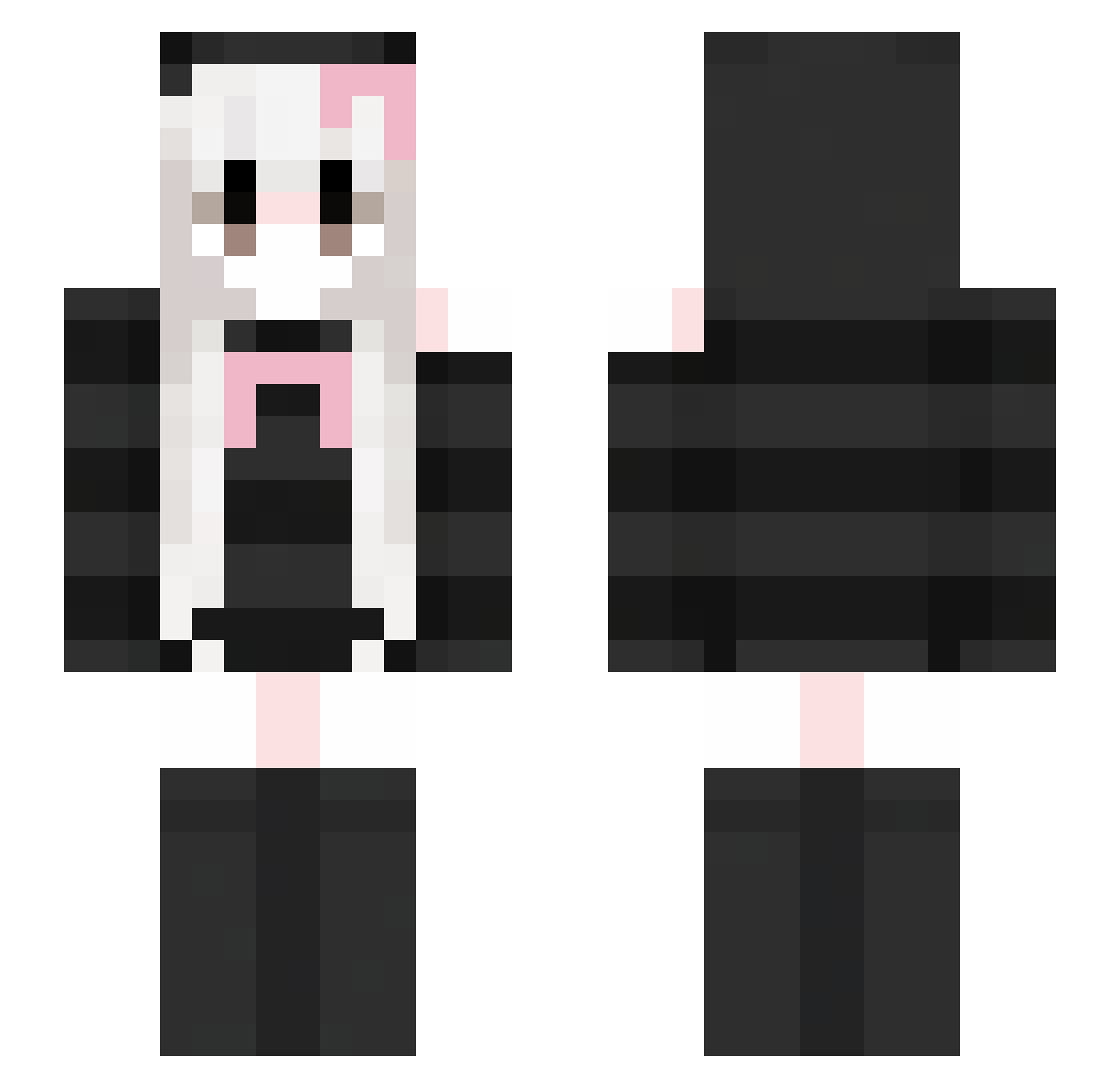
Current Minecraft skin of the player miiiizukii, loaded from the official Mojang API. Rotate the 3D model with your mouse or finger, then download the skin as a PNG file and use it in Minecraft: Bedrock Edition or Java Edition for free. When miiiizukii changes their skin, this page updates automatically and the old skin stays in the history below.
Other players with this skin (419)
miiiizukii was the 166th player we have seen with this skin, first spotted on 07.09.2026. The same skin was seen on these players. Open a nickname to see their current skin and skin history.
 Animalfox X_heci LusiaKlusia kikikiho Zimoplus XxChiyoxx Trust213 janekhc ImZhuZhongDeng KEIJILOVE Akievol stocking66 1_awa_1 XXArn cutebubble11 involute_ 52013424 WinterDaphne ShangguanZHEHANG Pomelo0521 lkggs guguaaa 11Divine nnozomi jiujiuguiyi ababfu X14n4x lerkaevans uciee uselessid315 silyuli Waver0079 KittyAmyy leequor magxvo Atziin henten1313 t1tm1ilk Violq1 hyprocite ColdArtemis HTY765 lulululu729 Uktrene GUUOK_WW AUS_HUATAD herfire263 Raystudd xiao_chao2 Marhegourez YunDuoPengYou ghoulfren HikariNosukez XuJ1xuan xPrincessBunnyy M4RI4H19 m_finger zhgss FearfulDreams0 Chiyu09
More Face Mask Minecraft skins
How to install the miiiizukii skin
- Press the Download button above to save the skin as a PNG file.
- Minecraft: Bedrock Edition (PE): open the Dressing Room from the main menu (or tap your character → Edit Character), go to Classic Skins → Owned, press the + (new skin) button, choose the downloaded PNG and pick the Slim (Alex) model. Works on PC and mobile; consoles cannot import custom skins.
- Minecraft: Java Edition: open the Minecraft Launcher, go to the Skins tab, click New Skin, load the PNG, pick the Slim (Alex) model and press Save & Use. You can also upload it at minecraft.net → Profile → Change Skin.
The skin does not show up after import - what should I do?
Restart Minecraft and open the Dressing Room again - imported skins sometimes appear only after a restart. Also make sure you selected the imported skin and picked the Slim (Alex) model.
Which model should I choose, Classic or Slim?
This skin is designed for the Slim (Alex) model. If you pick the wrong model, the arms of the skin will look stretched or squeezed.
Is the skin of miiiizukii free to download?
Yes. Press Download, save the PNG file and use it in Minecraft: Bedrock Edition or Java Edition - no payment or registration needed. The skin also works on multiplayer servers and Realms.
More skins
Looking for more? Go back to all Minecraft skins and check the top skins of the week, month and all time, or find any player's skin by nickname.