
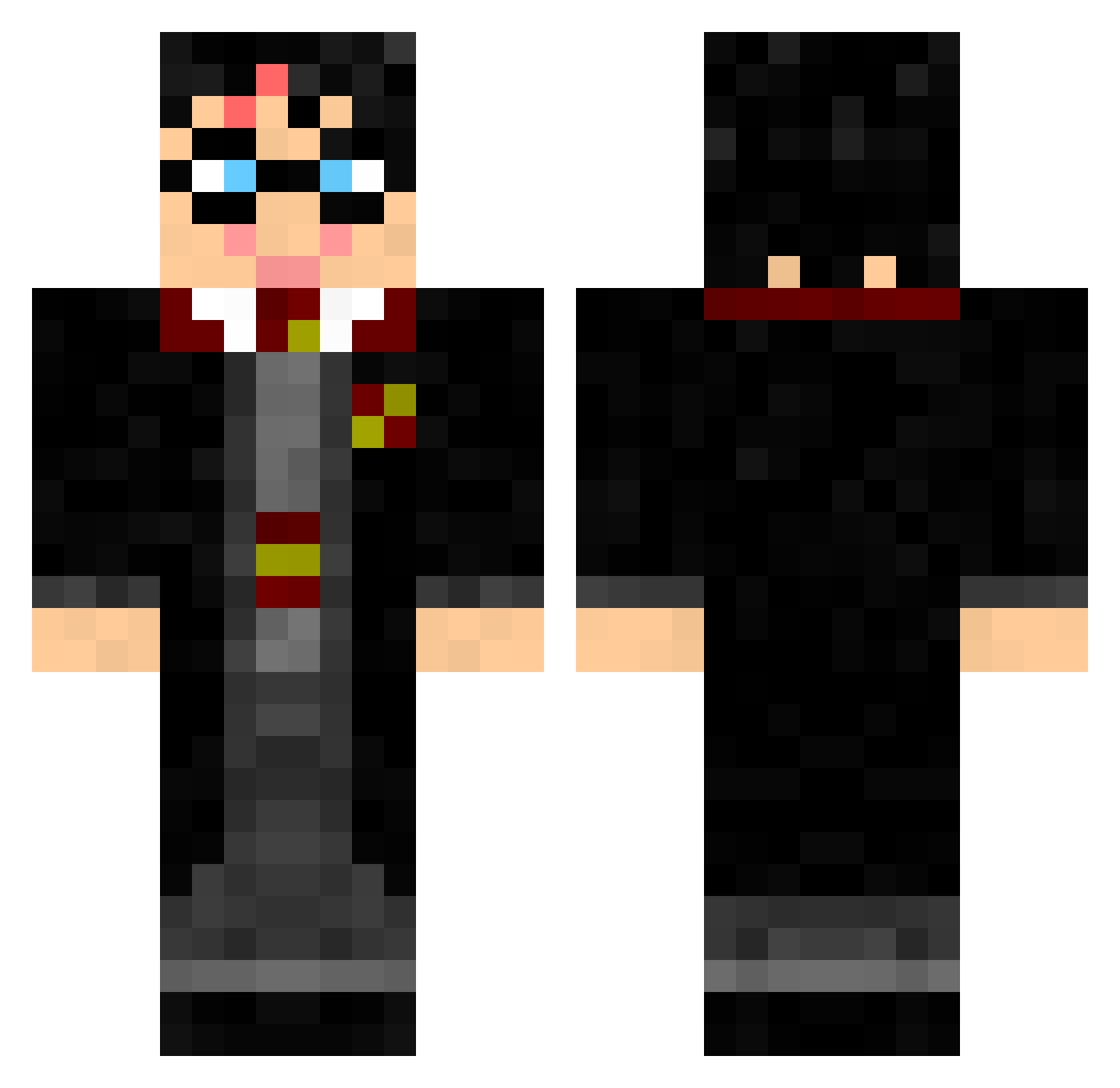
Current Minecraft skin of the player melmai1, loaded from the official Mojang API. Rotate the 3D model with your mouse or finger, then download the skin as a PNG file and use it in Minecraft: Bedrock Edition or Java Edition for free. When melmai1 changes their skin, this page updates automatically and the old skin stays in the history below.
Other players with this skin (100)
melmai1 was the 90th player we have seen with this skin, first spotted on 06.10.2026. The same skin was seen on these players. Open a nickname to see their current skin and skin history.
 jcdj666 Fakeyay thenotorius99 DZ_wang Calanstina Maxime1605 RoPhil Godric_Gryffindo Micky55 Shood2002 eYDestroyer KiwiPourri Hailstones Andy___Off Deppernando verson AitorG24 Shliqq Pshycopomp minecraft12e Sanchino PotterZanatto Yvan06 kaylaniokay YSvimky zravaT theyardenkid Walt345 rlecour LucasStorebror Zilkorth zhangyigui gabigam GweAdz gravidavi meriooon elliepotterlol schtum21 COFFENATOR MathFLK voxaza Chiquitico PEPPEALMAX keloggy xDerPutex Efem2012 Pau520 lArkannl leuiio Bright_ocean PiggyJoeStar tonitruantT Tootalookaycee SkyNex0 newttsc 0yan_an Allandv78 Schmonkan FrankyPlayZ CaptNivek
More Harry Potter Minecraft skins
See all 196 Harry Potter skins
How to install the melmai1 skin
- Press the Download button above to save the skin as a PNG file.
- Minecraft: Bedrock Edition (PE): open the Dressing Room from the main menu (or tap your character → Edit Character), go to Classic Skins → Owned, press the + (new skin) button, choose the downloaded PNG and pick the Classic (Steve) model. Works on PC and mobile; consoles cannot import custom skins.
- Minecraft: Java Edition: open the Minecraft Launcher, go to the Skins tab, click New Skin, load the PNG, pick the Classic (Steve) model and press Save & Use. You can also upload it at minecraft.net → Profile → Change Skin.
The skin does not show up after import - what should I do?
Restart Minecraft and open the Dressing Room again - imported skins sometimes appear only after a restart. Also make sure you selected the imported skin and picked the Classic (Steve) model.
Which model should I choose, Classic or Slim?
This skin is designed for the Classic (Steve) model. If you pick the wrong model, the arms of the skin will look stretched or squeezed.
Is the skin of melmai1 free to download?
Yes. Press Download, save the PNG file and use it in Minecraft: Bedrock Edition or Java Edition - no payment or registration needed. The skin also works on multiplayer servers and Realms.
More skins
Looking for more? Go back to all Minecraft skins and check the top skins of the week, month and all time, or find any player's skin by nickname.