
monamafk - Minecraft Skins & Skin History
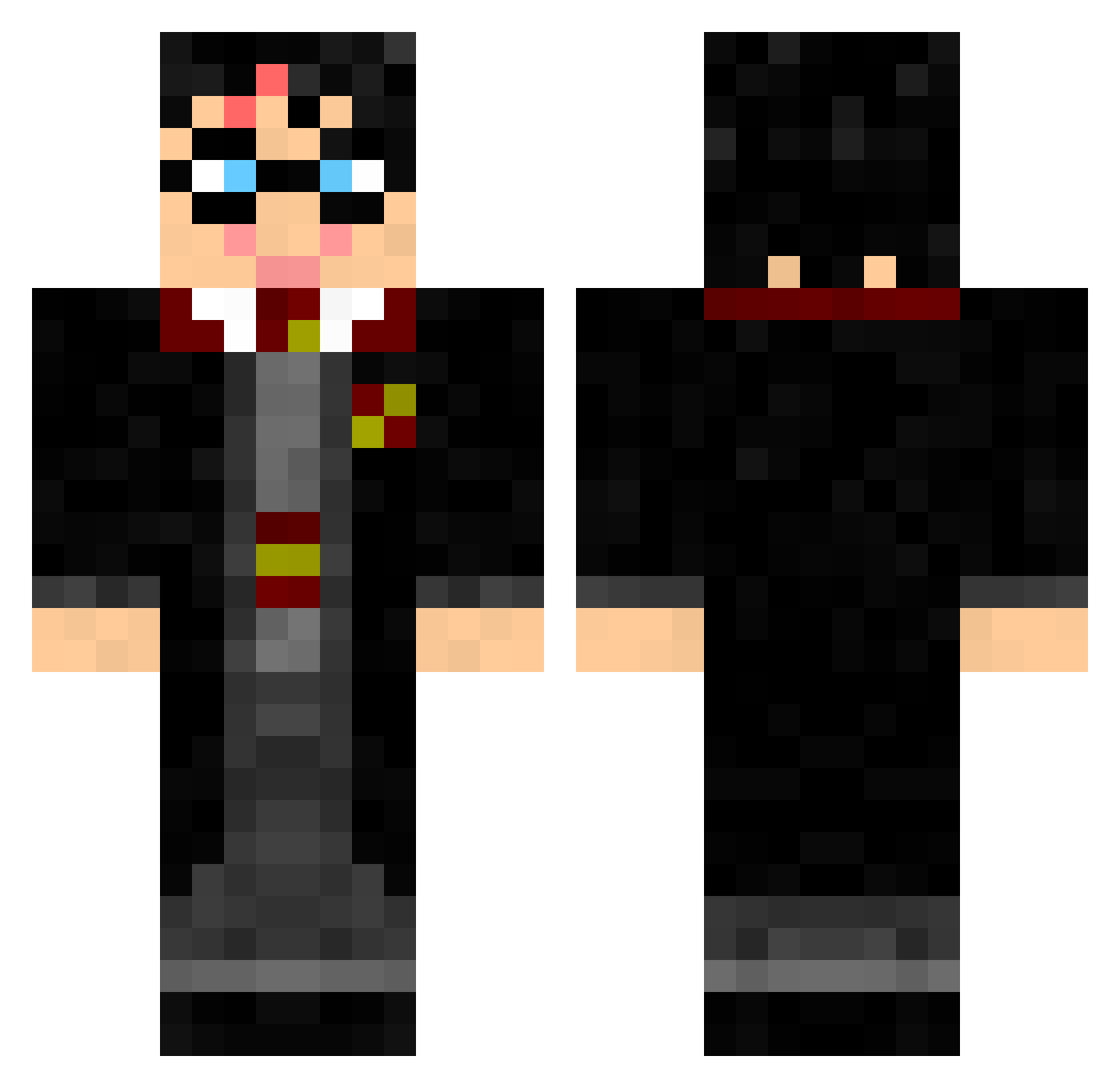
Current Minecraft skin of the player monamafk, loaded from the official Mojang API. Rotate the 3D model with your mouse or finger, then download the skin as a PNG file and use it in Minecraft: Bedrock Edition or Java Edition for free. When monamafk changes their skin, this page updates automatically and the old skin stays in the history below.
Other players with this skin (151)
monamafk was the 103rd player we have seen with this skin, first spotted on 17.10.2026. The same skin was seen on these players. Open a nickname to see their current skin and skin history.
 Sakura010 LanceForever TadzioS Walt345 theyardenkid Marcellius1992 kilkenny123 zravaT YSvimky PeterTissemand carneyasada Proff_Flitwick minecraft12e creamsend Breakneckblitz P_rockwell xizha cyrilo_68 FreedomAsh Deppernando Ruetli marinefor Andy___Off Adramor Sostamil luigirossi98 PotterTintin Micky55 iwillkissyou Godric_Gryffindo RoPhil Yonagi07 DanTheGreen TheGui_13 Fakeyay Eldwick21 zeqgterg B_A_S_I_C melmai1 jcdj666 MAGICUBE14 thenotorius99 MaxJDam ADM1TR1POW krokicinski PiesioIKotek XiaoLin06 DZ_wang Wldexyy sixtyfore Calanstina Maxime1605 Shood2002 Mingming1350 SamSage21 DieFrauenrechte eYDestroyer KiwiPourri pibz42 Hailstones
More Harry Potter Minecraft skins
See all 263 Harry Potter skins
How to install the monamafk skin
- Press the Download button above to save the skin as a PNG file.
- Minecraft: Bedrock Edition (PE): open the Dressing Room from the main menu (or tap your character → Edit Character), go to Classic Skins → Owned, press the + (new skin) button, choose the downloaded PNG and pick the Classic (Steve) model. Works on PC and mobile; consoles cannot import custom skins.
- Minecraft: Java Edition: open the Minecraft Launcher, go to the Skins tab, click New Skin, load the PNG, pick the Classic (Steve) model and press Save & Use. You can also upload it at minecraft.net → Profile → Change Skin.
The skin does not show up after import - what should I do?
Restart Minecraft and open the Dressing Room again - imported skins sometimes appear only after a restart. Also make sure you selected the imported skin and picked the Classic (Steve) model.
Which model should I choose, Classic or Slim?
This skin is designed for the Classic (Steve) model. If you pick the wrong model, the arms of the skin will look stretched or squeezed.
Is the skin of monamafk free to download?
Yes. Press Download, save the PNG file and use it in Minecraft: Bedrock Edition or Java Edition - no payment or registration needed. The skin also works on multiplayer servers and Realms.
More skins
Looking for more? Go back to all Minecraft skins and check the top skins of the week, month and all time, or find any player's skin by nickname.