
measlyguineapig - Minecraft Skins & Skin History
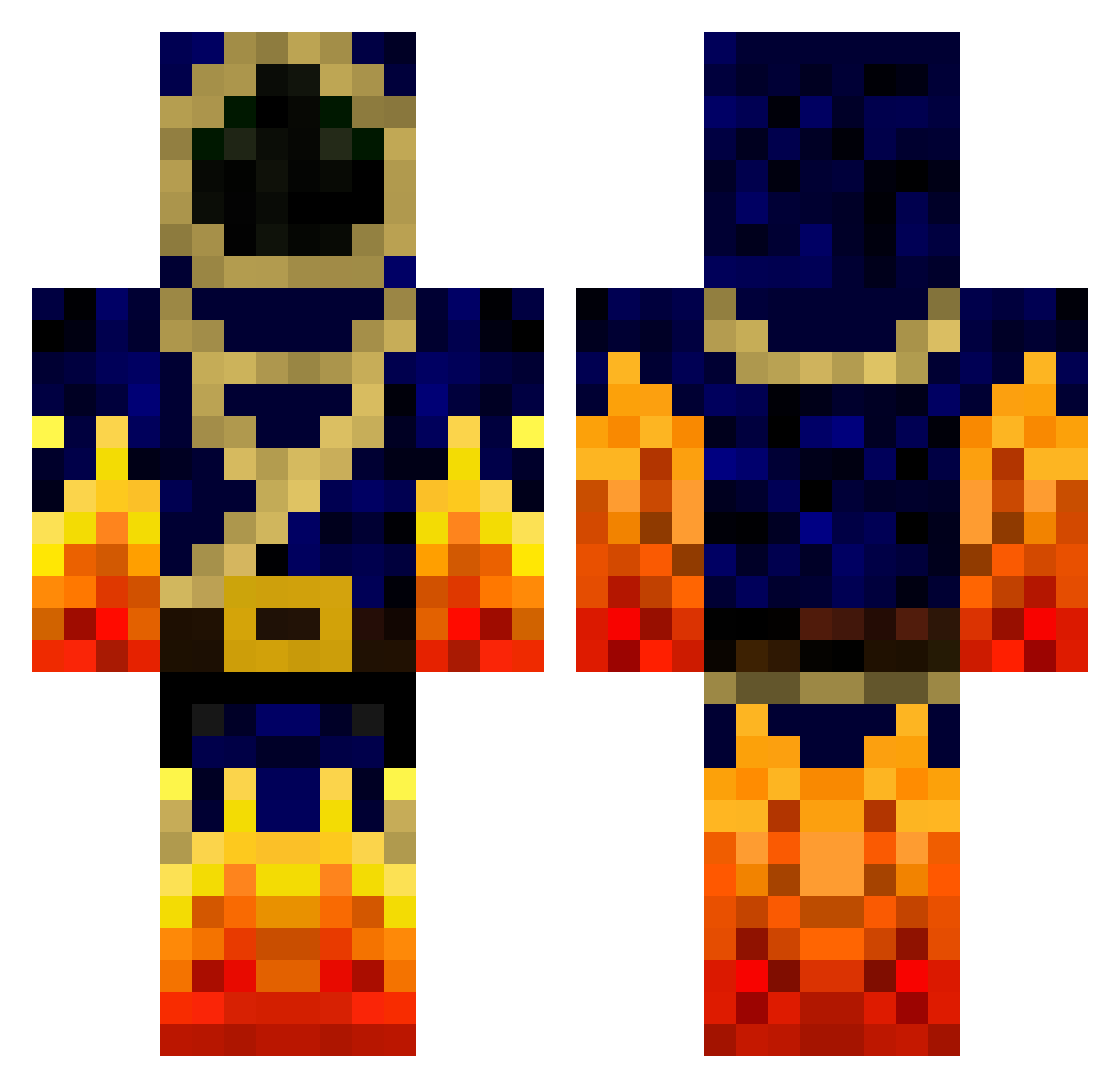
Current Minecraft skin of the player measlyguineapig, loaded from the official Mojang API. Rotate the 3D model with your mouse or finger, then download the skin as a PNG file and use it in Minecraft: Bedrock Edition or Java Edition for free. When measlyguineapig changes their skin, this page updates automatically and the old skin stays in the history below.
Other players with this skin (655)
measlyguineapig was the 618th player we have seen with this skin, first spotted on 19.10.2026. The same skin was seen on these players. Open a nickname to see their current skin and skin history.
 HakunaMyTataaz Break_Out Joakimlind FireLordSen zRxlen Velmontre Mike11021984 DoritosDavid Bastou13 djpelslayer _DEVILMAN_ lightingclone KingKilgy7 jacobdk95 Shanks_001 crafting_stone 100fgh100 WaterBoy8 aidanwc Xbillx shabankaka MineCraftRouge iDavyd fromsejer koolkid_Dragoon miniHabbee Firebender112 ragingz1 rock31 DarkWizardz LordSnow2 Shoot2ki77 Supercell_Nerd haalbal MadMan97 NCastellano MoggeEver codename64 Avengrer KingJustinmaster Celtic_Claymore junkyboy99 PandaKan zeoy12 Wesowen15 Bloody_Noob Tollzz Pirlo2002 XxRedArcherxX prowmario Fireguymc zZ_StanTheMan_Zz UltimateGamer222 andrewthewiggler dacke37 princeofire4 Xzion101 hope1981 Bobbydouge zapdos12345
More Mage Minecraft skins
How to install the measlyguineapig skin
- Press the Download button above to save the skin as a PNG file.
- Minecraft: Bedrock Edition (PE): open the Dressing Room from the main menu (or tap your character → Edit Character), go to Classic Skins → Owned, press the + (new skin) button, choose the downloaded PNG and pick the Classic (Steve) model. Works on PC and mobile; consoles cannot import custom skins.
- Minecraft: Java Edition: open the Minecraft Launcher, go to the Skins tab, click New Skin, load the PNG, pick the Classic (Steve) model and press Save & Use. You can also upload it at minecraft.net → Profile → Change Skin.
The skin does not show up after import - what should I do?
Restart Minecraft and open the Dressing Room again - imported skins sometimes appear only after a restart. Also make sure you selected the imported skin and picked the Classic (Steve) model.
Which model should I choose, Classic or Slim?
This skin is designed for the Classic (Steve) model. If you pick the wrong model, the arms of the skin will look stretched or squeezed.
Is the skin of measlyguineapig free to download?
Yes. Press Download, save the PNG file and use it in Minecraft: Bedrock Edition or Java Edition - no payment or registration needed. The skin also works on multiplayer servers and Realms.
More skins
Looking for more? Go back to all Minecraft skins and check the top skins of the week, month and all time, or find any player's skin by nickname.