
Bobbydouge - Minecraft Skins & Skin History
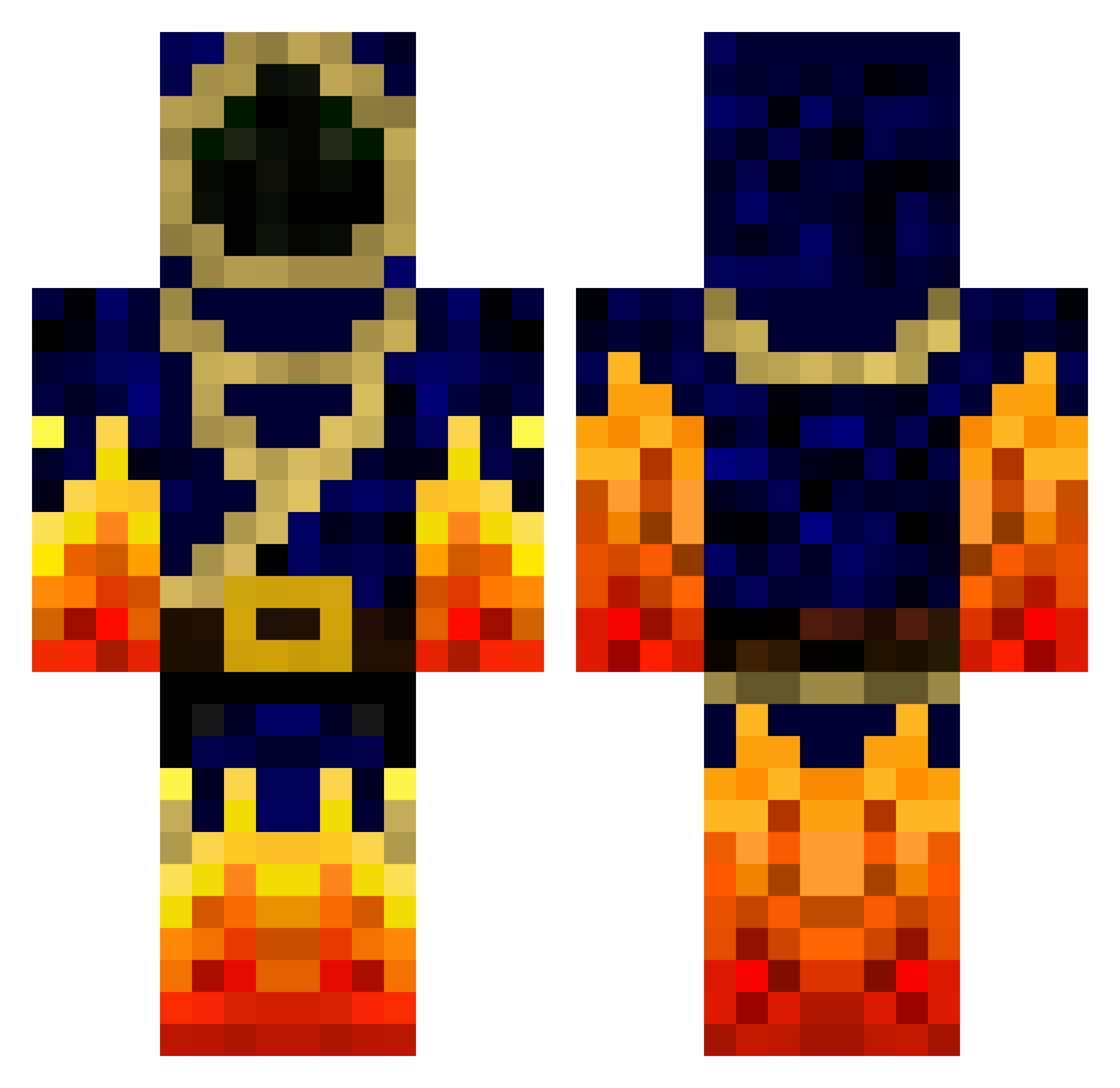
Current Minecraft skin of the player Bobbydouge, loaded from the official Mojang API. Rotate the 3D model with your mouse or finger, then download the skin as a PNG file and use it in Minecraft: Bedrock Edition or Java Edition for free. When Bobbydouge changes their skin, this page updates automatically and the old skin stays in the history below.
Other players with this skin (838)
Bobbydouge was the 653rd player we have seen with this skin, first spotted on 22.10.2026. The same skin was seen on these players. Open a nickname to see their current skin and skin history.
 hope1981 Xzion101 dacke37 andrewthewiggler Black_Saylor UltimateGamer222 jberickson24 JoseJuanFTO zZ_StanTheMan_Zz prowmario Pirlo2002 Bloody_Noob Wesowen15 zeoy12 KingJustinmaster Killz4life HONEYCHOPS MoggeEver NCastellano MadMan97 haalbal Shoot2ki77 Bridlingdig35 rhoholl rock31 ragingz1 ironmankid miniHabbee 123145674894236 killermorsy99 iDavyd MineCraftRouge aaronmcb217 Xbillx alonalbert nicktimbrussel tomjojo3 waveydee1234 100fgh100 crafting_stone DrakeM007 DO_NO_EVIL jacobdk95 Jake_kp1 FatTurky123 zacharysdad Bastou13 neverproblemfree Proxi_Midnight DoritosDavid Mike11021984 Velmontre Ladrots24 zRxlen roiriro Joakimlind darkarcher99 Break_Out lcepalmieri HakunaMyTataaz
More Mage Minecraft skins
How to install the Bobbydouge skin
- Press the Download button above to save the skin as a PNG file.
- Minecraft: Bedrock Edition (PE): open the Dressing Room from the main menu (or tap your character → Edit Character), go to Classic Skins → Owned, press the + (new skin) button, choose the downloaded PNG and pick the Classic (Steve) model. Works on PC and mobile; consoles cannot import custom skins.
- Minecraft: Java Edition: open the Minecraft Launcher, go to the Skins tab, click New Skin, load the PNG, pick the Classic (Steve) model and press Save & Use. You can also upload it at minecraft.net → Profile → Change Skin.
The skin does not show up after import - what should I do?
Restart Minecraft and open the Dressing Room again - imported skins sometimes appear only after a restart. Also make sure you selected the imported skin and picked the Classic (Steve) model.
Which model should I choose, Classic or Slim?
This skin is designed for the Classic (Steve) model. If you pick the wrong model, the arms of the skin will look stretched or squeezed.
Is the skin of Bobbydouge free to download?
Yes. Press Download, save the PNG file and use it in Minecraft: Bedrock Edition or Java Edition - no payment or registration needed. The skin also works on multiplayer servers and Realms.
More skins
Looking for more? Go back to all Minecraft skins and check the top skins of the week, month and all time, or find any player's skin by nickname.