
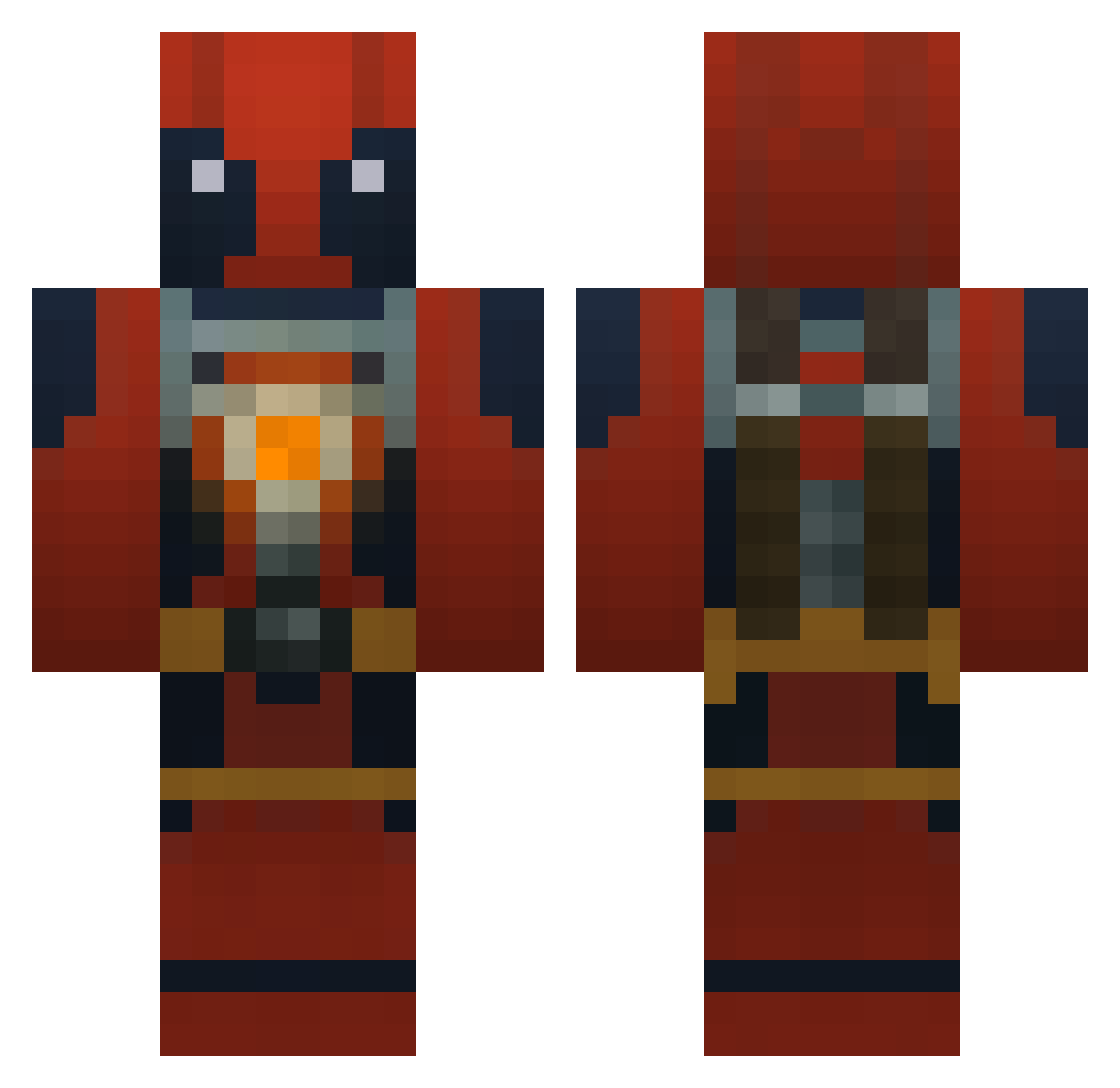
Current Minecraft skin of the player masterpipo1, loaded from the official Mojang API. Rotate the 3D model with your mouse or finger, then download the skin as a PNG file and use it in Minecraft: Bedrock Edition or Java Edition for free. When masterpipo1 changes their skin, this page updates automatically and the old skin stays in the history below.
Other players with this skin (695)
masterpipo1 was the 278th player we have seen with this skin, first spotted on 31.08.2026. The same skin was seen on these players. Open a nickname to see their current skin and skin history.
 csjw Coeser gamehunterXL Mrcheeseman420 wizard1241 SiLeNce1ner RandomDudeLuke Doc_Fish DonxVito Harmy96 munki2003 tavi1533 ZombieZerox1 Gedemer Bennyjaming Im_Batman3 RealBattlePanda skylink1131 That1austinkid RJLitt MutahWarrior WoodyLong10 giannig69 Cellz69 Iwdude PurpleRoads Profilehacker Deadtv lbm75 Yoda1947 iaGa ANevAV Kuhra304 PartyCastle bloodhelm imthekid03 killshok594 HalfLifeWarBoy FatUnicorn7 Cody2056 jcd231 DellaNooch PuptartPounder YangGuo wickerpurusonxxx JusTkNd moneyman1141 Gabbergandalf94 Koen03234 HiyaChibi rrrrr2 kietsu19 callum01 tal_08 artwes AlextheCupcake c1el_ DragunDevil ImDniaL Hforthewin
More Deadpool Minecraft skins
How to install the masterpipo1 skin
- Press the Download button above to save the skin as a PNG file.
- Minecraft: Bedrock Edition (PE): open the Dressing Room from the main menu (or tap your character → Edit Character), go to Classic Skins → Owned, press the + (new skin) button, choose the downloaded PNG and pick the Classic (Steve) model. Works on PC and mobile; consoles cannot import custom skins.
- Minecraft: Java Edition: open the Minecraft Launcher, go to the Skins tab, click New Skin, load the PNG, pick the Classic (Steve) model and press Save & Use. You can also upload it at minecraft.net → Profile → Change Skin.
The skin does not show up after import - what should I do?
Restart Minecraft and open the Dressing Room again - imported skins sometimes appear only after a restart. Also make sure you selected the imported skin and picked the Classic (Steve) model.
Which model should I choose, Classic or Slim?
This skin is designed for the Classic (Steve) model. If you pick the wrong model, the arms of the skin will look stretched or squeezed.
Is the skin of masterpipo1 free to download?
Yes. Press Download, save the PNG file and use it in Minecraft: Bedrock Edition or Java Edition - no payment or registration needed. The skin also works on multiplayer servers and Realms.
More skins
Looking for more? Go back to all Minecraft skins and check the top skins of the week, month and all time, or find any player's skin by nickname.