
mangaland68 - Minecraft Skins & Skin History
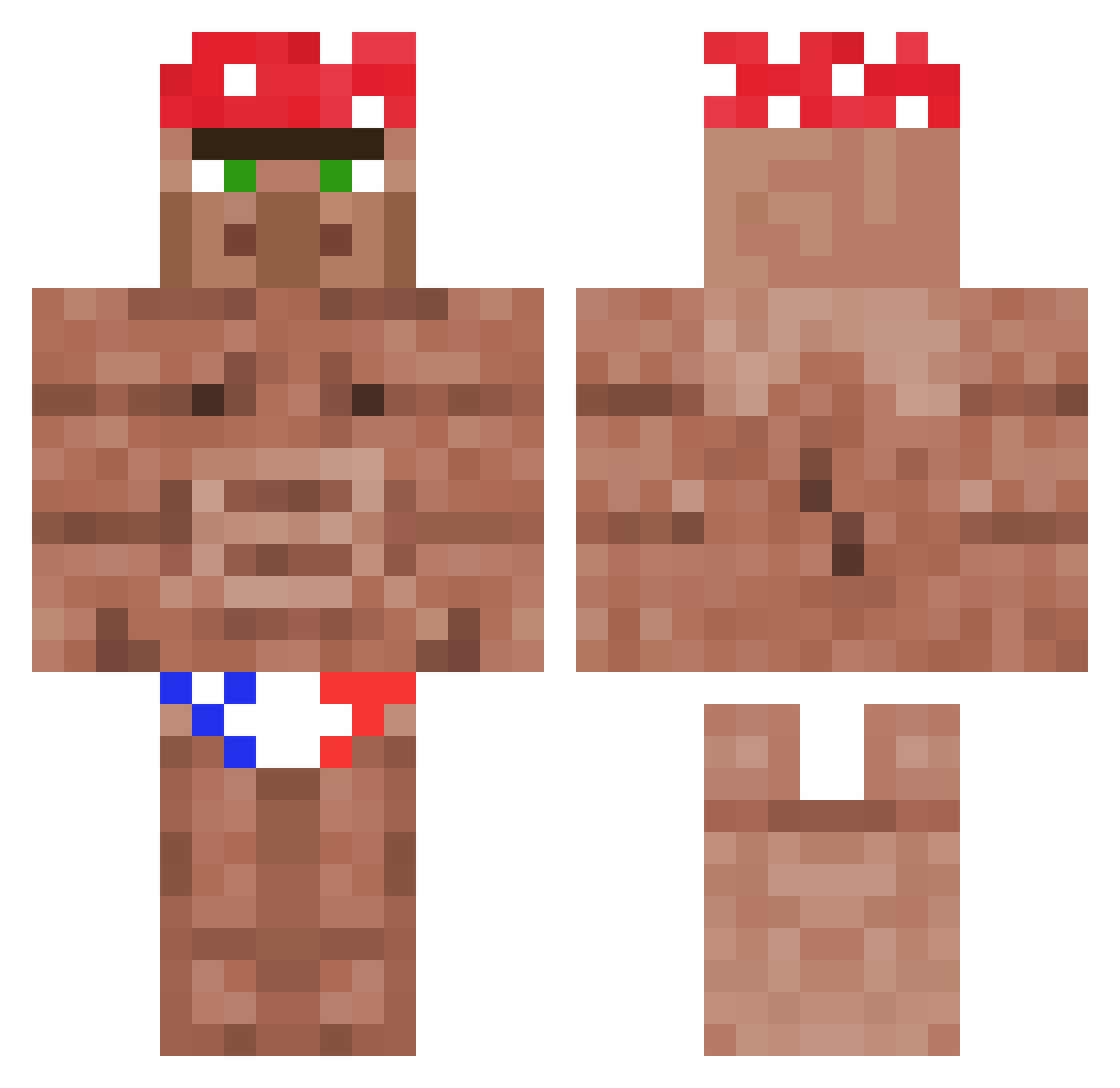
Current Minecraft skin of the player mangaland68, loaded from the official Mojang API. Rotate the 3D model with your mouse or finger, then download the skin as a PNG file and use it in Minecraft: Bedrock Edition or Java Edition for free. When mangaland68 changes their skin, this page updates automatically and the old skin stays in the history below.
Other players with this skin (1178)
mangaland68 was the 411th player we have seen with this skin, first spotted on 03.09.2026. The same skin was seen on these players. Open a nickname to see their current skin and skin history.
 Burgermeistertv
 Coulto ASleepingDuck Taik Fr0ziX GJR0422 accowan219 NicoCOG CyroBlaze PETERnoob jackosborn05 MATJOOO DragonKing_ AyeBowZee MrNeverSalty GURTYlei Alexchamp Lugima Kimbubvvs igorfnunes97 SothaChill Srbijaontop Giaaan_ Dilogrance DarkeStrider NinjaVerde888 0_Hedgehog_0 Raidens_Revenge geekdalf Jadandia MissMime SHEPS09_Smexy GodEmperorOne rednaz7676 William_Tyrrell_ FurnerX Walter09875 Cooperjacks Leqch tomkampie Coach4928 KING_Davv Misonyeojin MeRCyMadman UNDEADBLADE debastadoor Kikuoo_ Lenfanduciel ChrisBenitez tieupka fuze560 CookedEwok StrongSpirit37 WalterKyiv NeuralGhostt Salade2Q Arennz1359 Dino_YTB CbasNavarro sexythang73
More Ricardo Milos Minecraft skins
See all 100 Ricardo Milos skins
How to install the mangaland68 skin
- Press the Download button above to save the skin as a PNG file.
- Minecraft: Bedrock Edition (PE): open the Dressing Room from the main menu (or tap your character → Edit Character), go to Classic Skins → Owned, press the + (new skin) button, choose the downloaded PNG and pick the Classic (Steve) model. Works on PC and mobile; consoles cannot import custom skins.
- Minecraft: Java Edition: open the Minecraft Launcher, go to the Skins tab, click New Skin, load the PNG, pick the Classic (Steve) model and press Save & Use. You can also upload it at minecraft.net → Profile → Change Skin.
The skin does not show up after import - what should I do?
Restart Minecraft and open the Dressing Room again - imported skins sometimes appear only after a restart. Also make sure you selected the imported skin and picked the Classic (Steve) model.
Which model should I choose, Classic or Slim?
This skin is designed for the Classic (Steve) model. If you pick the wrong model, the arms of the skin will look stretched or squeezed.
Is the skin of mangaland68 free to download?
Yes. Press Download, save the PNG file and use it in Minecraft: Bedrock Edition or Java Edition - no payment or registration needed. The skin also works on multiplayer servers and Realms.
More skins
Looking for more? Go back to all Minecraft skins and check the top skins of the week, month and all time, or find any player's skin by nickname.