
maggimani - Minecraft Skins & Skin History
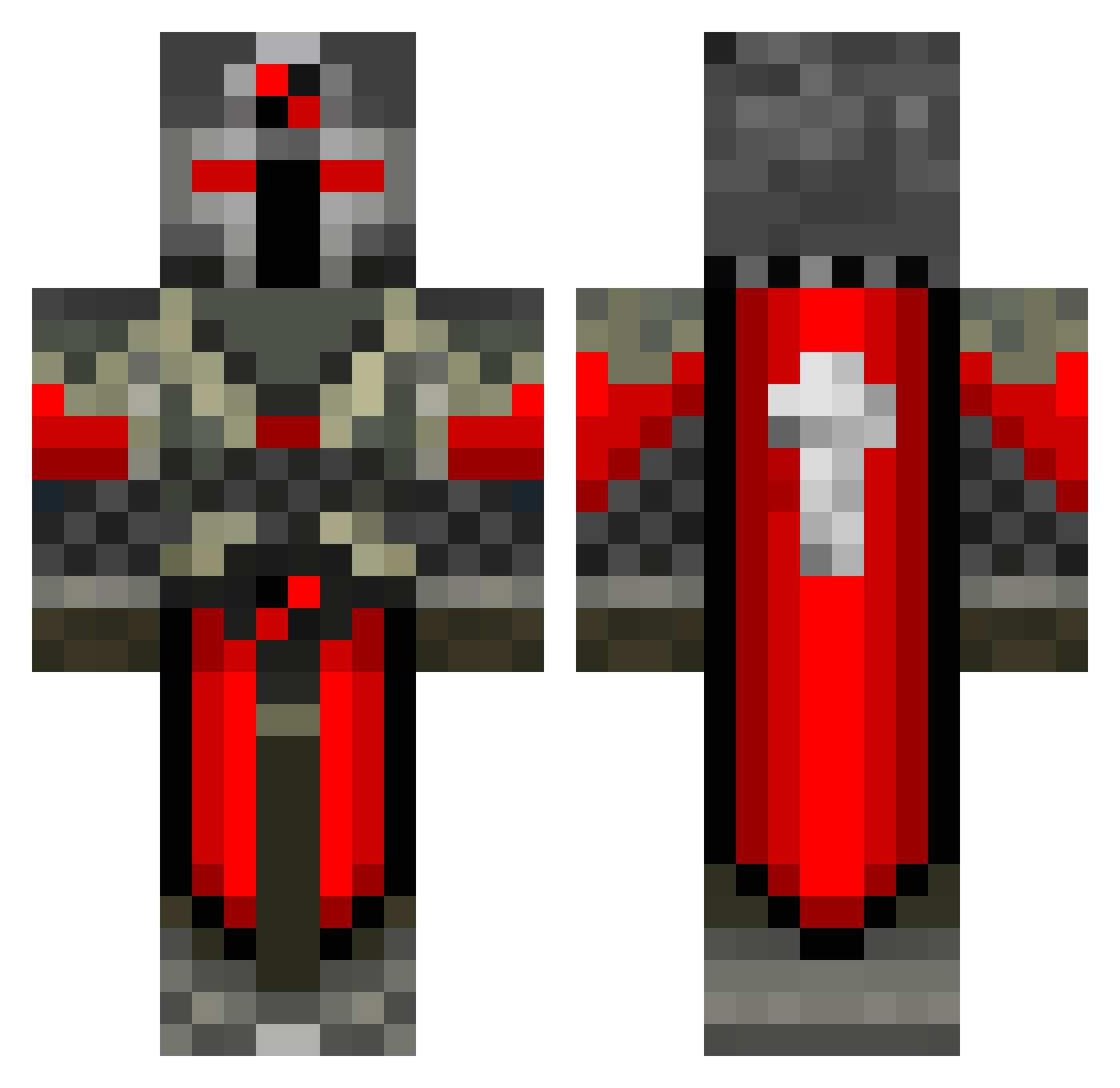
Current Minecraft skin of the player maggimani, loaded from the official Mojang API. Rotate the 3D model with your mouse or finger, then download the skin as a PNG file and use it in Minecraft: Bedrock Edition or Java Edition for free. When maggimani changes their skin, this page updates automatically and the old skin stays in the history below.
Other players with this skin (550)
maggimani was the 168th player we have seen with this skin, first spotted on 28.08.2026. The same skin was seen on these players. Open a nickname to see their current skin and skin history.
 Deadly_Corvo Panama222 Dodgythoughts NINHURSAG thomastyrrell11 Gunneerz bqworley maxear ajrazor Balrock00621 little_Groot WindwardLeaf Bowtechboy310 sniperelite16 captainjo22 Brotato141 OpZ_Rewiind Tyradar wickedswiss Black_Knight9 maulik39 astrack Constitutional Shark160505 SwiftyLaRoo xIHAZE CuzImBlock welliguessi Trouble_1999 ibic789 kikbutninja BossPat10 M1kr0 Butterflygirl808 pson11 olekev alblas04 Jellyrole212 PawnBastic Manson2012b lime16 Cyrus245 ImJustClicking spinney2001 IVSTER27 Hutto_10 Iragana toxicmuffin TheLoLgaMer6 kjellsson95 toxicskin420 Travis_boy Numvvuk shadowwolf597 appleman0321 abbas_is_a_boss corban10 Hawkeyes232 zbrownie mohammed_khalid
More Crusader Minecraft skins
How to install the maggimani skin
- Press the Download button above to save the skin as a PNG file.
- Minecraft: Bedrock Edition (PE): open the Dressing Room from the main menu (or tap your character → Edit Character), go to Classic Skins → Owned, press the + (new skin) button, choose the downloaded PNG and pick the Classic (Steve) model. Works on PC and mobile; consoles cannot import custom skins.
- Minecraft: Java Edition: open the Minecraft Launcher, go to the Skins tab, click New Skin, load the PNG, pick the Classic (Steve) model and press Save & Use. You can also upload it at minecraft.net → Profile → Change Skin.
The skin does not show up after import - what should I do?
Restart Minecraft and open the Dressing Room again - imported skins sometimes appear only after a restart. Also make sure you selected the imported skin and picked the Classic (Steve) model.
Which model should I choose, Classic or Slim?
This skin is designed for the Classic (Steve) model. If you pick the wrong model, the arms of the skin will look stretched or squeezed.
Is the skin of maggimani free to download?
Yes. Press Download, save the PNG file and use it in Minecraft: Bedrock Edition or Java Edition - no payment or registration needed. The skin also works on multiplayer servers and Realms.
More skins
Looking for more? Go back to all Minecraft skins and check the top skins of the week, month and all time, or find any player's skin by nickname.