
mafor - Minecraft Skins & Skin History
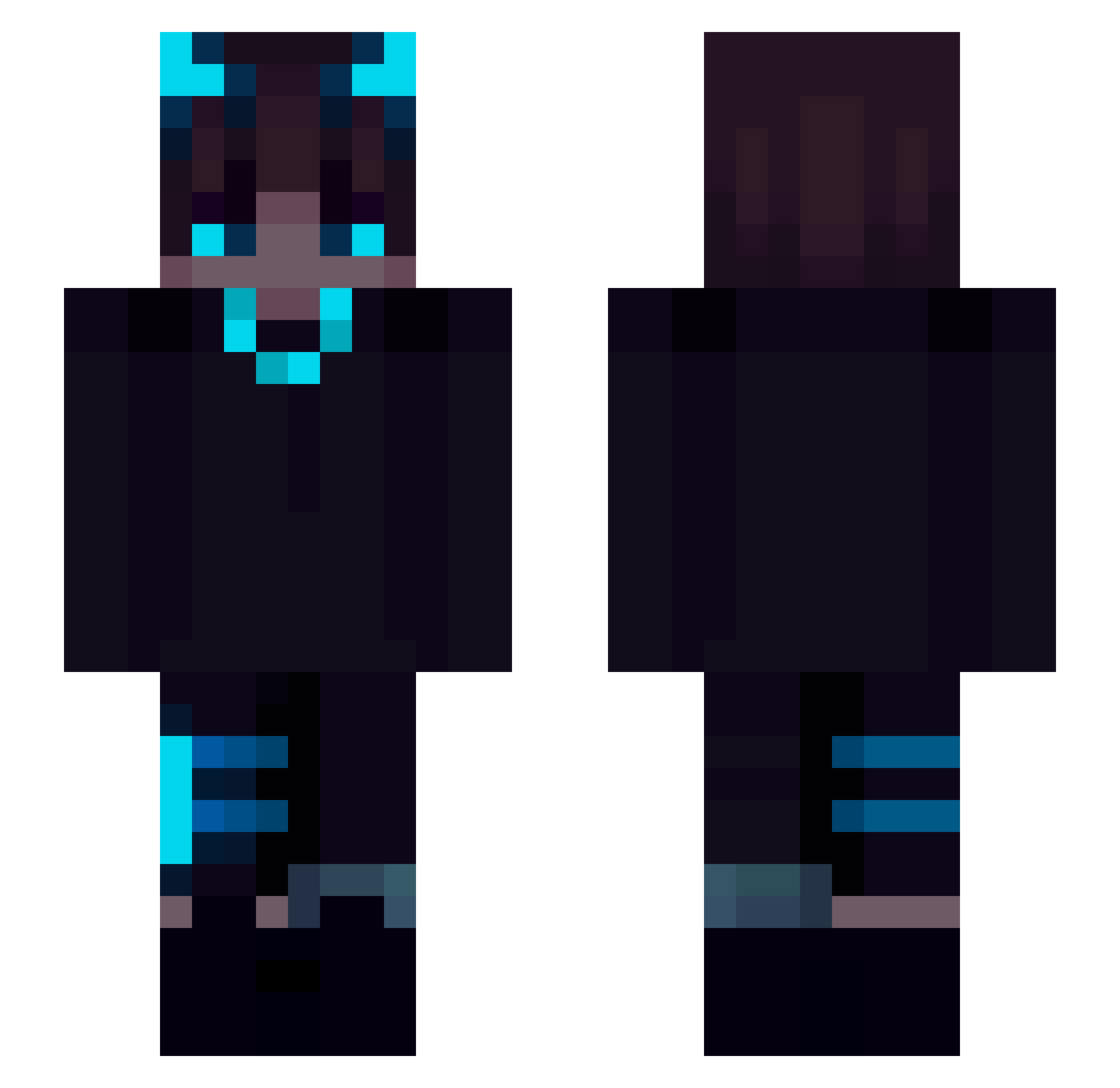
Current Minecraft skin of the player mafor, loaded from the official Mojang API. Rotate the 3D model with your mouse or finger, then download the skin as a PNG file and use it in Minecraft: Bedrock Edition or Java Edition for free. When mafor changes their skin, this page updates automatically and the old skin stays in the history below.
Other players with this skin (227)
mafor was the 199th player we have seen with this skin, first spotted on 29.10.2026. The same skin was seen on these players. Open a nickname to see their current skin and skin history.
 Javiiexx wnfo Queen_Hecate _ItzNajib_ SpartanNinjai ssg9202 InFuNny NixyGA TerrenceT killercore221 Gomer_Hunter Raser006 NeoXysRush aeeq123 DestructionGott Nyhrax OliwierFromHUMAN ExibleYT al1am LurexClappedYou DonovanKelly Metcowe MATIU1512 smooThbear21 ThomaS_241 lfrizzyl RURUHUANG XxREAP3RxX sxylmp13 zokr5 TheProUmut EngeHaan IamMarshh Plantwhip Zwiebacklegende2 LibbzHite jadenedward 91God_ YeetxBlue Galena_Goldwitch HpPlays ghostcalls TTOOTHLESS Bkazin gay7 squeezorz NotKyox NightWolf6156 Demilory AleksaProto_YT 7Nosky resonnance Artgg1319 fdnsjda RayanSaints Isa510 SiriusAkuma HamdulliahGHG 4Toast satuimo
More Glowing Eyes Minecraft skins
See all 2872 Glowing Eyes skins
How to install the mafor skin
- Press the Download button above to save the skin as a PNG file.
- Minecraft: Bedrock Edition (PE): open the Dressing Room from the main menu (or tap your character → Edit Character), go to Classic Skins → Owned, press the + (new skin) button, choose the downloaded PNG and pick the Slim (Alex) model. Works on PC and mobile; consoles cannot import custom skins.
- Minecraft: Java Edition: open the Minecraft Launcher, go to the Skins tab, click New Skin, load the PNG, pick the Slim (Alex) model and press Save & Use. You can also upload it at minecraft.net → Profile → Change Skin.
The skin does not show up after import - what should I do?
Restart Minecraft and open the Dressing Room again - imported skins sometimes appear only after a restart. Also make sure you selected the imported skin and picked the Slim (Alex) model.
Which model should I choose, Classic or Slim?
This skin is designed for the Slim (Alex) model. If you pick the wrong model, the arms of the skin will look stretched or squeezed.
Is the skin of mafor free to download?
Yes. Press Download, save the PNG file and use it in Minecraft: Bedrock Edition or Java Edition - no payment or registration needed. The skin also works on multiplayer servers and Realms.
More skins
Looking for more? Go back to all Minecraft skins and check the top skins of the week, month and all time, or find any player's skin by nickname.