
madmac123 - Minecraft Skins & Skin History
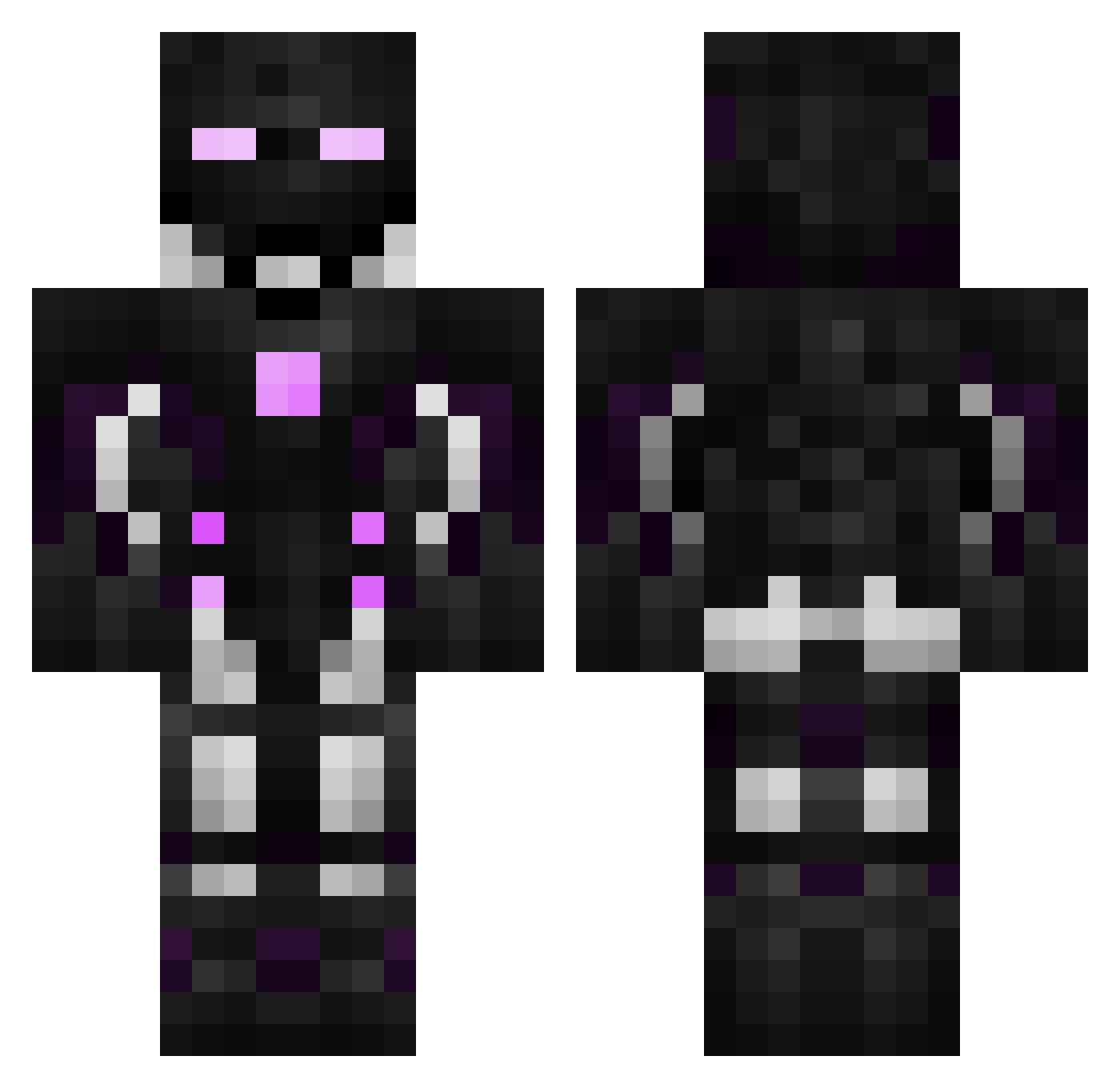
Current Minecraft skin of the player madmac123, loaded from the official Mojang API. Rotate the 3D model with your mouse or finger, then download the skin as a PNG file and use it in Minecraft: Bedrock Edition or Java Edition for free. When madmac123 changes their skin, this page updates automatically and the old skin stays in the history below.
Other players with this skin (493)
madmac123 was the 127th player we have seen with this skin, first spotted on 20.08.2026. The same skin was seen on these players. Open a nickname to see their current skin and skin history.
 MihaX9 _DAre506 D7EM_1K UnFairerNine60 Witchaz Lagarus 2MFancy Alexkine Iron__Ender cybertrix1000 _DbLo204 talku2009 YimDeploy _Dixy750 Chamu12 Tigerherztigi Caleb_Castro _Mestre Spentbrass aihuonj Vednax Hailous Trolfaces eGam3s Wolfus00 Magusius Tensui9 Mc_Lamp Medring DFoux Cooonk_ KINGALEX07 Courgette1 Gxx19 Welandzik _HeloPlayer_ Crowdedboat Cruzoer Squaggers Jester_Femto G_chars Happy_Meal14 Raylorde _DEfU40 verIust
 Piczen fkryy labouilledamour PARKSANGYEON_ kGhT hellseeker60 mar5osn1kk Frankbrine DackXz Pastel_Fox29 Tarsal72 Vitor0004 Bouilledamour AhmetMyy KORsword
More Cyborg Minecraft skins
How to install the madmac123 skin
- Press the Download button above to save the skin as a PNG file.
- Minecraft: Bedrock Edition (PE): open the Dressing Room from the main menu (or tap your character → Edit Character), go to Classic Skins → Owned, press the + (new skin) button, choose the downloaded PNG and pick the Classic (Steve) model. Works on PC and mobile; consoles cannot import custom skins.
- Minecraft: Java Edition: open the Minecraft Launcher, go to the Skins tab, click New Skin, load the PNG, pick the Classic (Steve) model and press Save & Use. You can also upload it at minecraft.net → Profile → Change Skin.
The skin does not show up after import - what should I do?
Restart Minecraft and open the Dressing Room again - imported skins sometimes appear only after a restart. Also make sure you selected the imported skin and picked the Classic (Steve) model.
Which model should I choose, Classic or Slim?
This skin is designed for the Classic (Steve) model. If you pick the wrong model, the arms of the skin will look stretched or squeezed.
Is the skin of madmac123 free to download?
Yes. Press Download, save the PNG file and use it in Minecraft: Bedrock Edition or Java Edition - no payment or registration needed. The skin also works on multiplayer servers and Realms.
More skins
Looking for more? Go back to all Minecraft skins and check the top skins of the week, month and all time, or find any player's skin by nickname.