
m4yh3m - Minecraft Skins & Skin History
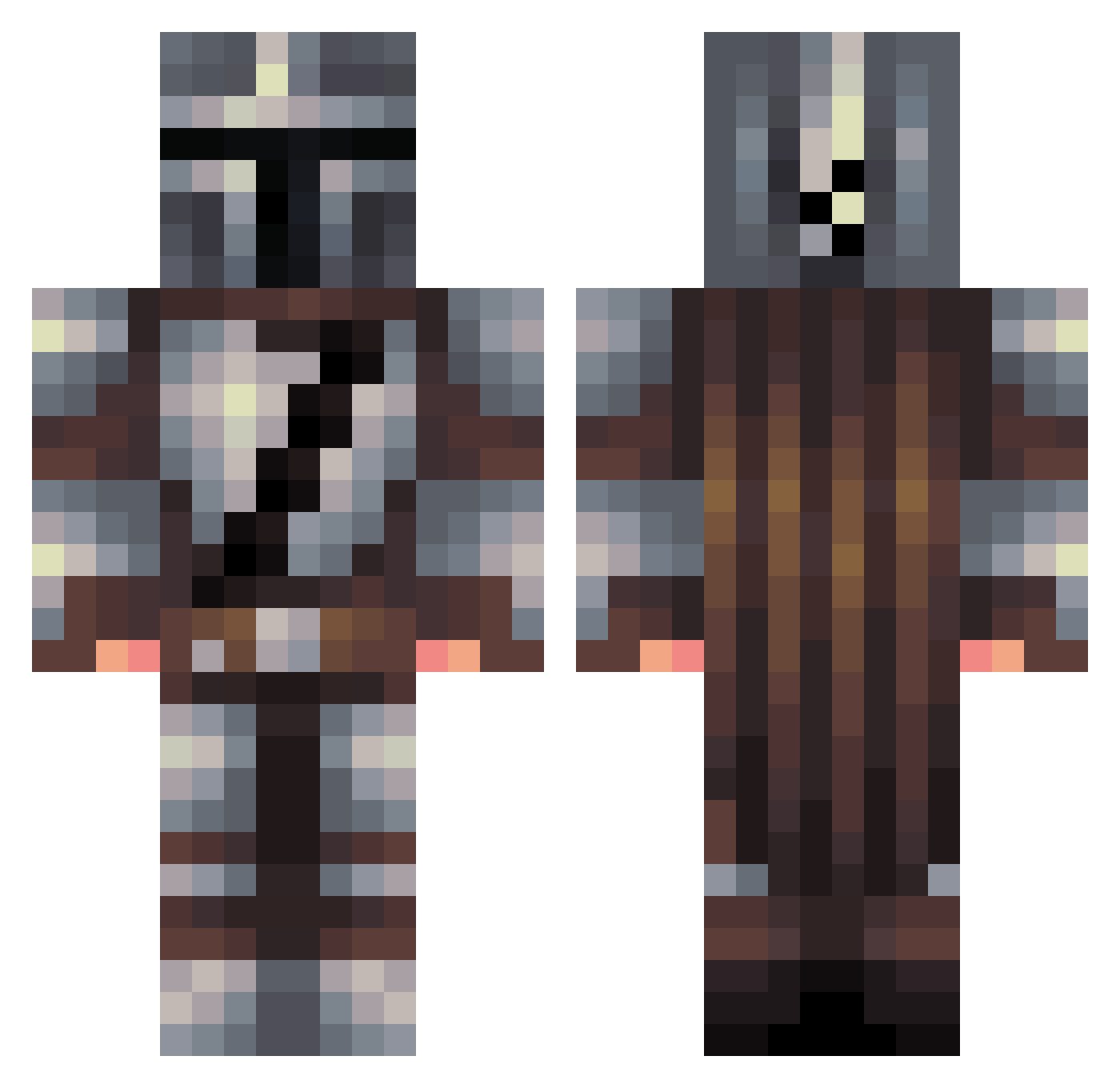
Current Minecraft skin of the player m4yh3m, loaded from the official Mojang API. Rotate the 3D model with your mouse or finger, then download the skin as a PNG file and use it in Minecraft: Bedrock Edition or Java Edition for free. When m4yh3m changes their skin, this page updates automatically and the old skin stays in the history below.
Other players with this skin (457)
m4yh3m was the 275th player we have seen with this skin, first spotted on 01.10.2026. The same skin was seen on these players. Open a nickname to see their current skin and skin history.
 Marcel393 SwornRanger Bashattie HoSeDude ApakornB BuddyBlockBuster GAROLDofOLD ChriosM Parzival118 x0ri0nx Cowpocalypse13 Stellinka17 Jacobo16 knicklicht1 WeaponLWX hellboymax2 HeyZeus modifiedsalad AlexLuc5 galactic_player Kyram Scripted_Memes opticalscythe Dadoon TheBigJoj PAND4GOD Eduardo_Gora taluvill1 tenderboot Senpai_Ty HawaiianHammer2 broskeys SleepyFell matt3D CNBroward17 Zeppliar Hypixqll KATUDON0218 XxTheMasterPxX IFoundGeorge Sprinters03 MrSpiffy1996 AestheticAxolotl jackkstarr lilrayo_ lilletrille93 Baggsie379 s1monYu Park98 Ecwips KomankK Draco6241 The_Rorosaurus Managinj Deladylan Kasper_Hauser LIL_CHUBBY1470 PaladinRift UgeFrostWolf JDAJOKER
More The Mandalorian Minecraft skins
See all 591 The Mandalorian skins
How to install the m4yh3m skin
- Press the Download button above to save the skin as a PNG file.
- Minecraft: Bedrock Edition (PE): open the Dressing Room from the main menu (or tap your character → Edit Character), go to Classic Skins → Owned, press the + (new skin) button, choose the downloaded PNG and pick the Classic (Steve) model. Works on PC and mobile; consoles cannot import custom skins.
- Minecraft: Java Edition: open the Minecraft Launcher, go to the Skins tab, click New Skin, load the PNG, pick the Classic (Steve) model and press Save & Use. You can also upload it at minecraft.net → Profile → Change Skin.
The skin does not show up after import - what should I do?
Restart Minecraft and open the Dressing Room again - imported skins sometimes appear only after a restart. Also make sure you selected the imported skin and picked the Classic (Steve) model.
Which model should I choose, Classic or Slim?
This skin is designed for the Classic (Steve) model. If you pick the wrong model, the arms of the skin will look stretched or squeezed.
Is the skin of m4yh3m free to download?
Yes. Press Download, save the PNG file and use it in Minecraft: Bedrock Edition or Java Edition - no payment or registration needed. The skin also works on multiplayer servers and Realms.
More skins
Looking for more? Go back to all Minecraft skins and check the top skins of the week, month and all time, or find any player's skin by nickname.