
luxas2006 - Minecraft Skins & Skin History
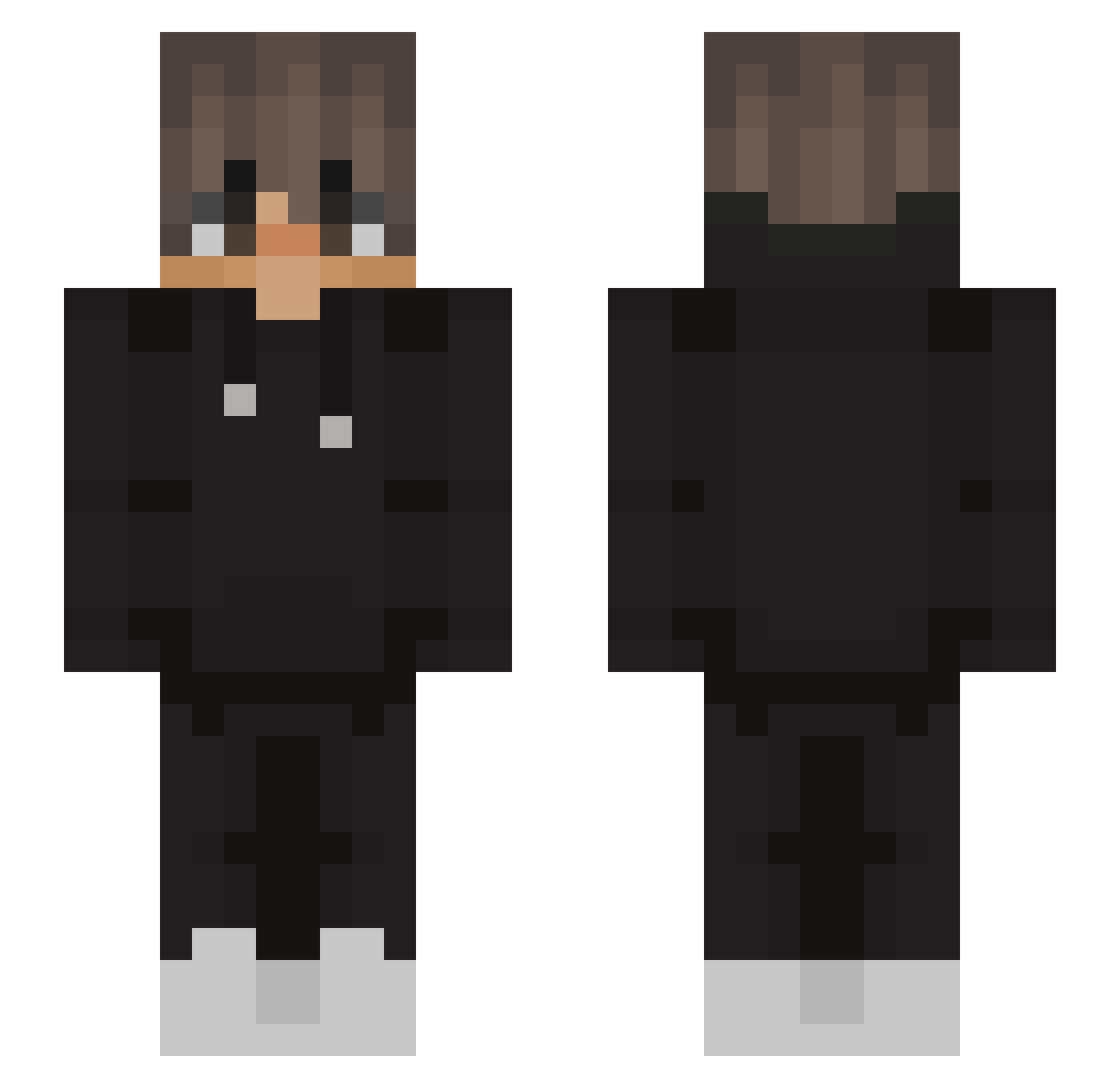
Current Minecraft skin of the player luxas2006, loaded from the official Mojang API. Rotate the 3D model with your mouse or finger, then download the skin as a PNG file and use it in Minecraft: Bedrock Edition or Java Edition for free. When luxas2006 changes their skin, this page updates automatically and the old skin stays in the history below.
Other players with this skin (563)
luxas2006 was the 236th player we have seen with this skin, first spotted on 14.09.2026. The same skin was seen on these players. Open a nickname to see their current skin and skin history.
 V9FreKo wlodarczyKK Darkmomoo X6reonek rap1ace KevinRoen SkyRed118 Jqmie_ dEd0X Rodriguez122412 Dev_Kumar 8danii7 JakeyBoyTheMa ItsJxice juitedr2684 HelixoYT xXFelix_Xx Systian DommeKoe Gforce2003 fryteq_jestem Janbon67 ssssshhhh Karmaz971 TheoMarques LePerium VCSemih EDUB4800 Malterd yb_better556 raveHKb9XVJx Kezer DeckledTuba9473 Hxnt3r_ Uneat Marrous boujiey Artiixxx sinalsh Brzina_ ChrisOrla OM_4R sylvan_050_ rgpmichael Laserjust LucasDW21 TranceH0T GuestEveryRat xShqdows SzymkowiakM123 vvurm Pati_1302 Redbill mariano3672 winning0609 hdestroyer30 Nace213 Starlight16x Bazu2_0 AnDy051
More Streetwear Minecraft skins
How to install the luxas2006 skin
- Press the Download button above to save the skin as a PNG file.
- Minecraft: Bedrock Edition (PE): open the Dressing Room from the main menu (or tap your character → Edit Character), go to Classic Skins → Owned, press the + (new skin) button, choose the downloaded PNG and pick the Slim (Alex) model. Works on PC and mobile; consoles cannot import custom skins.
- Minecraft: Java Edition: open the Minecraft Launcher, go to the Skins tab, click New Skin, load the PNG, pick the Slim (Alex) model and press Save & Use. You can also upload it at minecraft.net → Profile → Change Skin.
The skin does not show up after import - what should I do?
Restart Minecraft and open the Dressing Room again - imported skins sometimes appear only after a restart. Also make sure you selected the imported skin and picked the Slim (Alex) model.
Which model should I choose, Classic or Slim?
This skin is designed for the Slim (Alex) model. If you pick the wrong model, the arms of the skin will look stretched or squeezed.
Is the skin of luxas2006 free to download?
Yes. Press Download, save the PNG file and use it in Minecraft: Bedrock Edition or Java Edition - no payment or registration needed. The skin also works on multiplayer servers and Realms.
More skins
Looking for more? Go back to all Minecraft skins and check the top skins of the week, month and all time, or find any player's skin by nickname.