
luk2k - Minecraft Skins & Skin History
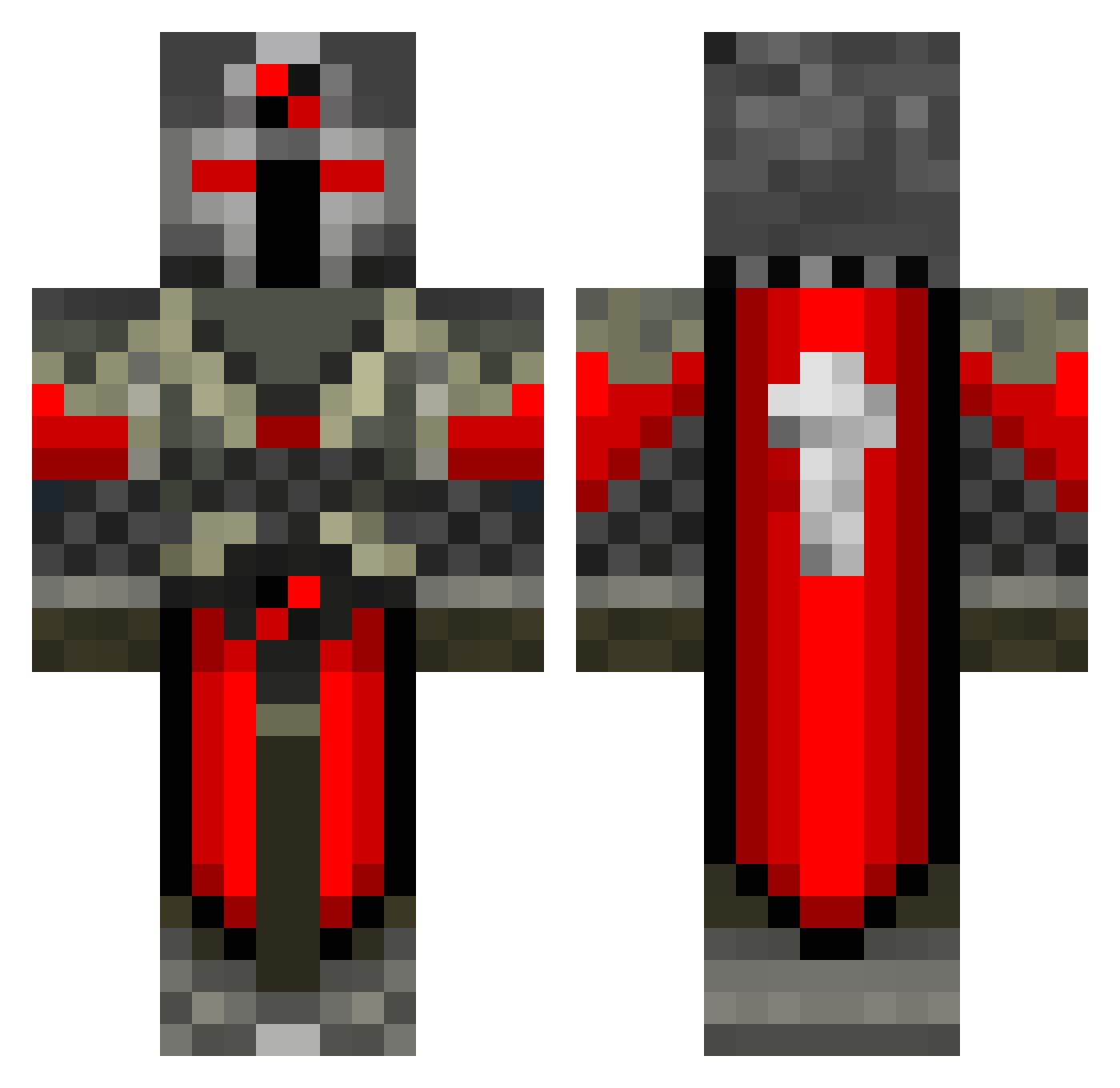
Current Minecraft skin of the player luk2k, loaded from the official Mojang API. Rotate the 3D model with your mouse or finger, then download the skin as a PNG file and use it in Minecraft: Bedrock Edition or Java Edition for free. When luk2k changes their skin, this page updates automatically and the old skin stays in the history below.
Other players with this skin (123)
luk2k was the 89th player we have seen with this skin, first spotted on 11.10.2026. The same skin was seen on these players. Open a nickname to see their current skin and skin history.
 blazedramer Synnifex Tarkuranach Xvalkyri dasChuckie TrimbleBoys Dab_Master Maykel2014 Simmons00 jad_ash BikkelHammer Xiao_gong dragonfuryXtreme Timouthe_ Rain_DN jinyong2241 ITzSithiumx Az0xx3 Alpine7K Wourgy FeDiWei _SandX_ SSS6666660 TheOceanKing KeignBlood ShieldG4ming deathtap Dinny_Winny Steamroller29 der_derp2164147 FireWarrior4194 Jayborders69pro Knightmare_49 Line9703 darkcommunists Sanjopro30 FortressOfNoHope minenicknick __O_n_y_x__ MenInBlackC7 FireCP3 hailo123 InvadeTitan CdnGrimReaper Fordy436 MatteBenna Problobvis12 CasiusWhite Darknight_2001 Pandapad98 The_SwissMonkey RealSupergoat 2sir Izuriell1 deathofstorm ABond007 bob180x FreeDrops TDjen frozerxxd
More Crusader Minecraft skins
How to install the luk2k skin
- Press the Download button above to save the skin as a PNG file.
- Minecraft: Bedrock Edition (PE): open the Dressing Room from the main menu (or tap your character → Edit Character), go to Classic Skins → Owned, press the + (new skin) button, choose the downloaded PNG and pick the Classic (Steve) model. Works on PC and mobile; consoles cannot import custom skins.
- Minecraft: Java Edition: open the Minecraft Launcher, go to the Skins tab, click New Skin, load the PNG, pick the Classic (Steve) model and press Save & Use. You can also upload it at minecraft.net → Profile → Change Skin.
The skin does not show up after import - what should I do?
Restart Minecraft and open the Dressing Room again - imported skins sometimes appear only after a restart. Also make sure you selected the imported skin and picked the Classic (Steve) model.
Which model should I choose, Classic or Slim?
This skin is designed for the Classic (Steve) model. If you pick the wrong model, the arms of the skin will look stretched or squeezed.
Is the skin of luk2k free to download?
Yes. Press Download, save the PNG file and use it in Minecraft: Bedrock Edition or Java Edition - no payment or registration needed. The skin also works on multiplayer servers and Realms.
More skins
Looking for more? Go back to all Minecraft skins and check the top skins of the week, month and all time, or find any player's skin by nickname.