
luisdhiraldo - Minecraft Skins & Skin History
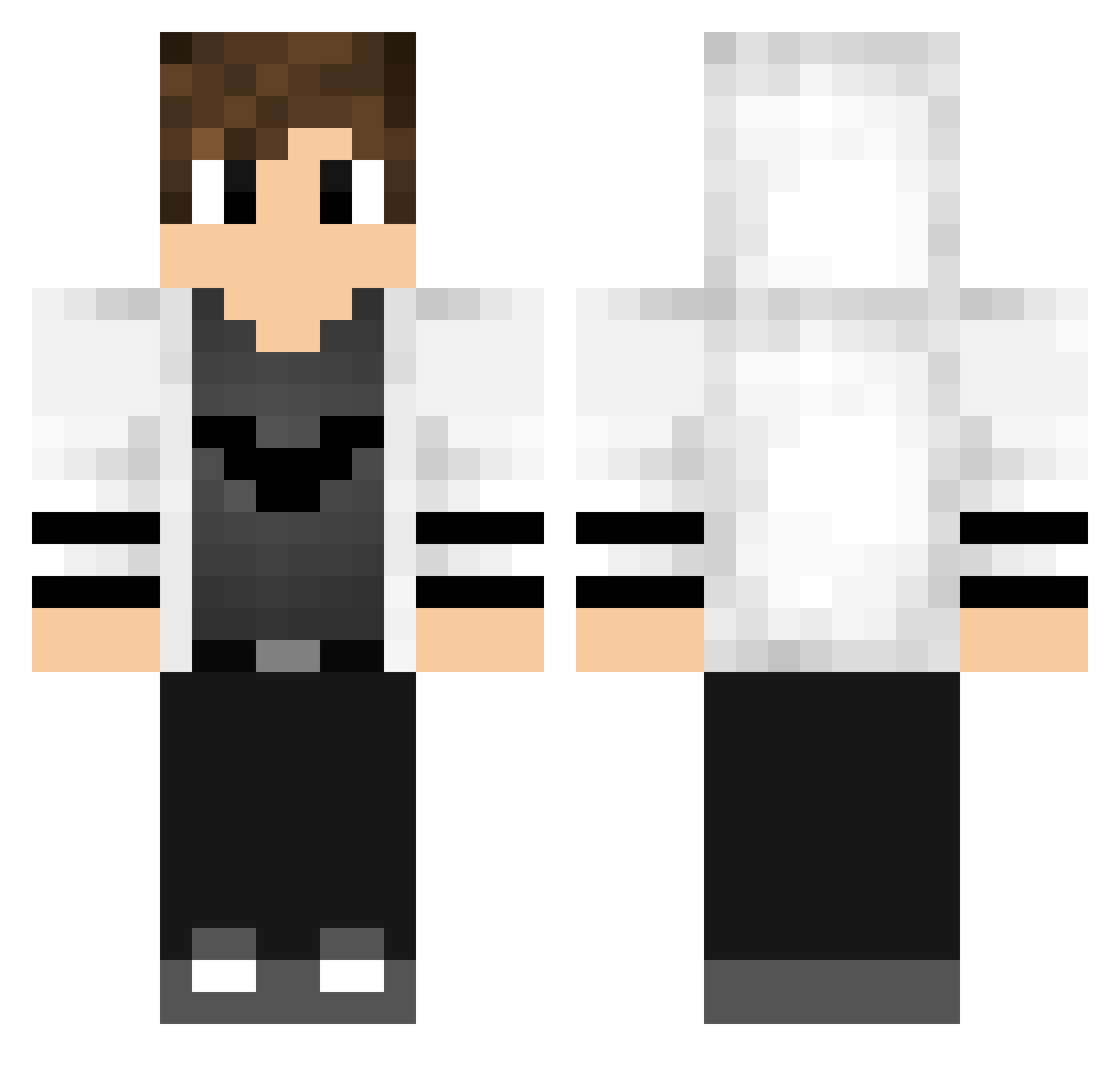
Current Minecraft skin of the player luisdhiraldo, loaded from the official Mojang API. Rotate the 3D model with your mouse or finger, then download the skin as a PNG file and use it in Minecraft: Bedrock Edition or Java Edition for free. When luisdhiraldo changes their skin, this page updates automatically and the old skin stays in the history below.
Other players with this skin (195)
luisdhiraldo was the 113th player we have seen with this skin, first spotted on 03.10.2026. The same skin was seen on these players. Open a nickname to see their current skin and skin history.
 gamepapa TheDerpKiller_NL Taichi0718 Nybye1337 Sigurd2006 D0NTAVl0US mrnicksbr Bigflash123 YungZGaming Benji3803 Lylku Javier07 posshii Jhosua KRR6810 iMohaned Niklas_playz XadamX_PL High_chi69 Lacraia_sem_pena xiliNfiNiTy3127 Elypsia_HD daocan KM_Plays _Nibz_ FlashNightHun Lfpln OnlyMeYou kooooge JerNox d4rkblood_PT Clover9963 THE_FARMERCRAFT LUKA008_ Godtoaster LieblingsChrist Ecliipz_US TheKingrun_117 ProGamerKaia BDLGamer Sebozinho Lytz526 fetspeeters Andou_hiroyasu VincentASF xXBossPorusXx Gsousa_22 ankai45276332 NukaBB Dark07_ ryan_ale joaomlj ScottyCube iKitz RoboTuber PheroxTV hiroto1110 BanjoTheBanjo Alex_Loef Piccoli89
More Bat Symbol Minecraft skins
How to install the luisdhiraldo skin
- Press the Download button above to save the skin as a PNG file.
- Minecraft: Bedrock Edition (PE): open the Dressing Room from the main menu (or tap your character → Edit Character), go to Classic Skins → Owned, press the + (new skin) button, choose the downloaded PNG and pick the Classic (Steve) model. Works on PC and mobile; consoles cannot import custom skins.
- Minecraft: Java Edition: open the Minecraft Launcher, go to the Skins tab, click New Skin, load the PNG, pick the Classic (Steve) model and press Save & Use. You can also upload it at minecraft.net → Profile → Change Skin.
The skin does not show up after import - what should I do?
Restart Minecraft and open the Dressing Room again - imported skins sometimes appear only after a restart. Also make sure you selected the imported skin and picked the Classic (Steve) model.
Which model should I choose, Classic or Slim?
This skin is designed for the Classic (Steve) model. If you pick the wrong model, the arms of the skin will look stretched or squeezed.
Is the skin of luisdhiraldo free to download?
Yes. Press Download, save the PNG file and use it in Minecraft: Bedrock Edition or Java Edition - no payment or registration needed. The skin also works on multiplayer servers and Realms.
More skins
Looking for more? Go back to all Minecraft skins and check the top skins of the week, month and all time, or find any player's skin by nickname.