
luis03 - Minecraft Skins & Skin History
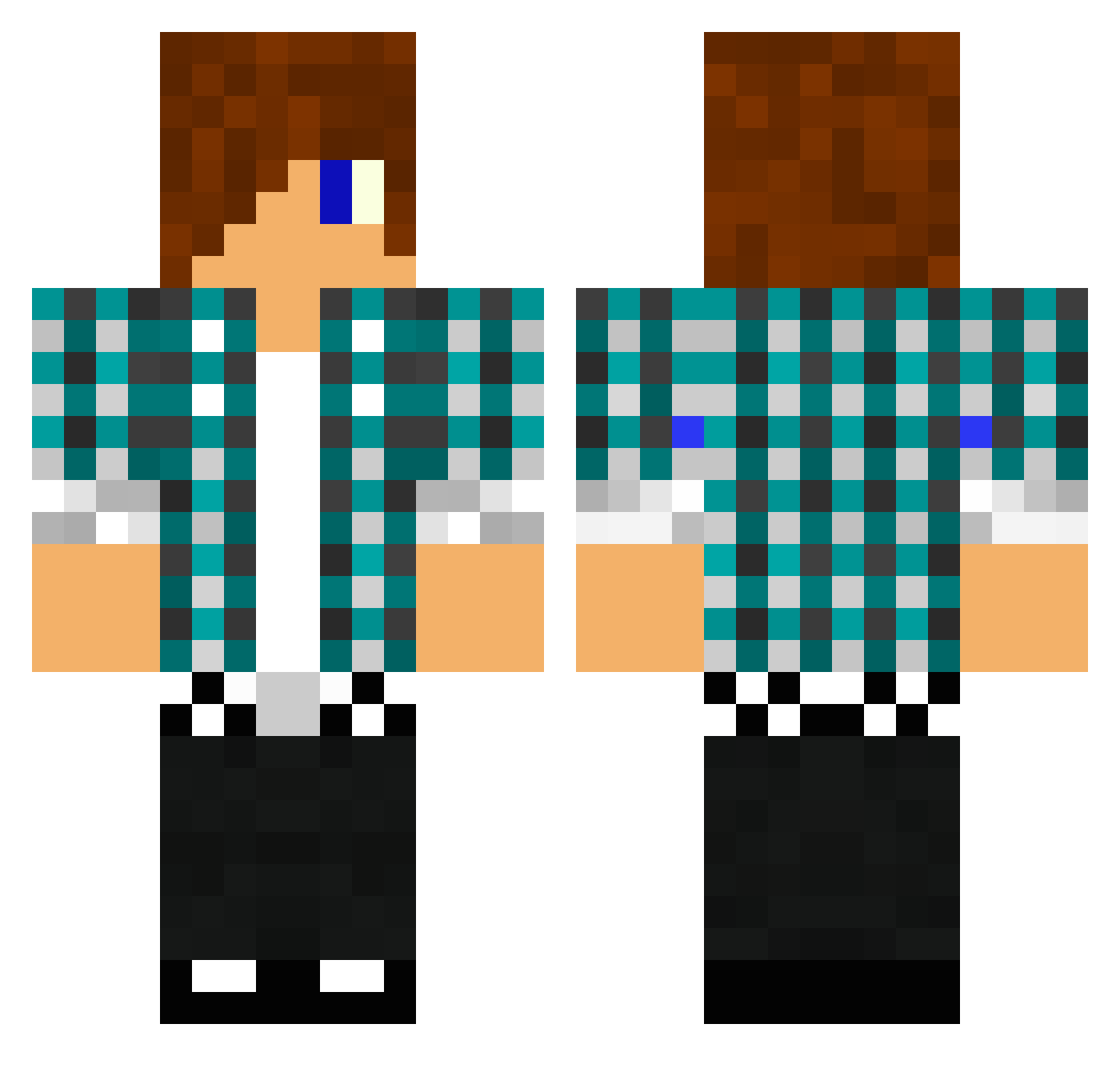
Current Minecraft skin of the player luis03, loaded from the official Mojang API. Rotate the 3D model with your mouse or finger, then download the skin as a PNG file and use it in Minecraft: Bedrock Edition or Java Edition for free. When luis03 changes their skin, this page updates automatically and the old skin stays in the history below.
Other players with this skin (1476)
luis03 was the 459th player we have seen with this skin, first spotted on 30.08.2026. The same skin was seen on these players. Open a nickname to see their current skin and skin history.
 101Connor jagusia001 noOobydoOo McEpic416 Kalleswed enyak8 BobandSteve1 SkrileXx_08 loituma15 TPOKonuralp Keper65 Coverkiller_ Feepl Messerhai YOYONUBBY Aidenator88 Hammerseth Egorka_rus27 strutsiburger BuilderRoss XRS12 xXTragicSniperXx MiniLeo07 yomama0921 2001lorenz Boof65 mj23432 X20AFREEDOM1 sebi770 KesiJamz AwesomeGuy9321 apples876 joyfultiger Scope_eye666 Stunaz96 spritzpistole Littlebart2000 greenjoe11 gregdagreat100 foulfreak99 Tevans404 Trommisen96 SparklezPanda The_Tree_Basher Xdarkslayer1234 Dragon130 michi_leikam ostrich_bob Zip_zam_bam52 connors2065 chrish4116 zackary6305 josesantin DragonHunter15 samuxxxw pedro1star gmann35 royalrecon PiggMaster ninjajax1
More Emo Minecraft skins
How to install the luis03 skin
- Press the Download button above to save the skin as a PNG file.
- Minecraft: Bedrock Edition (PE): open the Dressing Room from the main menu (or tap your character → Edit Character), go to Classic Skins → Owned, press the + (new skin) button, choose the downloaded PNG and pick the Classic (Steve) model. Works on PC and mobile; consoles cannot import custom skins.
- Minecraft: Java Edition: open the Minecraft Launcher, go to the Skins tab, click New Skin, load the PNG, pick the Classic (Steve) model and press Save & Use. You can also upload it at minecraft.net → Profile → Change Skin.
The skin does not show up after import - what should I do?
Restart Minecraft and open the Dressing Room again - imported skins sometimes appear only after a restart. Also make sure you selected the imported skin and picked the Classic (Steve) model.
Which model should I choose, Classic or Slim?
This skin is designed for the Classic (Steve) model. If you pick the wrong model, the arms of the skin will look stretched or squeezed.
Is the skin of luis03 free to download?
Yes. Press Download, save the PNG file and use it in Minecraft: Bedrock Edition or Java Edition - no payment or registration needed. The skin also works on multiplayer servers and Realms.
More skins
Looking for more? Go back to all Minecraft skins and check the top skins of the week, month and all time, or find any player's skin by nickname.