
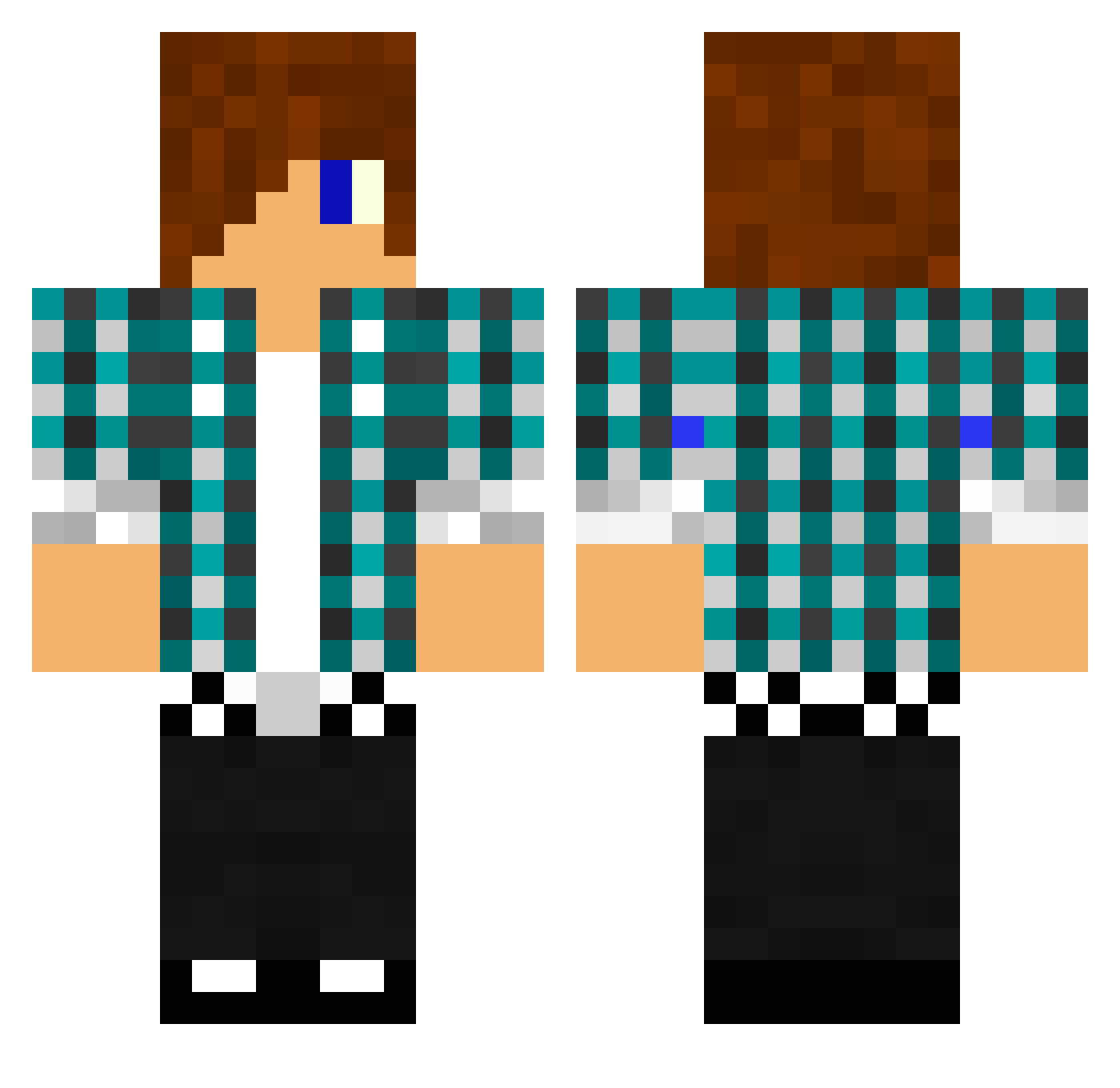
Current Minecraft skin of the player Scope_eye666, loaded from the official Mojang API. Rotate the 3D model with your mouse or finger, then download the skin as a PNG file and use it in Minecraft: Bedrock Edition or Java Edition for free. When Scope_eye666 changes their skin, this page updates automatically and the old skin stays in the history below.
Other players with this skin (534)
The same skin was seen on these players. Open a nickname to see their current skin and skin history.
 theJman007 ozyperryschlu15 venus54321 acklop2001 Pete0910 Skyguythegreat zeilki2 Andersbanan NicoJusto22 Jaydude12 MegaKing101 rugbyj23 Arn700 N0B3 Danftwness LuigiAsteroid leoncrafterhd Fazetex jknut pieterkuyl007 DannyHD95689 eli_1411 evolution1909 math401q rcw1717 jayrub tljar34 lells SkylarRacer DiMavxGR kekich322 Drytu johnnypoz mikkel_sa GreatMike20 Broseiden14 nathan1232003 punkymcmunky EHWhit Silas0401 armyattacker249 Flakoxxx ToXiC_T_2440 jordan49866 xGirxWafflesx Crafter_24 Thomas849 legodusty hugoboss7991 manniman24 ExRanDeRFD steamdefense Gilessyy x4den fleksnes123 ninjajax1 pedro1star DragonHunter15 josesantin chrish4116
More Emo Minecraft skins
How to install the Scope_eye666 skin
- Press the Download button above to save the skin as a PNG file.
- Minecraft: Bedrock Edition (PE): open the Dressing Room from the main menu (or tap your character → Edit Character), go to Classic Skins → Owned, press the + (new skin) button, choose the downloaded PNG and pick the Classic (Steve) model. Works on PC and mobile; consoles cannot import custom skins.
- Minecraft: Java Edition: open the Minecraft Launcher, go to the Skins tab, click New Skin, load the PNG, pick the Classic (Steve) model and press Save & Use. You can also upload it at minecraft.net → Profile → Change Skin.
The skin does not show up after import - what should I do?
Restart Minecraft and open the Dressing Room again - imported skins sometimes appear only after a restart. Also make sure you selected the imported skin and picked the Classic (Steve) model.
Which model should I choose, Classic or Slim?
This skin is designed for the Classic (Steve) model. If you pick the wrong model, the arms of the skin will look stretched or squeezed.
Is the skin of Scope_eye666 free to download?
Yes. Press Download, save the PNG file and use it in Minecraft: Bedrock Edition or Java Edition - no payment or registration needed. The skin also works on multiplayer servers and Realms.
More skins
Looking for more? Go back to all Minecraft skins and check the top skins of the week, month and all time, or find any player's skin by nickname.