
luckycat777 - Minecraft Skins & Skin History
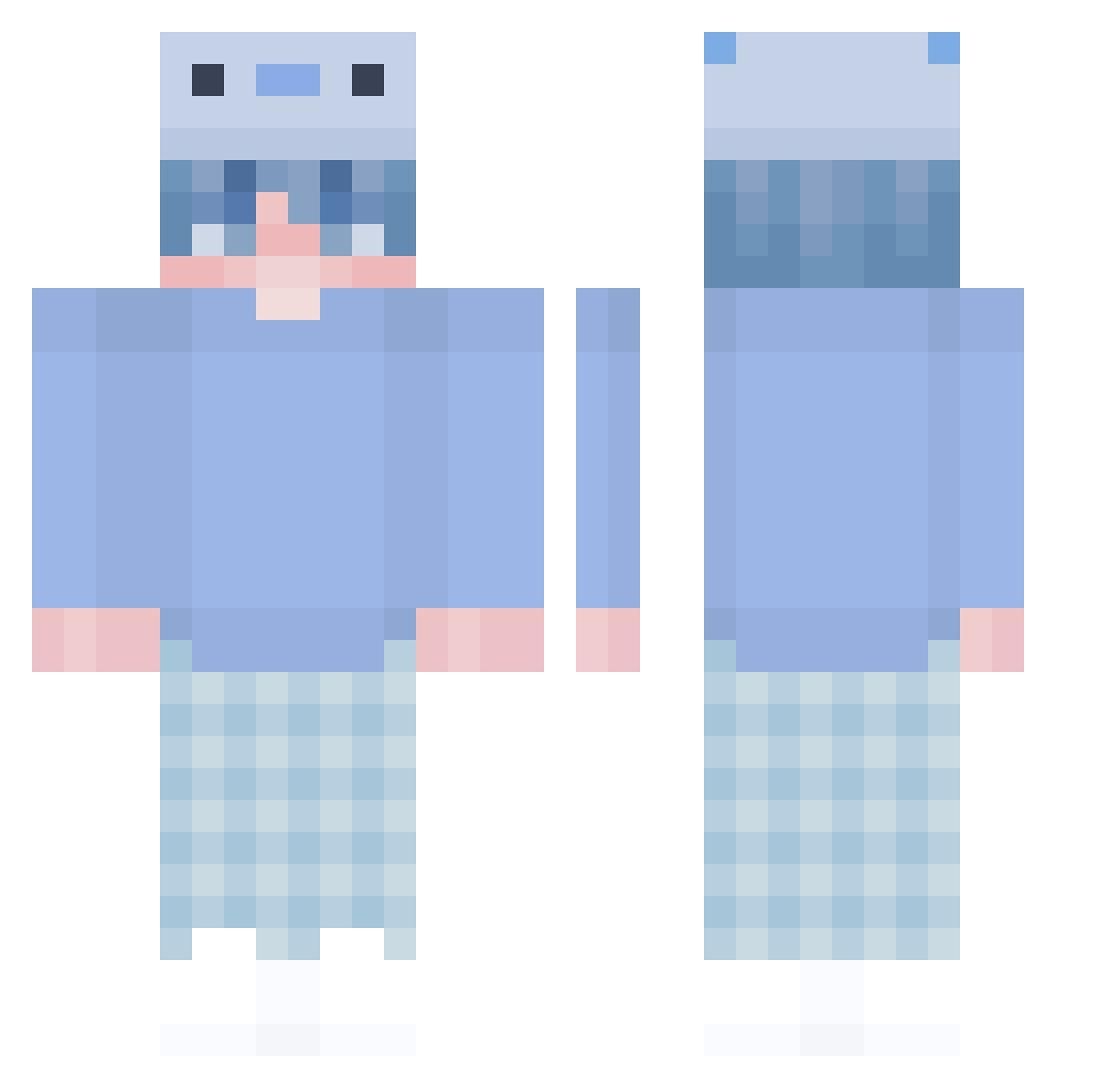
Current Minecraft skin of the player luckycat777, loaded from the official Mojang API. Rotate the 3D model with your mouse or finger, then download the skin as a PNG file and use it in Minecraft: Bedrock Edition or Java Edition for free. When luckycat777 changes their skin, this page updates automatically and the old skin stays in the history below.
Other players with this skin (407)
luckycat777 was the 296th player we have seen with this skin, first spotted on 04.10.2026. The same skin was seen on these players. Open a nickname to see their current skin and skin history.
 kukuru1 jxyd_xn Tovarishia Butter_Beer RinRin09 jjdf13 BuddyRabbit TigerClaw1999 Razi12 spwa1150 Kim_sudal abdul112 Petab Stonie24 nr1deftoneslover cl6ud shiny_frog sand_box_ Zzmw Gabrys6969 RafaelP2005 wjdqlssla Sunflower0407 Sm0Kar145 ichbinSenak Alson_Benix HerbertVega Harp_2006 bycranix cc021 Shirobukii jamzeddd aiskun knyl75 Ex0tiy Wildes_Glurak TheBlueSoc pjjtx Z3nsaia _KeviluX_ H_ovo_R chungchung0130 ShengGuang zVyq baitang297 BrayanTorres wounii ohFerocious dlwns88 Glumers Falicheski Rabbitstuffy PYRZ1704 Samuel_Kings MrsBiggins Hwakju iimateoii Soul_King_ boeboeee Nukilera
More Axolotl Hat Minecraft skins
How to install the luckycat777 skin
- Press the Download button above to save the skin as a PNG file.
- Minecraft: Bedrock Edition (PE): open the Dressing Room from the main menu (or tap your character → Edit Character), go to Classic Skins → Owned, press the + (new skin) button, choose the downloaded PNG and pick the Classic (Steve) model. Works on PC and mobile; consoles cannot import custom skins.
- Minecraft: Java Edition: open the Minecraft Launcher, go to the Skins tab, click New Skin, load the PNG, pick the Classic (Steve) model and press Save & Use. You can also upload it at minecraft.net → Profile → Change Skin.
The skin does not show up after import - what should I do?
Restart Minecraft and open the Dressing Room again - imported skins sometimes appear only after a restart. Also make sure you selected the imported skin and picked the Classic (Steve) model.
Which model should I choose, Classic or Slim?
This skin is designed for the Classic (Steve) model. If you pick the wrong model, the arms of the skin will look stretched or squeezed.
Is the skin of luckycat777 free to download?
Yes. Press Download, save the PNG file and use it in Minecraft: Bedrock Edition or Java Edition - no payment or registration needed. The skin also works on multiplayer servers and Realms.
More skins
Looking for more? Go back to all Minecraft skins and check the top skins of the week, month and all time, or find any player's skin by nickname.