
luciiif - Minecraft Skins & Skin History
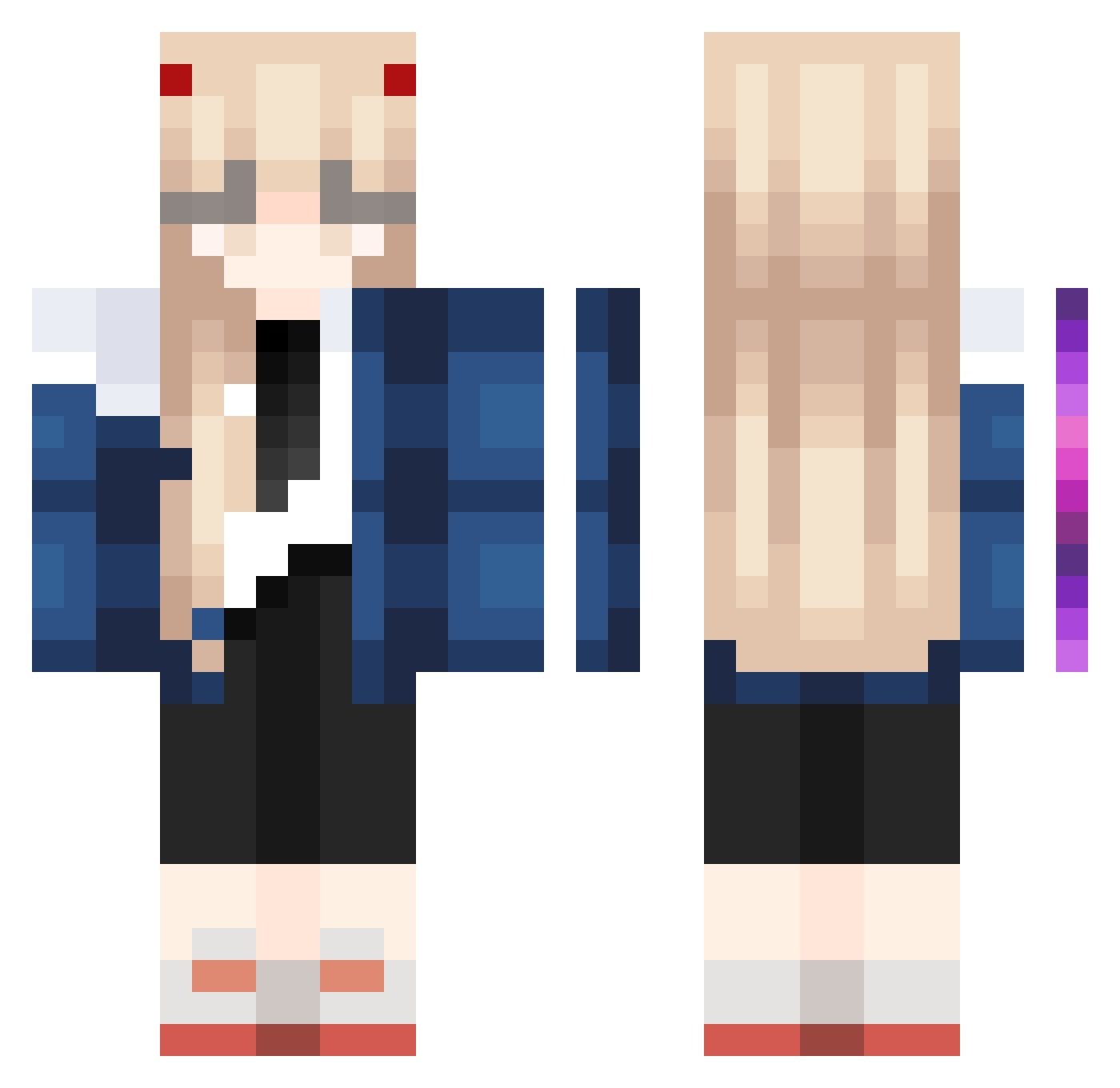
Current Minecraft skin of the player luciiif, loaded from the official Mojang API. Rotate the 3D model with your mouse or finger, then download the skin as a PNG file and use it in Minecraft: Bedrock Edition or Java Edition for free. When luciiif changes their skin, this page updates automatically and the old skin stays in the history below.
Other players with this skin (1085)
luciiif was the 1052nd player we have seen with this skin, first spotted on 07.11.2026. The same skin was seen on these players. Open a nickname to see their current skin and skin history.
 Juanito_C SafeHold_ kkzzzkk jknlokl Quinanii 9kills_ FANUMTAXEROHIO yapidor3213 emilefeddersen cashtoriia XIEXIEXIE666 TURRRRR Pochitox PIPI__SAAMA tu0heirf draXD Poooli hoqzr MamBa_0 Gorushi5 sunOFsummer KiN0309 Amicitia_13 FlyingBunny224 pwer02 SaKura_Han fruityfruitee SUM_NI sasadewa Kitten_CH Byignacio_das kairo1128 K2INGNEW Kalm_j mmdoce kurosakimasaki dan1elIe swtodd RicoBaby DeraMochimazui zolve1 aumilopema assariari notfakes Feni51 kiratori selchip NAKAGI3 juan_1228 ShioriTW Zyenty SagaDahlgren ChesmerXD _Natu_Natu_ TalkativeBox ezwho1030 Yiyu77 hvloltasUwu Koyamaa iluvpierogi
More Zero Two Minecraft skins
How to install the luciiif skin
- Press the Download button above to save the skin as a PNG file.
- Minecraft: Bedrock Edition (PE): open the Dressing Room from the main menu (or tap your character → Edit Character), go to Classic Skins → Owned, press the + (new skin) button, choose the downloaded PNG and pick the Classic (Steve) model. Works on PC and mobile; consoles cannot import custom skins.
- Minecraft: Java Edition: open the Minecraft Launcher, go to the Skins tab, click New Skin, load the PNG, pick the Classic (Steve) model and press Save & Use. You can also upload it at minecraft.net → Profile → Change Skin.
The skin does not show up after import - what should I do?
Restart Minecraft and open the Dressing Room again - imported skins sometimes appear only after a restart. Also make sure you selected the imported skin and picked the Classic (Steve) model.
Which model should I choose, Classic or Slim?
This skin is designed for the Classic (Steve) model. If you pick the wrong model, the arms of the skin will look stretched or squeezed.
Is the skin of luciiif free to download?
Yes. Press Download, save the PNG file and use it in Minecraft: Bedrock Edition or Java Edition - no payment or registration needed. The skin also works on multiplayer servers and Realms.
More skins
Looking for more? Go back to all Minecraft skins and check the top skins of the week, month and all time, or find any player's skin by nickname.