
lss2310 - Minecraft Skins & Skin History
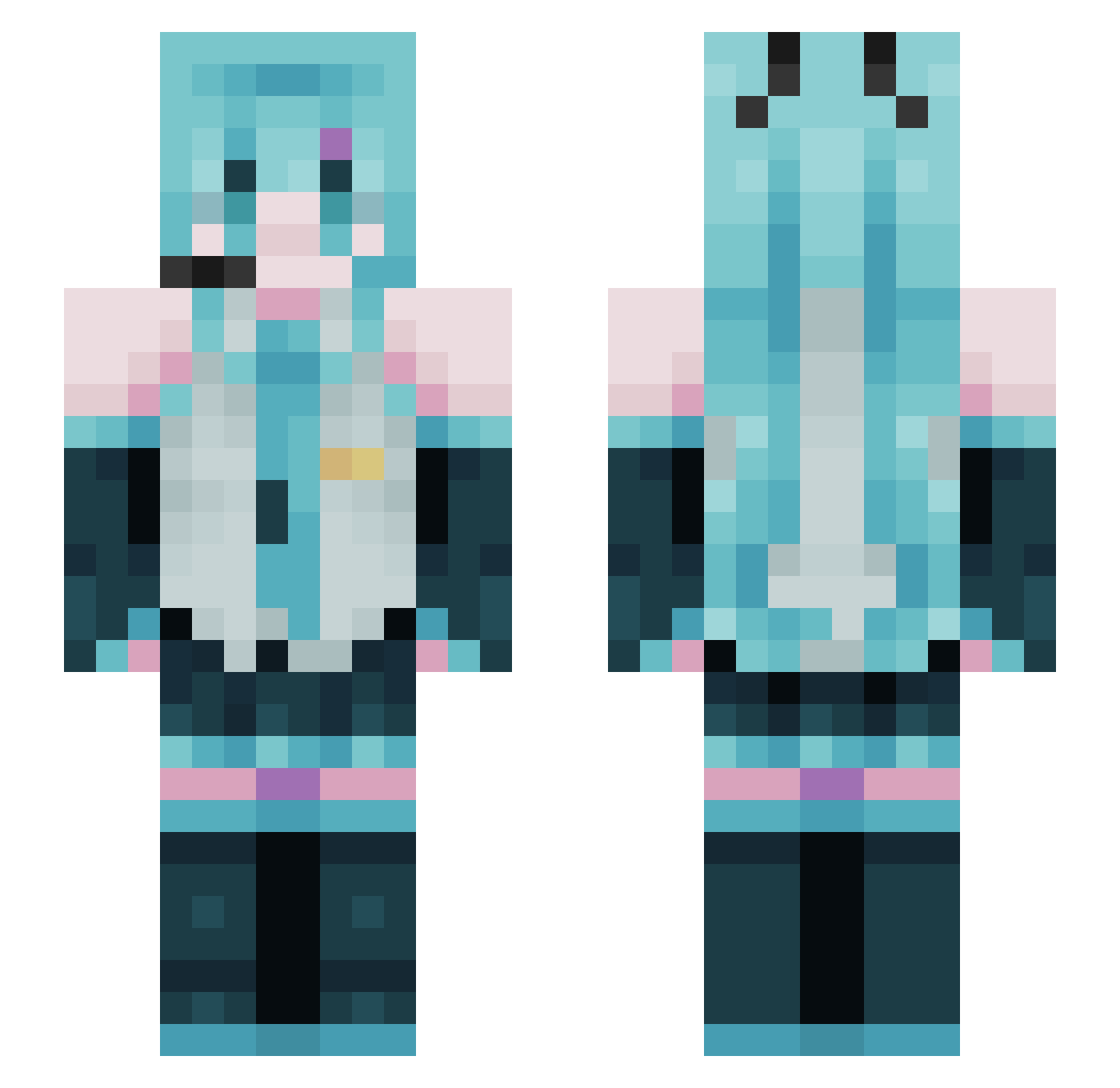
Current Minecraft skin of the player lss2310, loaded from the official Mojang API. Rotate the 3D model with your mouse or finger, then download the skin as a PNG file and use it in Minecraft: Bedrock Edition or Java Edition for free. When lss2310 changes their skin, this page updates automatically and the old skin stays in the history below.
Other players with this skin (61)
lss2310 was the 26th player we have seen with this skin, first spotted on 22.09.2026. The same skin was seen on these players. Open a nickname to see their current skin and skin history.
 cegi_0424 yesimseb KylesZennin frxn23 sgyyyyy mikunda5 Deltoides ZSuNGoDNikAZ SprozzZ seoleum0508 OleBurritoHands duffounekl Rosa0104 Mbing05 MightGuy8G neog2011 PedroDav12 HAIKAL690 gabyou23 shpiler1 _0Rudbeckia0_ kunaevtm smthinglik3you swaxwa
 soulyish alex1205097348 jonggyu10 GlaucineWhite Gengaaaaa stirfie djdkdjd Astolfomir SillyKoyuki ApexSpartan8 KubaWysza GageScott18 MegaLolo38
 Inimicus33 Gumba016 yaosiyu Pearzival BakaX3 GloomyGeru herose4
 YAWS7 Hatsune_Miku67 sandfa unvrxse ElopementY limss0 xlxsre Brong_D Fire146 Jojo2_06
 feelslikedaisy Feeeeeeex Fuko afseg3 MzPhoenix BaianoComeMundos
More Hatsune Miku Minecraft skins
See all 898 Hatsune Miku skins
How to install the lss2310 skin
- Press the Download button above to save the skin as a PNG file.
- Minecraft: Bedrock Edition (PE): open the Dressing Room from the main menu (or tap your character → Edit Character), go to Classic Skins → Owned, press the + (new skin) button, choose the downloaded PNG and pick the Slim (Alex) model. Works on PC and mobile; consoles cannot import custom skins.
- Minecraft: Java Edition: open the Minecraft Launcher, go to the Skins tab, click New Skin, load the PNG, pick the Slim (Alex) model and press Save & Use. You can also upload it at minecraft.net → Profile → Change Skin.
The skin does not show up after import - what should I do?
Restart Minecraft and open the Dressing Room again - imported skins sometimes appear only after a restart. Also make sure you selected the imported skin and picked the Slim (Alex) model.
Which model should I choose, Classic or Slim?
This skin is designed for the Slim (Alex) model. If you pick the wrong model, the arms of the skin will look stretched or squeezed.
Is the skin of lss2310 free to download?
Yes. Press Download, save the PNG file and use it in Minecraft: Bedrock Edition or Java Edition - no payment or registration needed. The skin also works on multiplayer servers and Realms.
More skins
Looking for more? Go back to all Minecraft skins and check the top skins of the week, month and all time, or find any player's skin by nickname.