
lookatskill - Minecraft Skins & Skin History
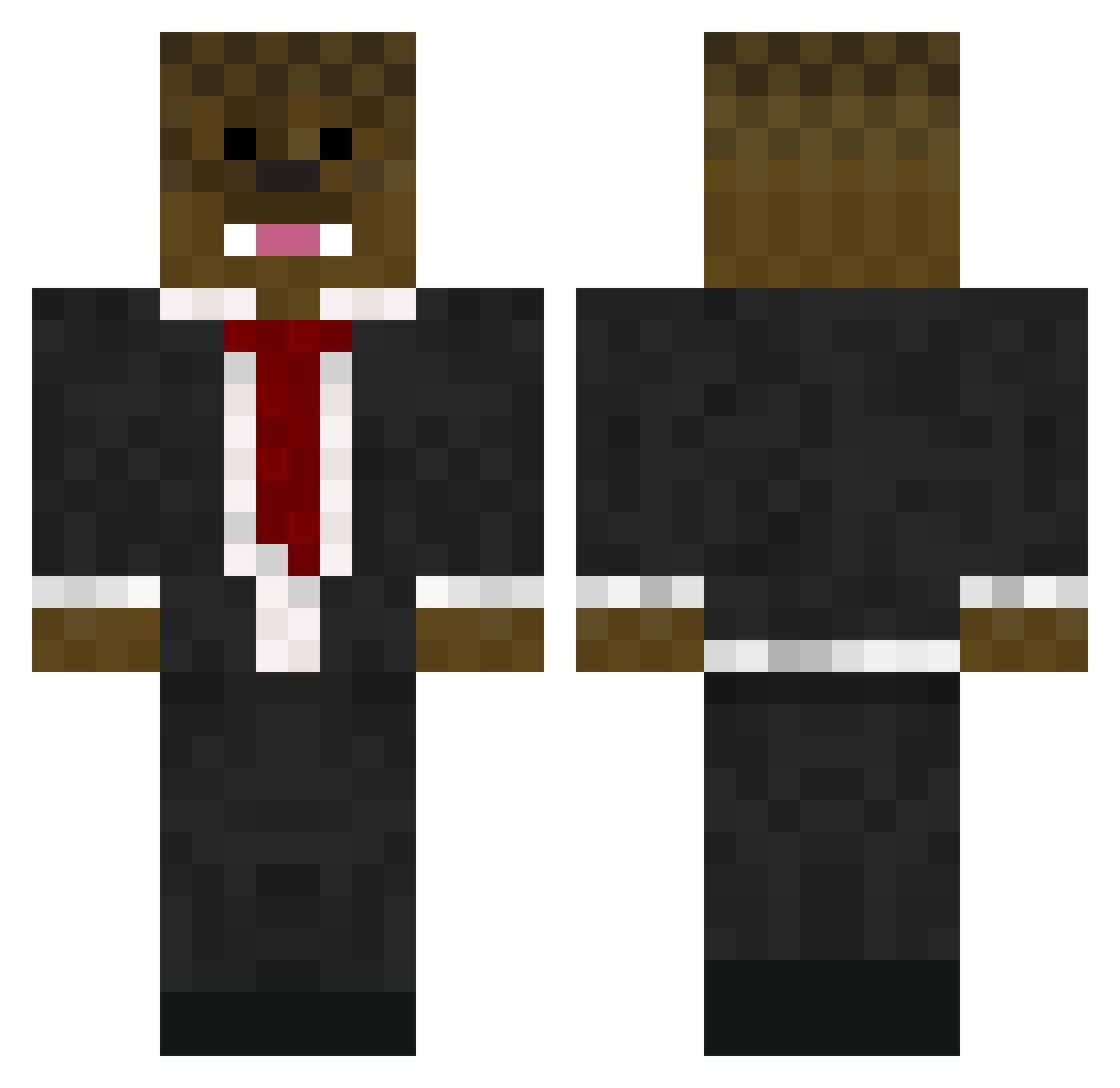
Current Minecraft skin of the player lookatskill, loaded from the official Mojang API. Rotate the 3D model with your mouse or finger, then download the skin as a PNG file and use it in Minecraft: Bedrock Edition or Java Edition for free. When lookatskill changes their skin, this page updates automatically and the old skin stays in the history below.
Other players with this skin (576)
lookatskill was the 438th player we have seen with this skin, first spotted on 04.10.2026. The same skin was seen on these players. Open a nickname to see their current skin and skin history.
 thermalots FireNinja358 BrutalTomato enderslayer433 SIMON21600 lamppost_rule Dorfimus HAWK950 wohnmobil ShaneTheFella TeamKrypton _JessuH_ higuy501 WoodHerDown420 PaigeyT NyeGuy123 CutiePieMaddie99 BurstR4ZE Jacko838 _Nate_x Glittrell97 OnE_AnGrY_MoFo BiomeButter PigWellington TJICool kidmc2003 Riley_Patrick_B brend0n_ fluffy_isboss matthew__green 104649273 mr_teacher_man XXminermanXX12 atv72 norrischarles Lupus04 alblevins elliotbf3 harveydude0 MrTaco1337 Complex_Outbreak DarkAngel112102 TYRUMO ZakMan10 DavidKeegen LAX_bro1213 mooncow2525 xthenexusx ClassicDoughnut icelandboy IndiMassara Zman62701 CustardPie InsaneTGF nukeboy09 LordofNaps Planbskater889 FluffyRocks16 DimondDash323 camtheman25
More Chewbacca Minecraft skins
How to install the lookatskill skin
- Press the Download button above to save the skin as a PNG file.
- Minecraft: Bedrock Edition (PE): open the Dressing Room from the main menu (or tap your character → Edit Character), go to Classic Skins → Owned, press the + (new skin) button, choose the downloaded PNG and pick the Classic (Steve) model. Works on PC and mobile; consoles cannot import custom skins.
- Minecraft: Java Edition: open the Minecraft Launcher, go to the Skins tab, click New Skin, load the PNG, pick the Classic (Steve) model and press Save & Use. You can also upload it at minecraft.net → Profile → Change Skin.
The skin does not show up after import - what should I do?
Restart Minecraft and open the Dressing Room again - imported skins sometimes appear only after a restart. Also make sure you selected the imported skin and picked the Classic (Steve) model.
Which model should I choose, Classic or Slim?
This skin is designed for the Classic (Steve) model. If you pick the wrong model, the arms of the skin will look stretched or squeezed.
Is the skin of lookatskill free to download?
Yes. Press Download, save the PNG file and use it in Minecraft: Bedrock Edition or Java Edition - no payment or registration needed. The skin also works on multiplayer servers and Realms.
More skins
Looking for more? Go back to all Minecraft skins and check the top skins of the week, month and all time, or find any player's skin by nickname.