
lonelypotofhoney - Minecraft Skins & Skin History
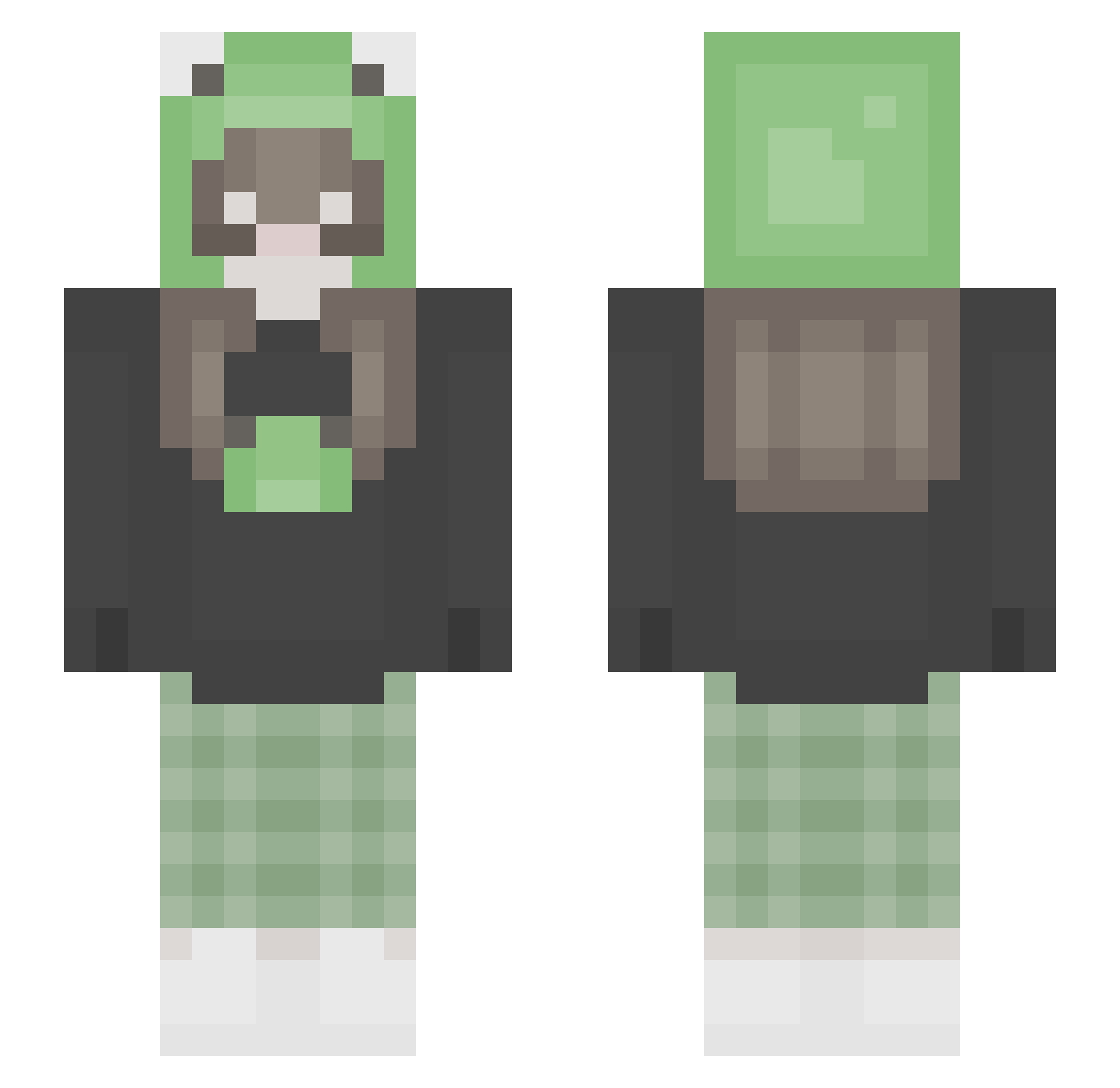
Current Minecraft skin of the player lonelypotofhoney, loaded from the official Mojang API. Rotate the 3D model with your mouse or finger, then download the skin as a PNG file and use it in Minecraft: Bedrock Edition or Java Edition for free. When lonelypotofhoney changes their skin, this page updates automatically and the old skin stays in the history below.
Other players with this skin (347)
lonelypotofhoney was the 329th player we have seen with this skin, first spotted on 13.11.2026. The same skin was seen on these players. Open a nickname to see their current skin and skin history.
 ItsJoki kiitona carolineb316 akljfnb iLynxxz Silkmilks mistymountain ShannonDth _Andulie_ BitGala Zdelik Akustick lovelylychee Arancibia mewles Butternay Zhiaora queeenfaith fruitfrogz BananaBread7_ sachiiyamii strawbebbie91 glowinsk4 Marthegamer123 Thehania99 groochie_ Eyeflow DENSTREM Bostwick3544 ZouSi Osuul_w_w sleepywn rllawlla Miniiwa woonkamerplant Shishirou MALATOSIA vermingirl Crick_3t Ratty_Catty Aswi11 emryy_ disasterology_ Noemii2006 cursed_snifi jinny8 lavaluverlaine GreenDay664 oniics DUMMEAM FadaRenegada thomasdixon12 greenmm13 ninini2222 bananapie417 FineapplePuddin yuaaa423 MabloKing patxke yourmom6996
More Pastel Minecraft skins
How to install the lonelypotofhoney skin
- Press the Download button above to save the skin as a PNG file.
- Minecraft: Bedrock Edition (PE): open the Dressing Room from the main menu (or tap your character → Edit Character), go to Classic Skins → Owned, press the + (new skin) button, choose the downloaded PNG and pick the Slim (Alex) model. Works on PC and mobile; consoles cannot import custom skins.
- Minecraft: Java Edition: open the Minecraft Launcher, go to the Skins tab, click New Skin, load the PNG, pick the Slim (Alex) model and press Save & Use. You can also upload it at minecraft.net → Profile → Change Skin.
The skin does not show up after import - what should I do?
Restart Minecraft and open the Dressing Room again - imported skins sometimes appear only after a restart. Also make sure you selected the imported skin and picked the Slim (Alex) model.
Which model should I choose, Classic or Slim?
This skin is designed for the Slim (Alex) model. If you pick the wrong model, the arms of the skin will look stretched or squeezed.
Is the skin of lonelypotofhoney free to download?
Yes. Press Download, save the PNG file and use it in Minecraft: Bedrock Edition or Java Edition - no payment or registration needed. The skin also works on multiplayer servers and Realms.
More skins
Looking for more? Go back to all Minecraft skins and check the top skins of the week, month and all time, or find any player's skin by nickname.