
lolDan - Minecraft Skins & Skin History
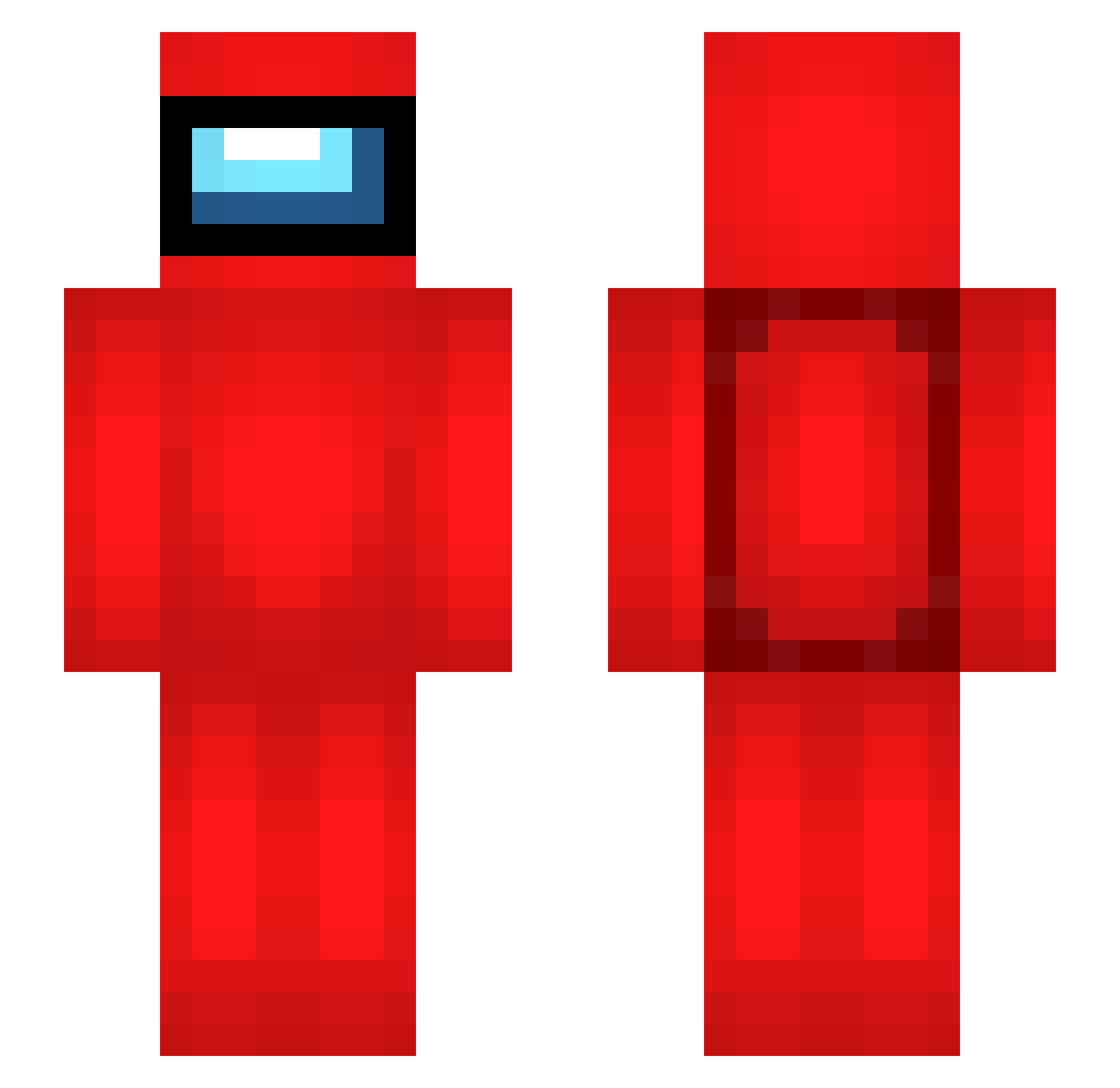
Current Minecraft skin of the player lolDan, loaded from the official Mojang API. Rotate the 3D model with your mouse or finger, then download the skin as a PNG file and use it in Minecraft: Bedrock Edition or Java Edition for free. When lolDan changes their skin, this page updates automatically and the old skin stays in the history below.
Other players with this skin (280)
lolDan was the 144th player we have seen with this skin, first spotted on 05.09.2026. The same skin was seen on these players. Open a nickname to see their current skin and skin history.
 Mermaid_Puppy __Snack lufiiz fjdjnd2 Lumixx2011 chariot_of_fire Zyn_thus ULuoI _thomp _specificocean__ cwshowow BuniekBuniek mOiterei RandyxBro HUD_THE_STUD roxmis k1ngvon69 Leghair19 chriis3d Happle1114 ivan00814 Geonn4168 ZboubiFR paoki2525 KIM_Wisdom kenkocc MC_Silent kakitabasco JiveRaptor qqlaker digitalgamer456 Tommmte69 Hazel91 Stijn_wp Travis_McGee manamemax msg143 Zullolo SkywarsMasters Impsoster ReZzTM StinkyGus matchKang LordCheng69 hollowjoke Morgan3man1 TheMCMuffin69 DesiBhabhi CrispyFeet82 DiamondT_YT SaintlyPear sohnhk Dande2661 sparktothemark Brokolice0 JustPace pokjn r1sh123 crabads RoMing
More Crewmate Minecraft skins
How to install the lolDan skin
- Press the Download button above to save the skin as a PNG file.
- Minecraft: Bedrock Edition (PE): open the Dressing Room from the main menu (or tap your character → Edit Character), go to Classic Skins → Owned, press the + (new skin) button, choose the downloaded PNG and pick the Slim (Alex) model. Works on PC and mobile; consoles cannot import custom skins.
- Minecraft: Java Edition: open the Minecraft Launcher, go to the Skins tab, click New Skin, load the PNG, pick the Slim (Alex) model and press Save & Use. You can also upload it at minecraft.net → Profile → Change Skin.
The skin does not show up after import - what should I do?
Restart Minecraft and open the Dressing Room again - imported skins sometimes appear only after a restart. Also make sure you selected the imported skin and picked the Slim (Alex) model.
Which model should I choose, Classic or Slim?
This skin is designed for the Slim (Alex) model. If you pick the wrong model, the arms of the skin will look stretched or squeezed.
Is the skin of lolDan free to download?
Yes. Press Download, save the PNG file and use it in Minecraft: Bedrock Edition or Java Edition - no payment or registration needed. The skin also works on multiplayer servers and Realms.
More skins
Looking for more? Go back to all Minecraft skins and check the top skins of the week, month and all time, or find any player's skin by nickname.