
livepo - Minecraft Skins & Skin History
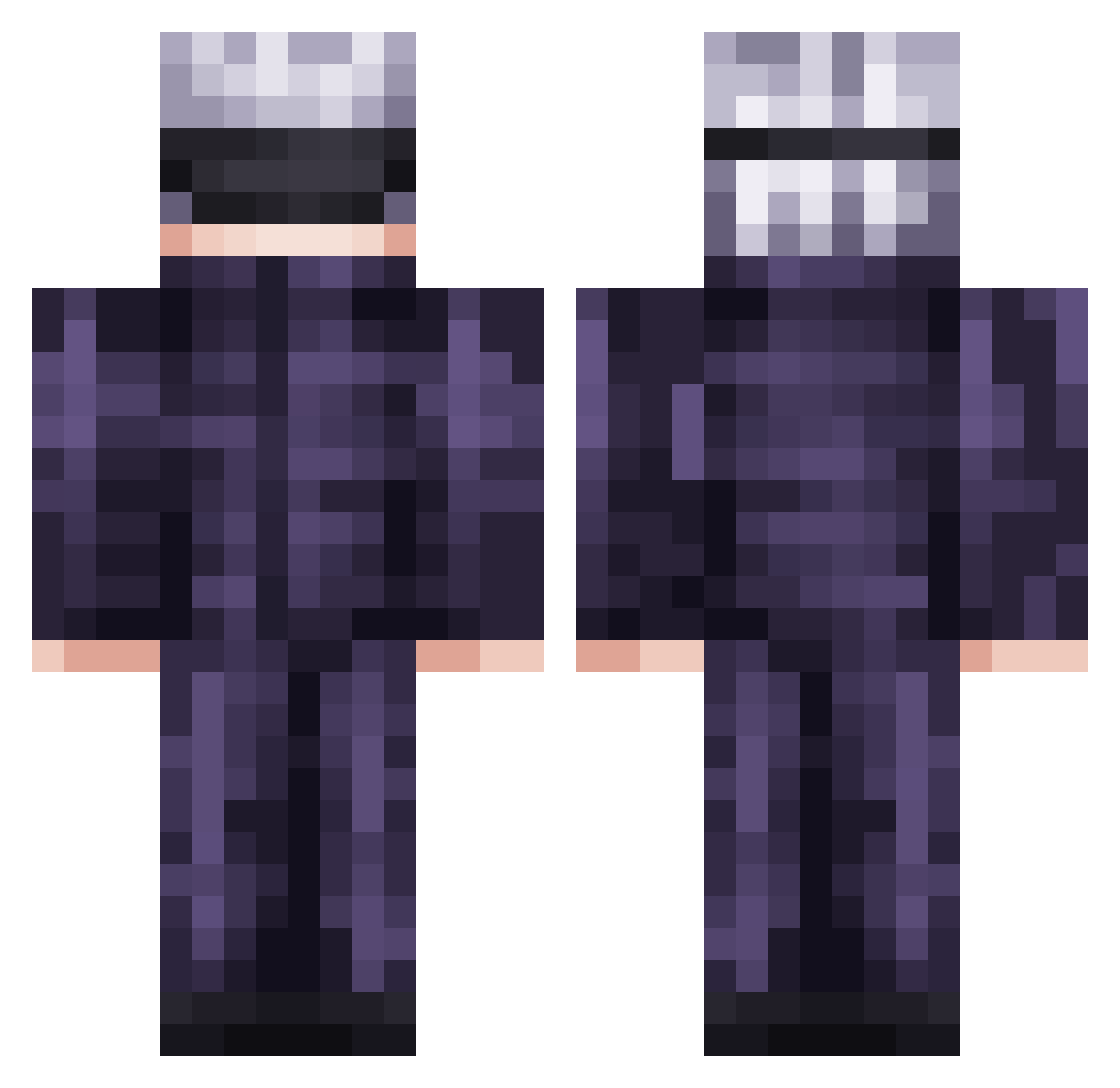
Current Minecraft skin of the player livepo, loaded from the official Mojang API. Rotate the 3D model with your mouse or finger, then download the skin as a PNG file and use it in Minecraft: Bedrock Edition or Java Edition for free. When livepo changes their skin, this page updates automatically and the old skin stays in the history below.
Other players with this skin (736)
livepo was the 242nd player we have seen with this skin, first spotted on 31.08.2026. The same skin was seen on these players. Open a nickname to see their current skin and skin history.
 Merziless C_FAT TroPiCoW JoeJack777 IIvvaann30 IllumiHisoka MyNameIsKiIIua Namast3 Ereno taiga92929 DaRealBreadBaker Regeele S2Mes mhrm02 cxpy_cxt SNIPZY999 SociallyPerfect hoon4 Big_Dux JPGez demianpy Luc18cmC0ck ItsmePixelated BearBig HyatoKira Crazyweebx Kocuralek drunknandefiskar Don_Gazo LSoto32 Joaqs Koskeeen Hyde0201 liayEFN Wel381 Will_Muscle Mirkin YOWAlMO Spitzy4 hapzor84 LeBlagueur Eradso KingEduan1 wave497 Juma__Baner AmuTheGod Ragnavaldr Julian2007xx LTIceman1 ZenotheMan jinwoo0709 Txrjx11 cerealrice oldmanwoo Icebin1 SOUJIROU117 Illuminate215 G00nb4 ryunaki_ stealflex
More Satoru Gojo Minecraft skins
See all 1319 Satoru Gojo skins
How to install the livepo skin
- Press the Download button above to save the skin as a PNG file.
- Minecraft: Bedrock Edition (PE): open the Dressing Room from the main menu (or tap your character → Edit Character), go to Classic Skins → Owned, press the + (new skin) button, choose the downloaded PNG and pick the Classic (Steve) model. Works on PC and mobile; consoles cannot import custom skins.
- Minecraft: Java Edition: open the Minecraft Launcher, go to the Skins tab, click New Skin, load the PNG, pick the Classic (Steve) model and press Save & Use. You can also upload it at minecraft.net → Profile → Change Skin.
The skin does not show up after import - what should I do?
Restart Minecraft and open the Dressing Room again - imported skins sometimes appear only after a restart. Also make sure you selected the imported skin and picked the Classic (Steve) model.
Which model should I choose, Classic or Slim?
This skin is designed for the Classic (Steve) model. If you pick the wrong model, the arms of the skin will look stretched or squeezed.
Is the skin of livepo free to download?
Yes. Press Download, save the PNG file and use it in Minecraft: Bedrock Edition or Java Edition - no payment or registration needed. The skin also works on multiplayer servers and Realms.
More skins
Looking for more? Go back to all Minecraft skins and check the top skins of the week, month and all time, or find any player's skin by nickname.