
line_1 - Minecraft Skins & Skin History
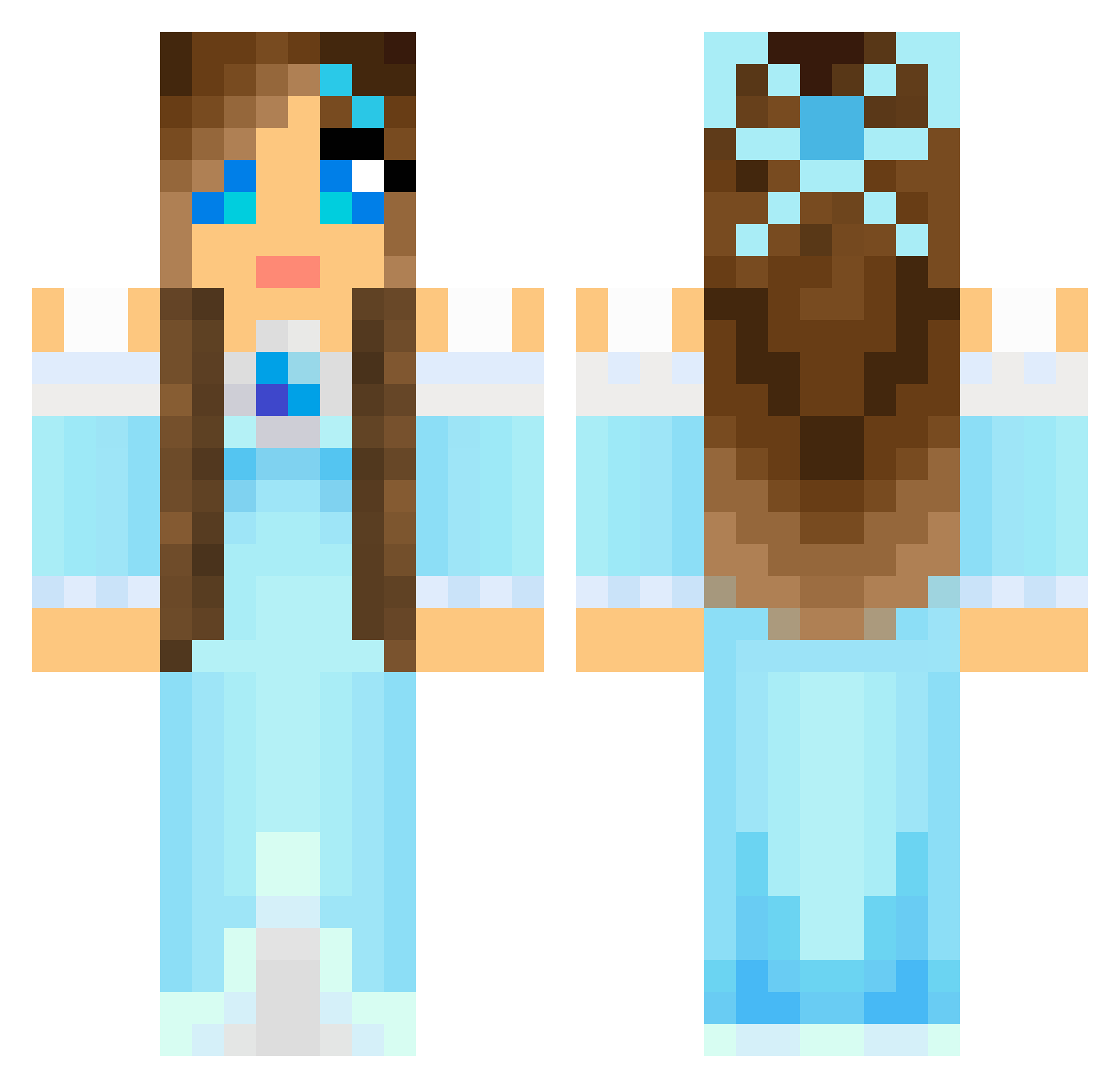
Current Minecraft skin of the player line_1, loaded from the official Mojang API. Rotate the 3D model with your mouse or finger, then download the skin as a PNG file and use it in Minecraft: Bedrock Edition or Java Edition for free. When line_1 changes their skin, this page updates automatically and the old skin stays in the history below.
Other players with this skin (804)
line_1 was the 384th player we have seen with this skin, first spotted on 16.09.2026. The same skin was seen on these players. Open a nickname to see their current skin and skin history.
 BlockyGirl07 ArtAngel79 Medley3 andyM1388 Hanzu286 Lenamusen minesorceror BunnyTuTu Luna2109 iLoveAmberRose dte21dte21 bauerich Palmi95 Sera90 evelynmilani Misshot Missann30 Wainer0623 CARMEN26 Musicalkitty13 Rexman1234 celina110 RebeccaAtteberry HarryMiner14 PimmieD LINDSEYjunePOZAI ILoveLegolas Wade_2 rebeccaolmon vendabest sharnalou GYMNAST340 sportdog2 Rosiliapower Alyzeeke satpat20 r_for_reesey flutterbye pellisnor_ Delaney012 JuFruits Bug4577 Francesca24 Smilingsun72 NIS314 EvaSebko playboymoney Callykitkat5 Summerwolfe buggie22 torchwood1005 XnigglesX iceprincess0110 woshiaqian Illoradannan QueenGlory bluegooo22 Nathasja_zxc Knutschibutschi hellojessy
More Princess Minecraft skins
How to install the line_1 skin
- Press the Download button above to save the skin as a PNG file.
- Minecraft: Bedrock Edition (PE): open the Dressing Room from the main menu (or tap your character → Edit Character), go to Classic Skins → Owned, press the + (new skin) button, choose the downloaded PNG and pick the Classic (Steve) model. Works on PC and mobile; consoles cannot import custom skins.
- Minecraft: Java Edition: open the Minecraft Launcher, go to the Skins tab, click New Skin, load the PNG, pick the Classic (Steve) model and press Save & Use. You can also upload it at minecraft.net → Profile → Change Skin.
The skin does not show up after import - what should I do?
Restart Minecraft and open the Dressing Room again - imported skins sometimes appear only after a restart. Also make sure you selected the imported skin and picked the Classic (Steve) model.
Which model should I choose, Classic or Slim?
This skin is designed for the Classic (Steve) model. If you pick the wrong model, the arms of the skin will look stretched or squeezed.
Is the skin of line_1 free to download?
Yes. Press Download, save the PNG file and use it in Minecraft: Bedrock Edition or Java Edition - no payment or registration needed. The skin also works on multiplayer servers and Realms.
More skins
Looking for more? Go back to all Minecraft skins and check the top skins of the week, month and all time, or find any player's skin by nickname.