
liaozhai123 - Minecraft Skins & Skin History
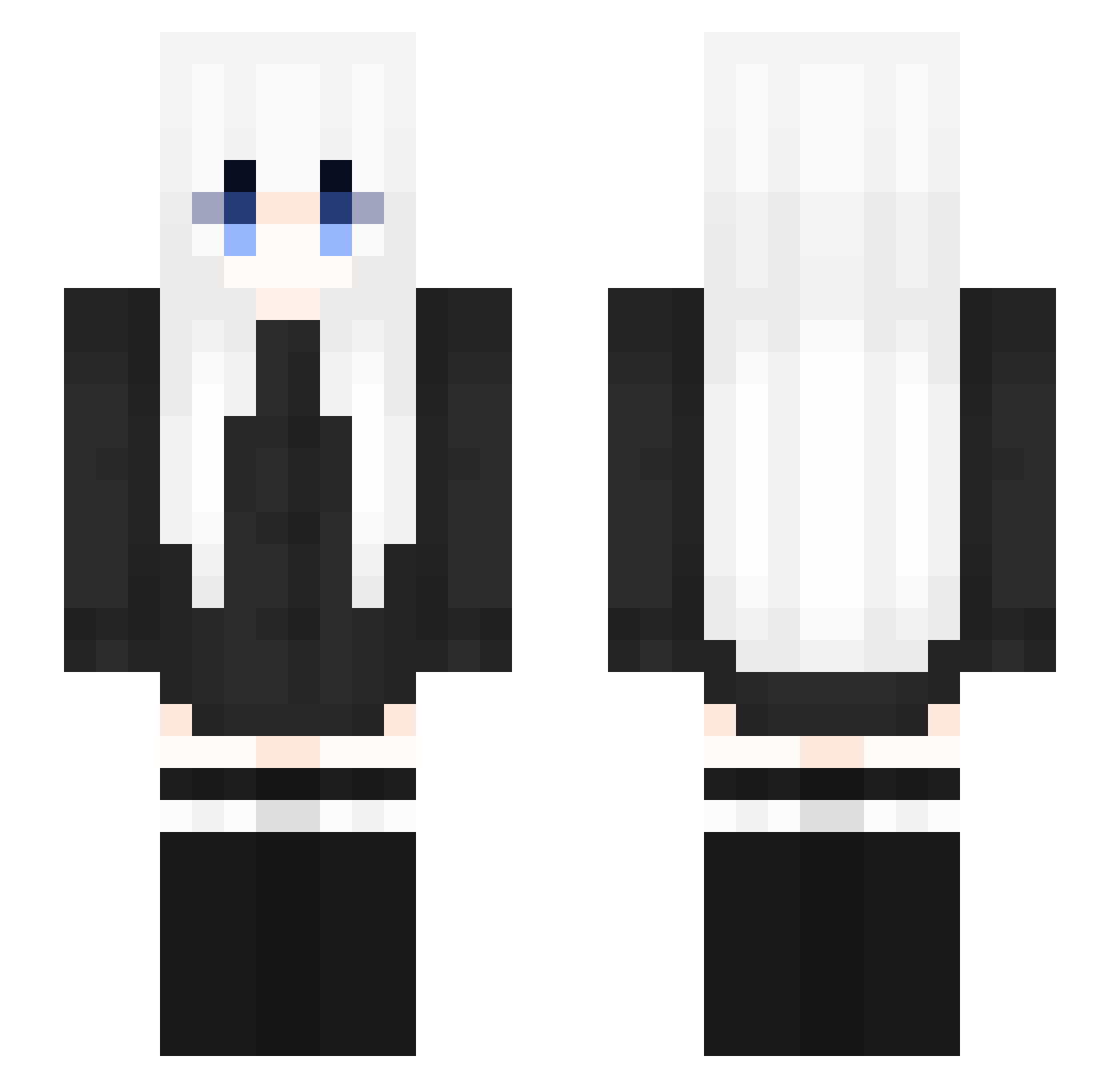
Current Minecraft skin of the player liaozhai123, loaded from the official Mojang API. Rotate the 3D model with your mouse or finger, then download the skin as a PNG file and use it in Minecraft: Bedrock Edition or Java Edition for free. When liaozhai123 changes their skin, this page updates automatically and the old skin stays in the history below.
Other players with this skin (353)
liaozhai123 was the 87th player we have seen with this skin, first spotted on 25.08.2026. The same skin was seen on these players. Open a nickname to see their current skin and skin history.
 Euterpe0102 Launcla imSarah_ xQc2254 q1w2e342 L0veF0rever apologizeeeee BosoExpress Selly_55 YannyMoansForMe Moonnightrain xwxH7 oXIAOFISHo ppxg820 Arorniel smallwoman naokin114514 Lzibai VeryHappySah0r0k valeesh Pexos4 bArceLix ExAzEy KBS__ Ikaros141 baisusu_ LinMengHan ShimotsukiHaruka 2020QWQ tetradka LovelySnfx idishido xiaorans_ Vichan7 UwU_Pizza apuppy0516 lamelia sumin0206 ShuujiAndKana Tlin06 Adlynftill moonvibetz SolarK Acai_1 Goomih0 gamez500 Enachan XingRenn EillySa UchihaSuki yskrin Curly_ila zily09 666o_O MHHZY Lizi654 tzi_2wKK1_01_12 xiaojiu_xj Tsxas QINSD
More Anime Girl Minecraft skins
See all 13731 Anime Girl skins
How to install the liaozhai123 skin
- Press the Download button above to save the skin as a PNG file.
- Minecraft: Bedrock Edition (PE): open the Dressing Room from the main menu (or tap your character → Edit Character), go to Classic Skins → Owned, press the + (new skin) button, choose the downloaded PNG and pick the Slim (Alex) model. Works on PC and mobile; consoles cannot import custom skins.
- Minecraft: Java Edition: open the Minecraft Launcher, go to the Skins tab, click New Skin, load the PNG, pick the Slim (Alex) model and press Save & Use. You can also upload it at minecraft.net → Profile → Change Skin.
The skin does not show up after import - what should I do?
Restart Minecraft and open the Dressing Room again - imported skins sometimes appear only after a restart. Also make sure you selected the imported skin and picked the Slim (Alex) model.
Which model should I choose, Classic or Slim?
This skin is designed for the Slim (Alex) model. If you pick the wrong model, the arms of the skin will look stretched or squeezed.
Is the skin of liaozhai123 free to download?
Yes. Press Download, save the PNG file and use it in Minecraft: Bedrock Edition or Java Edition - no payment or registration needed. The skin also works on multiplayer servers and Realms.
More skins
Looking for more? Go back to all Minecraft skins and check the top skins of the week, month and all time, or find any player's skin by nickname.