
lhL490 - Minecraft Skins & Skin History
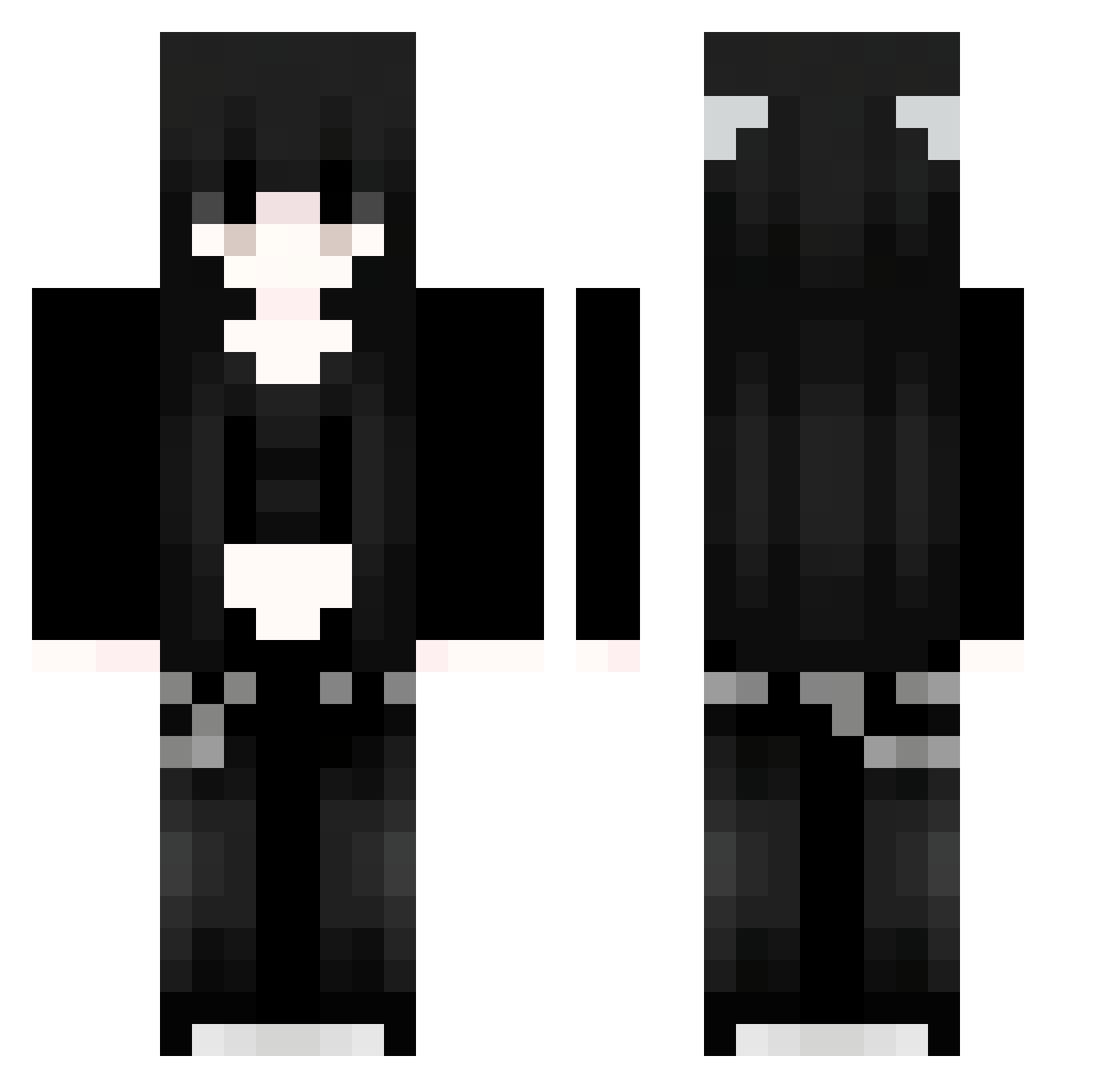
Current Minecraft skin of the player lhL490, loaded from the official Mojang API. Rotate the 3D model with your mouse or finger, then download the skin as a PNG file and use it in Minecraft: Bedrock Edition or Java Edition for free. When lhL490 changes their skin, this page updates automatically and the old skin stays in the history below.
Other players with this skin (1298)
lhL490 was the 1195th player we have seen with this skin, first spotted on 12.11.2026. The same skin was seen on these players. Open a nickname to see their current skin and skin history.
 gCL280 gtY965 Sakura_TEnwQZ275 91_sRRSgWMeYa526 MGRS999 ydf275 Adw34 Sakura_SnTpsj61 mVO802 Puj529 SaKuraXGP_nwG961 Sakura_MbtTPR562 Sakura_ombaqz149 gGo426 Sakura_cmROoq649 opd698 GVC574 rAoRPJPDCjOiD967 lvc199 Nick_HD01 91_hskQBZzcTM132 Sakura_jSntgj497 yIQ286 PFM632 vIw77 Sakura_PtCPyD550 yan_2605 Sakura_dvQQHl274 jgW949 bcYiar347 AmP574 hHd275 UQL246 WESTTTTTTT 91_ZkEFXuiWvT695 Nuz573 Sakura_NQjLSh402 uunnm aazerr ZFyYtL6 iMxru_ MunkOnNyquil 91_kRHPKHYRwI766 qRA863 KarlitauwuC 91_jCaGlgAKPx227 xUR542 dxrkfaerie GBP418 ubv86 Cvl47 filHrUviiFwIZ215 qoX637 waN451 LHt951 vQA780 Poe276 syoyu24 meowmeowmeow333 VRQ227
More Emo Minecraft skins
How to install the lhL490 skin
- Press the Download button above to save the skin as a PNG file.
- Minecraft: Bedrock Edition (PE): open the Dressing Room from the main menu (or tap your character → Edit Character), go to Classic Skins → Owned, press the + (new skin) button, choose the downloaded PNG and pick the Classic (Steve) model. Works on PC and mobile; consoles cannot import custom skins.
- Minecraft: Java Edition: open the Minecraft Launcher, go to the Skins tab, click New Skin, load the PNG, pick the Classic (Steve) model and press Save & Use. You can also upload it at minecraft.net → Profile → Change Skin.
The skin does not show up after import - what should I do?
Restart Minecraft and open the Dressing Room again - imported skins sometimes appear only after a restart. Also make sure you selected the imported skin and picked the Classic (Steve) model.
Which model should I choose, Classic or Slim?
This skin is designed for the Classic (Steve) model. If you pick the wrong model, the arms of the skin will look stretched or squeezed.
Is the skin of lhL490 free to download?
Yes. Press Download, save the PNG file and use it in Minecraft: Bedrock Edition or Java Edition - no payment or registration needed. The skin also works on multiplayer servers and Realms.
More skins
Looking for more? Go back to all Minecraft skins and check the top skins of the week, month and all time, or find any player's skin by nickname.