
Cvl47 - Minecraft Skins & Skin History
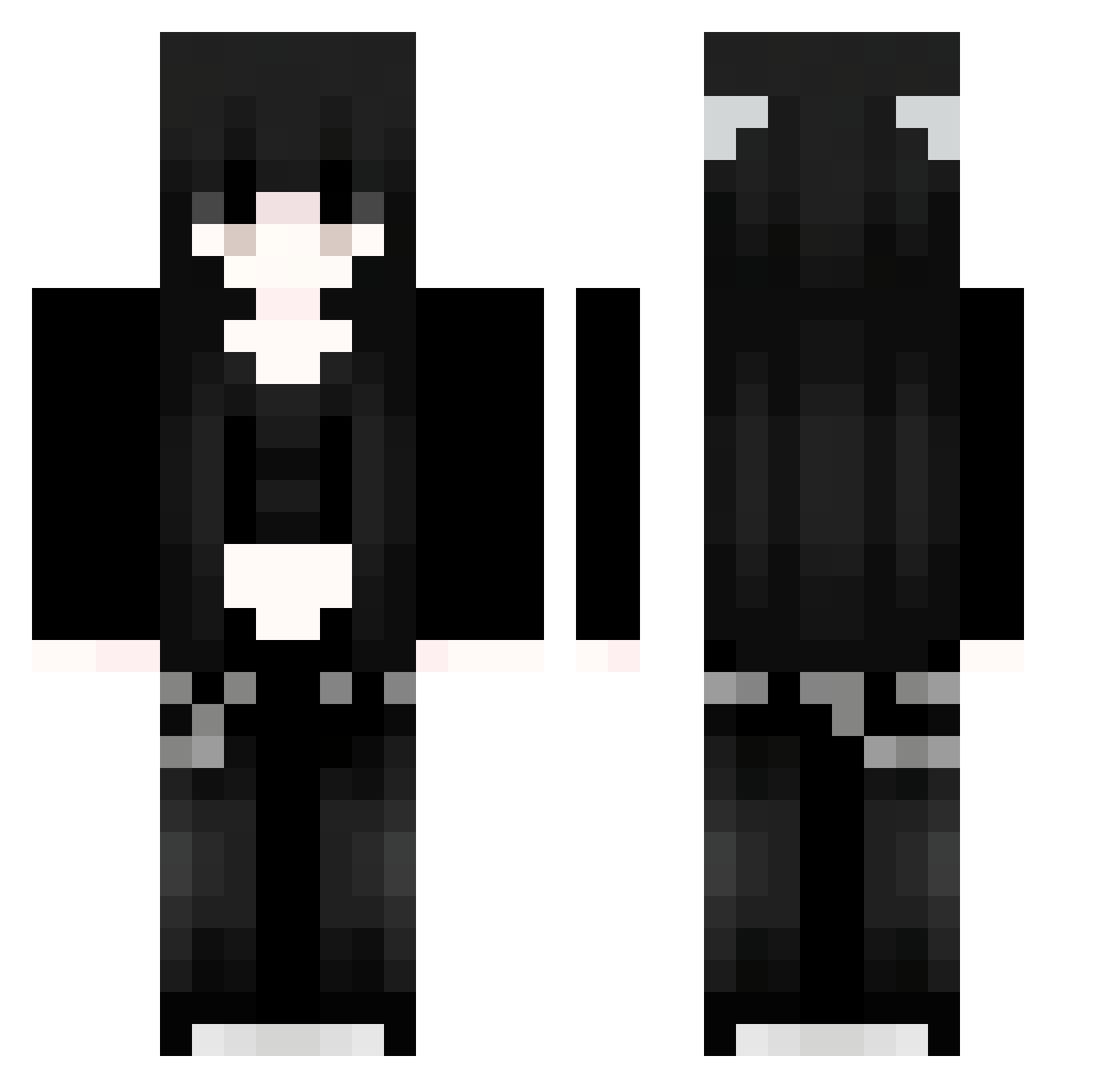
Current Minecraft skin of the player Cvl47, loaded from the official Mojang API. Rotate the 3D model with your mouse or finger, then download the skin as a PNG file and use it in Minecraft: Bedrock Edition or Java Edition for free. When Cvl47 changes their skin, this page updates automatically and the old skin stays in the history below.
Other players with this skin (1172)
Cvl47 was the 1173rd player we have seen with this skin, first spotted on 10.11.2026. The same skin was seen on these players. Open a nickname to see their current skin and skin history.
 filHrUviiFwIZ215 waN451 LHt951 syoyu24 VRQ227 smallmeng iJa362 ISb456 tGO627 elisiqx YJf664 kevin_ly uAV884 frogberri vXu188 Its_Not_Kevin ZJK32 yHG472 Sakura_zTfXSG949 xJE441 LlV606 FgR869 inaSxN956 2eZ4MeXOX zyh262 FfK776 kzR646 91_wzhprWidFX577 yxl666 ubR838 mTY40 hYI730 Rfu435 Sakura_jBZECS844 xDq890 sUEWCJhkRhuqY170 Oqr215 Rivmfc qQD95 VUV386 91_OVuCgJVIUt239 VlqfvbDjDfsyq791 Xsh937 Mvu264 Jvav_RfuQivhK238 wpu467 War377 ERU275 egn569 fvIInk679 uOm494 Sakura_LGotEd167 kSE252 inuuun dtd344 Sakura_QxUgJK144 QVc225 91_ojMniNEobe742 xLy214 zFfKhSOGLMRBL827
More Emo Minecraft skins
How to install the Cvl47 skin
- Press the Download button above to save the skin as a PNG file.
- Minecraft: Bedrock Edition (PE): open the Dressing Room from the main menu (or tap your character → Edit Character), go to Classic Skins → Owned, press the + (new skin) button, choose the downloaded PNG and pick the Classic (Steve) model. Works on PC and mobile; consoles cannot import custom skins.
- Minecraft: Java Edition: open the Minecraft Launcher, go to the Skins tab, click New Skin, load the PNG, pick the Classic (Steve) model and press Save & Use. You can also upload it at minecraft.net → Profile → Change Skin.
The skin does not show up after import - what should I do?
Restart Minecraft and open the Dressing Room again - imported skins sometimes appear only after a restart. Also make sure you selected the imported skin and picked the Classic (Steve) model.
Which model should I choose, Classic or Slim?
This skin is designed for the Classic (Steve) model. If you pick the wrong model, the arms of the skin will look stretched or squeezed.
Is the skin of Cvl47 free to download?
Yes. Press Download, save the PNG file and use it in Minecraft: Bedrock Edition or Java Edition - no payment or registration needed. The skin also works on multiplayer servers and Realms.
More skins
Looking for more? Go back to all Minecraft skins and check the top skins of the week, month and all time, or find any player's skin by nickname.