
leocal2007 - Minecraft Skins & Skin History
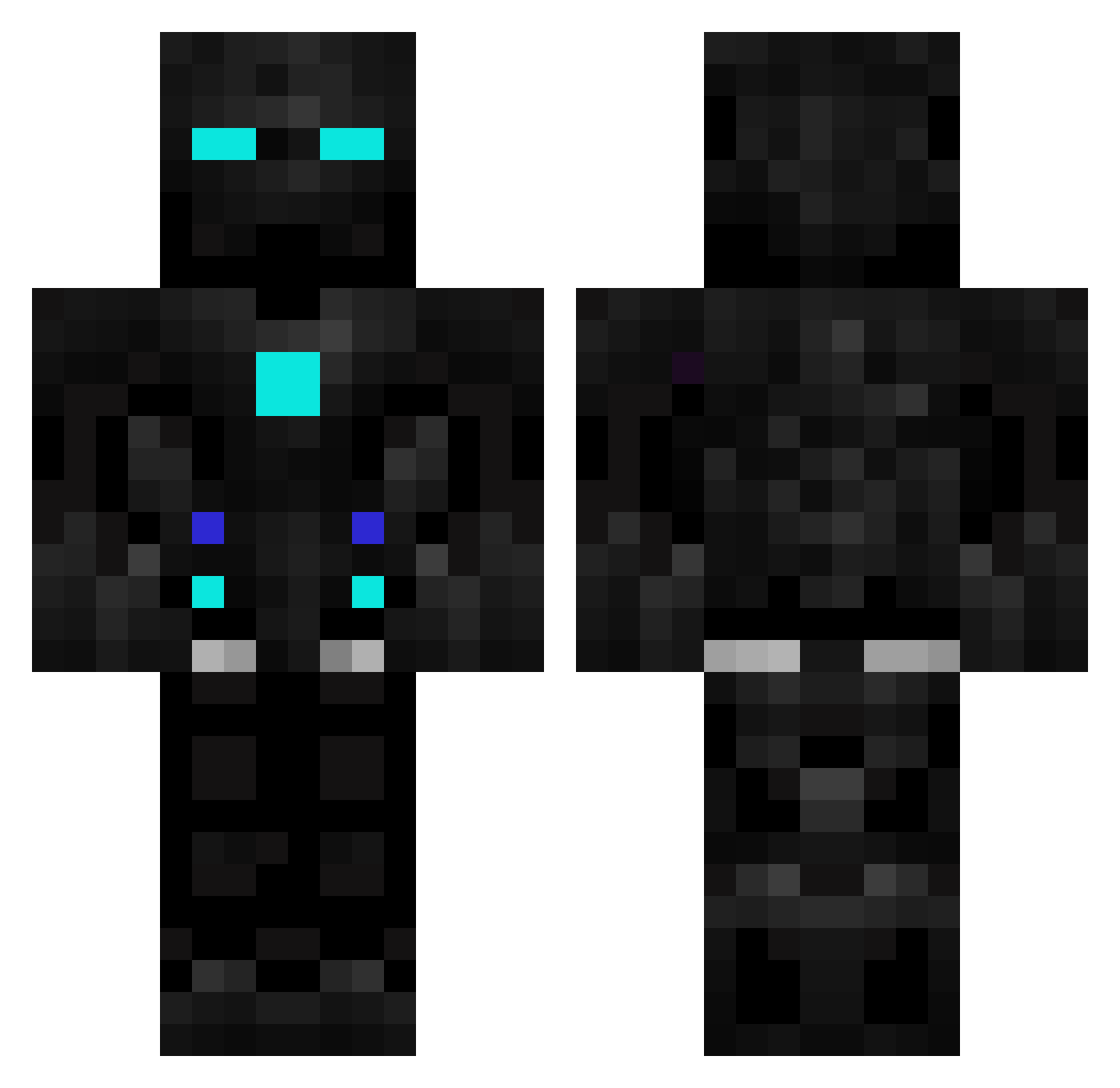
Current Minecraft skin of the player leocal2007, loaded from the official Mojang API. Rotate the 3D model with your mouse or finger, then download the skin as a PNG file and use it in Minecraft: Bedrock Edition or Java Edition for free. When leocal2007 changes their skin, this page updates automatically and the old skin stays in the history below.
Other players with this skin (602)
leocal2007 was the 396th player we have seen with this skin, first spotted on 07.10.2026. The same skin was seen on these players. Open a nickname to see their current skin and skin history.
 Link_64DD Iolospur PrismzVerse_ Crimson_Pilot DarkDemon20 NemesisBloodLin WizziWigli SunsetGrump MrParanoia08 GamerSTA4 CreatyJohn TEVEL13 CardMaster198 gen0713 D4rk_eagle v0d_stromsrv54 lchSagNurGeGe foodmtk Magmag521 Noarai Illyl Varennce Fiferret NpBro Mhaydin vhades14 AdR14n08 N3iz4h YT_ImRich_777 AlterHerr22 TurtVig love8030 stantheman099 HammerBro1 Harrytsai Nemelless notqasp DemureSeeker495 Styris__Jr daquas_ dioxinefp3 JacobAlb sebsol06 Tomsing LeightonK Kennanator TonedArrow skybus111 xuegs GnollsYT OHAD88 samko123qwet Blackmamba747 LysergicAF DefNotKriz RusherLXI Julian1990 KL000 BirdieBob B1auerPhoenix
More Robot Minecraft skins
How to install the leocal2007 skin
- Press the Download button above to save the skin as a PNG file.
- Minecraft: Bedrock Edition (PE): open the Dressing Room from the main menu (or tap your character → Edit Character), go to Classic Skins → Owned, press the + (new skin) button, choose the downloaded PNG and pick the Classic (Steve) model. Works on PC and mobile; consoles cannot import custom skins.
- Minecraft: Java Edition: open the Minecraft Launcher, go to the Skins tab, click New Skin, load the PNG, pick the Classic (Steve) model and press Save & Use. You can also upload it at minecraft.net → Profile → Change Skin.
The skin does not show up after import - what should I do?
Restart Minecraft and open the Dressing Room again - imported skins sometimes appear only after a restart. Also make sure you selected the imported skin and picked the Classic (Steve) model.
Which model should I choose, Classic or Slim?
This skin is designed for the Classic (Steve) model. If you pick the wrong model, the arms of the skin will look stretched or squeezed.
Is the skin of leocal2007 free to download?
Yes. Press Download, save the PNG file and use it in Minecraft: Bedrock Edition or Java Edition - no payment or registration needed. The skin also works on multiplayer servers and Realms.
More skins
Looking for more? Go back to all Minecraft skins and check the top skins of the week, month and all time, or find any player's skin by nickname.