
 FancyRaider51 thivy Unitology88 Nargiro ProKasTiiCS killbuster_h5g nono614 xman_laser DarkBladester69 MATTNIAL LChecker2 Raphiboy_69 9random Spaiicey Ion_playz Th3ShadowKnight Alfiandra EnderLetsPlays TAKEKINTV gonzalosama galactikreli31 FeeFamBam VIFP Uschin1 luterfon17 Hulkbusterno J0tun Akkiirraaa misterge EnderWarrior77 fussyshark Mr_Magicman20 Ninajaboy1 lordpascuda Mike_1701 MrZakir007 _Nicolos_ Ulyf Madenci_abi Tauros1333 luvrboyhollow Roman2109 DragonWorld11 SeeMeNowUDont14 Martini16072006 657godzilla superQDott ChristianHack Puma939 Hewesey JarJar696 lerixds iCodeNDPlayer21 Allaboutk9 LadyKiller6666 MITSIKU Inproximy GypsyLove emald CassiniSC
Minecraft skin of itsalexk. Rotate the 3D model with your mouse or finger to view the skin from every angle, then download it as a PNG file and use it in Minecraft: Bedrock Edition or Java Edition for free. Rate the skin with stars to help other players find the best skins in our collection.
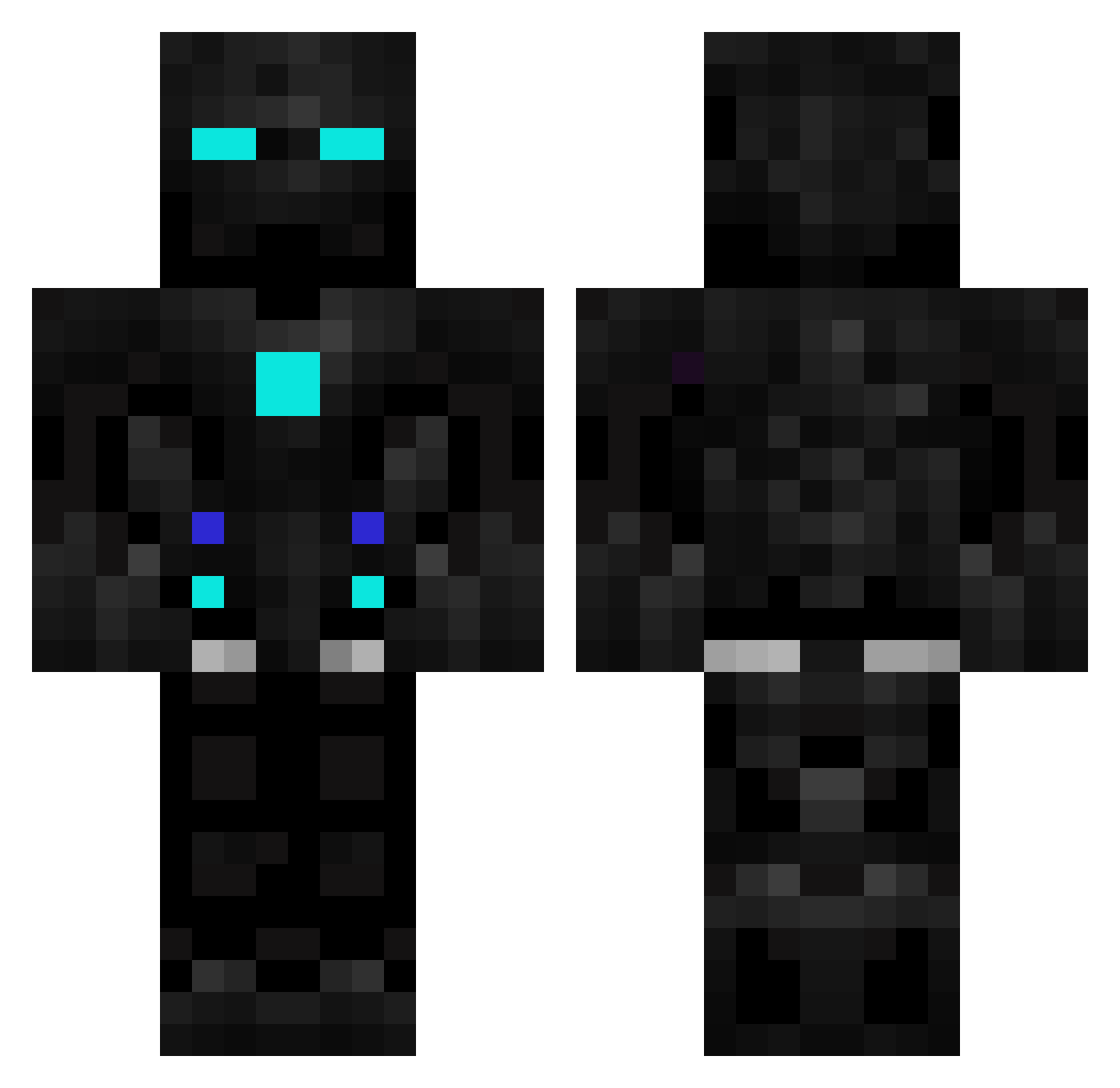
How to install the itsalexk skin
- Press the Download button above to save the skin as a PNG file.
- Minecraft: Bedrock Edition (PE): open the Dressing Room from the main menu (or tap your character → Edit Character), go to Classic Skins → Owned, press the + (new skin) button, choose the downloaded PNG and pick the Classic (Steve) model. Works on PC and mobile; consoles cannot import custom skins.
- Minecraft: Java Edition: open the Minecraft Launcher, go to the Skins tab, click New Skin, load the PNG, pick the Classic (Steve) model and press Save & Use. You can also upload it at minecraft.net → Profile → Change Skin.
The skin does not show up after import - what should I do?
Restart Minecraft and open the Dressing Room again - imported skins sometimes appear only after a restart. Also make sure you selected the imported skin and picked the Classic (Steve) model.
Which model should I choose, Classic or Slim?
This skin is designed for the Classic (Steve) model. If you pick the wrong model, the arms of the skin will look stretched or squeezed.
Is this skin free to use?
Yes. Press Download, save the PNG file and use it in Minecraft: Bedrock Edition or Java Edition - no payment or registration needed. The skin also works on multiplayer servers and Realms.
More Robot Minecraft skins
More skins
Looking for more? Go back to all Minecraft skins and check the top skins of the week, month and all time, or find any player's skin by nickname.