
lennymine2 - Minecraft Skins & Skin History
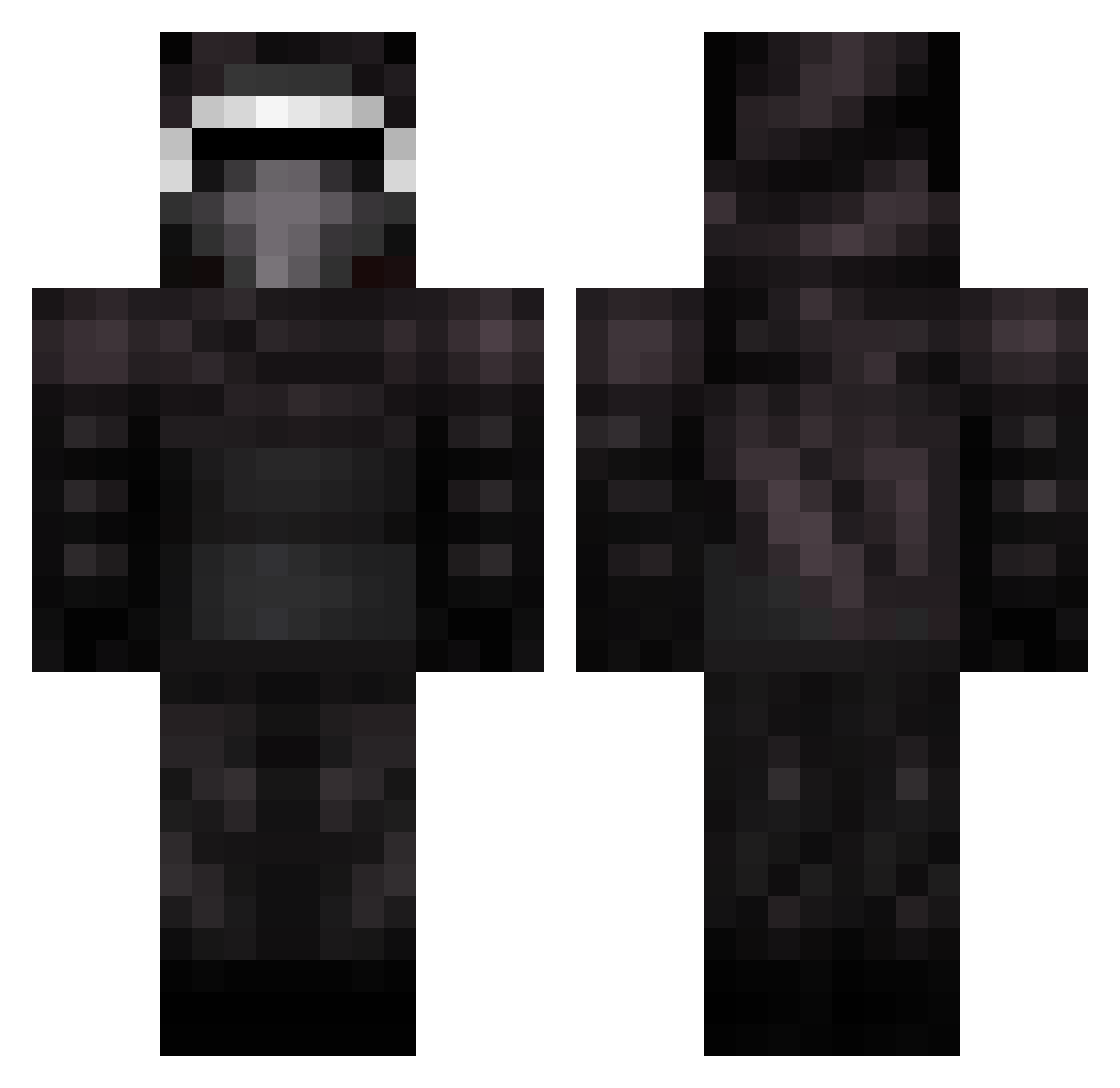
Current Minecraft skin of the player lennymine2, loaded from the official Mojang API. Rotate the 3D model with your mouse or finger, then download the skin as a PNG file and use it in Minecraft: Bedrock Edition or Java Edition for free. When lennymine2 changes their skin, this page updates automatically and the old skin stays in the history below.
Other players with this skin (399)
lennymine2 was the 200th player we have seen with this skin, first spotted on 23.09.2026. The same skin was seen on these players. Open a nickname to see their current skin and skin history.
 speedysnail04 4kBotnet Seymour601 S_T_R_I_K_E superminx Kylo_Ren___ surdito MathiasP227 sharkboy101 13barks Lagann1 GibamaN jeobeela Awesomechris1050 Co2Flatoff JayWee141 jchicken _KyloRennn_ SilentAnubis ImSweh macattack013 stephenmriley kilz0r DrLerkin xShadowLord14 wailinghost ByKoreaxYT Ray_23000 Maladeshi Kopepaesta gaunte devine_33 ITZJ1MB0 else4567 aaron889 Mannacioo AnchChouzz Phoenix121870 GingerGiant_5a25 Birdflu2008 DOODLES8 jamesdf12345 _iTzbanana Alister2005 Dracula1000 thegreatwhiteM8 KyloRen11 evilwil Flaresoflight mattglach Michaelhuang1718 hellfire2005 Wolvestorm TomKee sjofors wackogamer calebalex2004 drogann MonsieurJacques VanThoudal
More Kylo Ren Minecraft skins
How to install the lennymine2 skin
- Press the Download button above to save the skin as a PNG file.
- Minecraft: Bedrock Edition (PE): open the Dressing Room from the main menu (or tap your character → Edit Character), go to Classic Skins → Owned, press the + (new skin) button, choose the downloaded PNG and pick the Classic (Steve) model. Works on PC and mobile; consoles cannot import custom skins.
- Minecraft: Java Edition: open the Minecraft Launcher, go to the Skins tab, click New Skin, load the PNG, pick the Classic (Steve) model and press Save & Use. You can also upload it at minecraft.net → Profile → Change Skin.
The skin does not show up after import - what should I do?
Restart Minecraft and open the Dressing Room again - imported skins sometimes appear only after a restart. Also make sure you selected the imported skin and picked the Classic (Steve) model.
Which model should I choose, Classic or Slim?
This skin is designed for the Classic (Steve) model. If you pick the wrong model, the arms of the skin will look stretched or squeezed.
Is the skin of lennymine2 free to download?
Yes. Press Download, save the PNG file and use it in Minecraft: Bedrock Edition or Java Edition - no payment or registration needed. The skin also works on multiplayer servers and Realms.
More skins
Looking for more? Go back to all Minecraft skins and check the top skins of the week, month and all time, or find any player's skin by nickname.