
lazerdim700fan - Minecraft Skins & Skin History
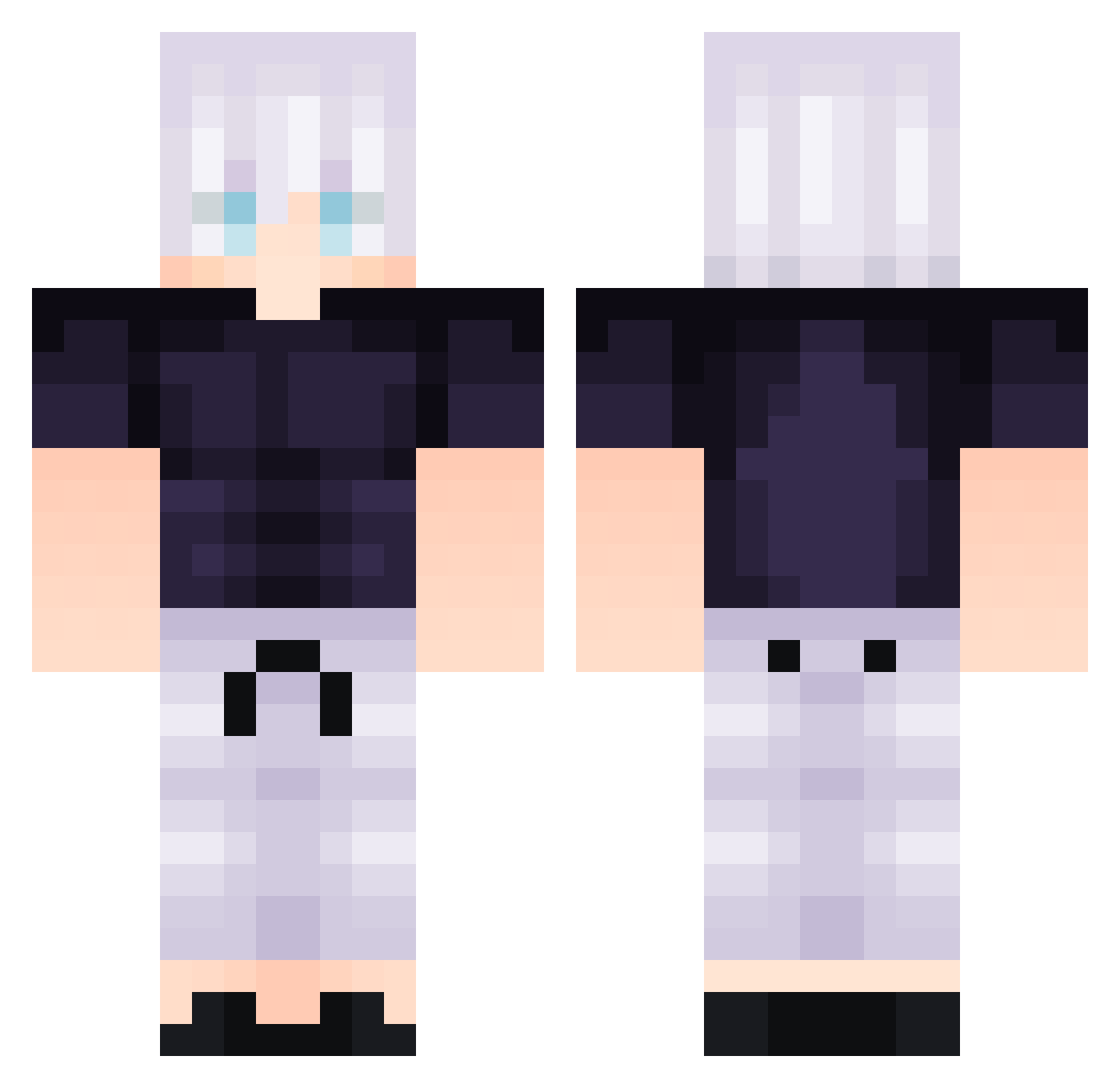
Current Minecraft skin of the player lazerdim700fan, loaded from the official Mojang API. Rotate the 3D model with your mouse or finger, then download the skin as a PNG file and use it in Minecraft: Bedrock Edition or Java Edition for free. When lazerdim700fan changes their skin, this page updates automatically and the old skin stays in the history below.
Other players with this skin (293)
lazerdim700fan was the 257th player we have seen with this skin, first spotted on 22.10.2026. The same skin was seen on these players. Open a nickname to see their current skin and skin history.
 Gustas_The_Cria Cristherino clayfrostt kanashinho Hank_Zhuang MrPizza_ Goka88 kowhee pickleishere 7Chr1s Malda_ Macedo2801 WHIET_HAIR_GOJO Santkuuhaku Monkie_0815 sunriseasw NJoFra17 Cnoirlamecri jef_cb Photpho tr0627 Muryokushoo StrawHatRichie llnadir Galaxy_Edits HoppelHase07 Noriler Bubble_Cutter SpacePenguin99 websex_ Starblade5 byeol_1 ArnieBro102 Im_Lety StuckedLuca 1Pablo12 Taro1017 MisterM20002 BUTTNUTT69420 Trigo222 AceJustFire XiangGuo Treetho Taiikou MoggingMaster Krohun547 JPetar Arkesin puttimate coolbroz0 Rowka Azeeeeelf Tufaky DanielTrugbild i7mD1 ratinu ClAss1c_SHouryaX 14Cent ShuHong Kesata
More Satoru Gojo Minecraft skins
See all 1317 Satoru Gojo skins
How to install the lazerdim700fan skin
- Press the Download button above to save the skin as a PNG file.
- Minecraft: Bedrock Edition (PE): open the Dressing Room from the main menu (or tap your character → Edit Character), go to Classic Skins → Owned, press the + (new skin) button, choose the downloaded PNG and pick the Classic (Steve) model. Works on PC and mobile; consoles cannot import custom skins.
- Minecraft: Java Edition: open the Minecraft Launcher, go to the Skins tab, click New Skin, load the PNG, pick the Classic (Steve) model and press Save & Use. You can also upload it at minecraft.net → Profile → Change Skin.
The skin does not show up after import - what should I do?
Restart Minecraft and open the Dressing Room again - imported skins sometimes appear only after a restart. Also make sure you selected the imported skin and picked the Classic (Steve) model.
Which model should I choose, Classic or Slim?
This skin is designed for the Classic (Steve) model. If you pick the wrong model, the arms of the skin will look stretched or squeezed.
Is the skin of lazerdim700fan free to download?
Yes. Press Download, save the PNG file and use it in Minecraft: Bedrock Edition or Java Edition - no payment or registration needed. The skin also works on multiplayer servers and Realms.
More skins
Looking for more? Go back to all Minecraft skins and check the top skins of the week, month and all time, or find any player's skin by nickname.