
lanxing1 - Minecraft Skins & Skin History
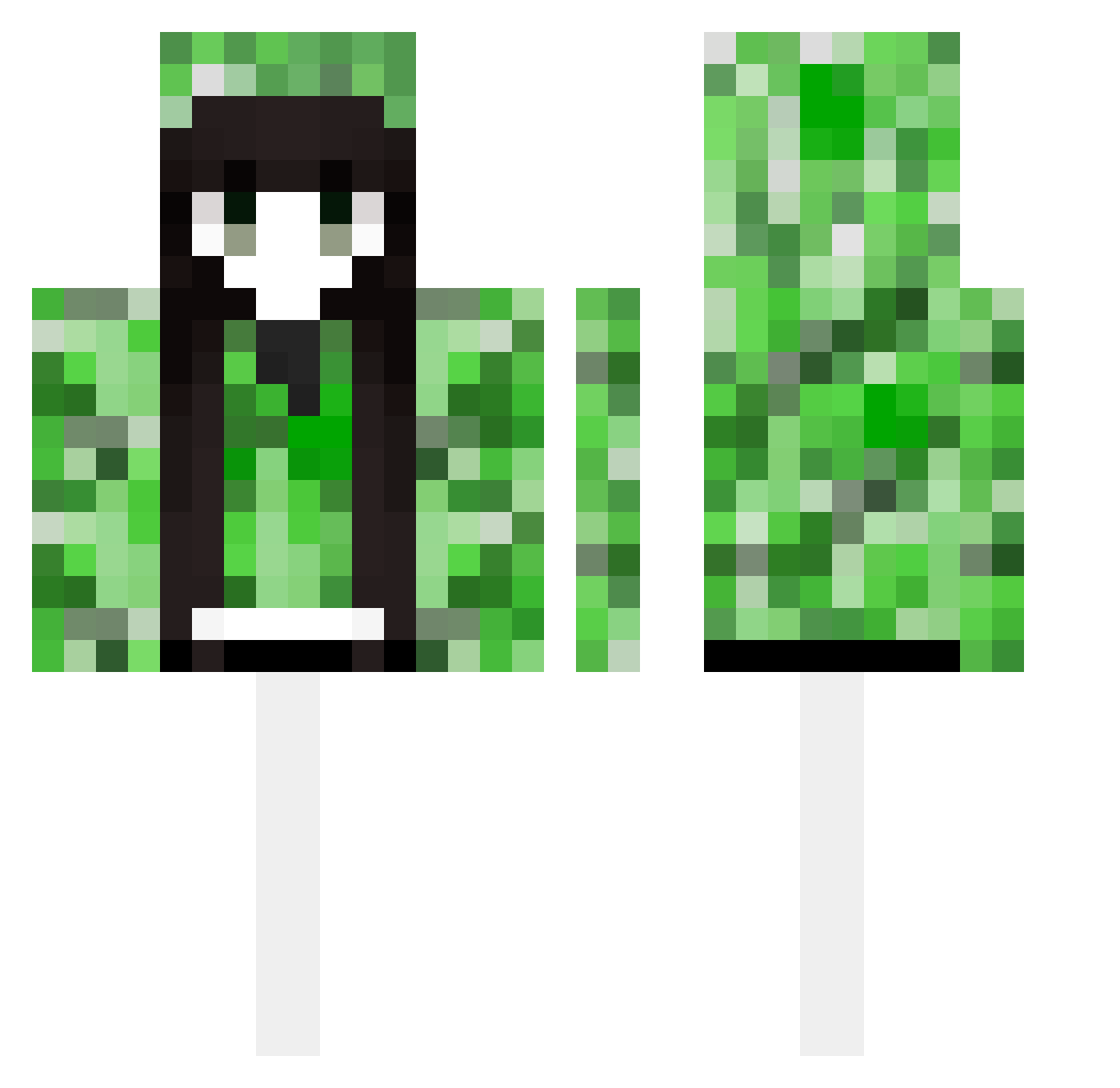
Current Minecraft skin of the player lanxing1, loaded from the official Mojang API. Rotate the 3D model with your mouse or finger, then download the skin as a PNG file and use it in Minecraft: Bedrock Edition or Java Edition for free. When lanxing1 changes their skin, this page updates automatically and the old skin stays in the history below.
Other players with this skin (489)
lanxing1 was the 220th player we have seen with this skin, first spotted on 16.09.2026. The same skin was seen on these players. Open a nickname to see their current skin and skin history.
 wwwash zhou1235 inhwa7022 Keyboardhamster li3800 dthg P1xelxblo0d_ brian7602 7sevenseven wocaoai xinanlian amcoke sesemm Ray030Rui RainbowDash0627 Clelo18 Anfony6 Azami71 Fx_fengxi JuJu_juice__ fandebiaoi NotForgetMe wyh200569 wram_rain fengyesama moyulang CharlotteChan118 JustRuby038 32_fofia Sakralove Hasegawa_Kodaka KobeelbowMessi shiro_823 ZSW555 WEDWDWQ mudmx Boringggggg nihaowu XDZaychiK 5I0N Illusiveman1 amekkan BaiLu59 Soul_lost_ curryisnotme Geoffrey3568 zhou1011 LUYI0910 ss445151696 idiehard9 otutotsu Dxrainbow augus1e WizardTexas2019 Fa1sept A03596 KaZuYaSaMa12345 gradlol1234 iBatuhanC hahawht
More Creeper Minecraft skins
How to install the lanxing1 skin
- Press the Download button above to save the skin as a PNG file.
- Minecraft: Bedrock Edition (PE): open the Dressing Room from the main menu (or tap your character → Edit Character), go to Classic Skins → Owned, press the + (new skin) button, choose the downloaded PNG and pick the Classic (Steve) model. Works on PC and mobile; consoles cannot import custom skins.
- Minecraft: Java Edition: open the Minecraft Launcher, go to the Skins tab, click New Skin, load the PNG, pick the Classic (Steve) model and press Save & Use. You can also upload it at minecraft.net → Profile → Change Skin.
The skin does not show up after import - what should I do?
Restart Minecraft and open the Dressing Room again - imported skins sometimes appear only after a restart. Also make sure you selected the imported skin and picked the Classic (Steve) model.
Which model should I choose, Classic or Slim?
This skin is designed for the Classic (Steve) model. If you pick the wrong model, the arms of the skin will look stretched or squeezed.
Is the skin of lanxing1 free to download?
Yes. Press Download, save the PNG file and use it in Minecraft: Bedrock Edition or Java Edition - no payment or registration needed. The skin also works on multiplayer servers and Realms.
More skins
Looking for more? Go back to all Minecraft skins and check the top skins of the week, month and all time, or find any player's skin by nickname.