
lairdy02 - Minecraft Skins & Skin History
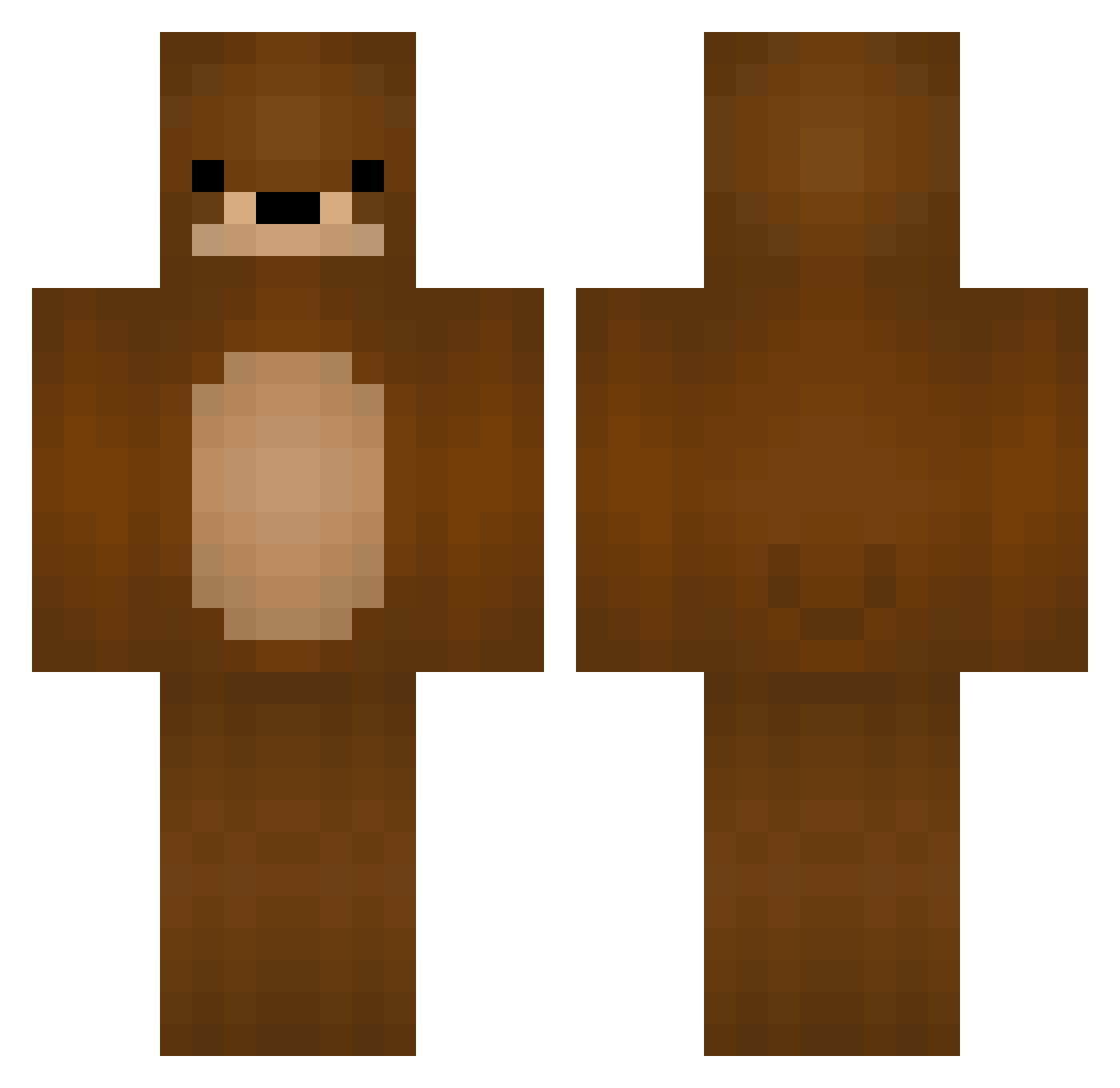
Current Minecraft skin of the player lairdy02, loaded from the official Mojang API. Rotate the 3D model with your mouse or finger, then download the skin as a PNG file and use it in Minecraft: Bedrock Edition or Java Edition for free. When lairdy02 changes their skin, this page updates automatically and the old skin stays in the history below.
Other players with this skin (246)
lairdy02 was the 93rd player we have seen with this skin, first spotted on 03.09.2026. The same skin was seen on these players. Open a nickname to see their current skin and skin history.
 Arakata02 Tasukey MrTeddeh Gereon0909 pxG Themightybear07 GonzaGaEhPt slilly12 Lokmuf SanderOwns koricoli16
 Sanderkir dlqpdj Ddundun uau vemky Bear1026 ronintalo MyaMyaMya min__min__ Kurumaah opossum1234 garrettsa Steprem04 DaRealBear Euphonos3 JGY08 go_mi Momolilbear B1bim Huckleberrybear potato3104 niktoris aaaaaple Max_qube ChezbearJ Soru_Chan jaydensgur GeorgeGamerPro21 relishbath tytuf
 ianstrogonoff Seiren21 ezbait080 KANGTAEMIN1234 SmallShark6 teddybeer011 ssuhan_ Enjeeya ZippyCh yerin92 Elyeww BirdistheName cheesemom92 TheyCallMeBear Wiesmann EunHyuk_712 su61n Efq233 LiiFe_42
More Bear Minecraft skins
How to install the lairdy02 skin
- Press the Download button above to save the skin as a PNG file.
- Minecraft: Bedrock Edition (PE): open the Dressing Room from the main menu (or tap your character → Edit Character), go to Classic Skins → Owned, press the + (new skin) button, choose the downloaded PNG and pick the Classic (Steve) model. Works on PC and mobile; consoles cannot import custom skins.
- Minecraft: Java Edition: open the Minecraft Launcher, go to the Skins tab, click New Skin, load the PNG, pick the Classic (Steve) model and press Save & Use. You can also upload it at minecraft.net → Profile → Change Skin.
The skin does not show up after import - what should I do?
Restart Minecraft and open the Dressing Room again - imported skins sometimes appear only after a restart. Also make sure you selected the imported skin and picked the Classic (Steve) model.
Which model should I choose, Classic or Slim?
This skin is designed for the Classic (Steve) model. If you pick the wrong model, the arms of the skin will look stretched or squeezed.
Is the skin of lairdy02 free to download?
Yes. Press Download, save the PNG file and use it in Minecraft: Bedrock Edition or Java Edition - no payment or registration needed. The skin also works on multiplayer servers and Realms.
More skins
Looking for more? Go back to all Minecraft skins and check the top skins of the week, month and all time, or find any player's skin by nickname.