
kyemanrocks - Minecraft Skins & Skin History
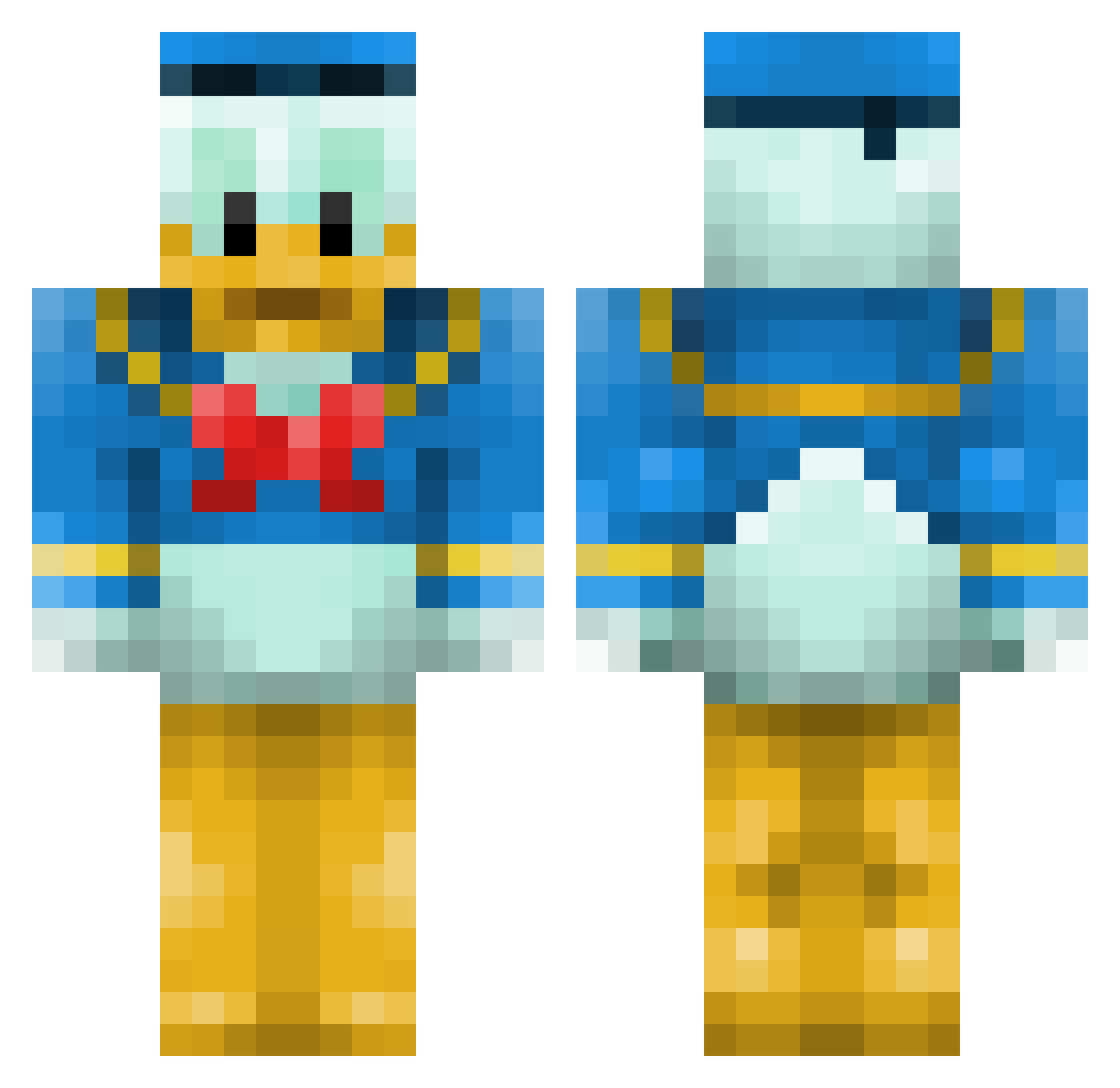
Current Minecraft skin of the player kyemanrocks, loaded from the official Mojang API. Rotate the 3D model with your mouse or finger, then download the skin as a PNG file and use it in Minecraft: Bedrock Edition or Java Edition for free. When kyemanrocks changes their skin, this page updates automatically and the old skin stays in the history below.
Other players with this skin (174)
kyemanrocks was the 134th player we have seen with this skin, first spotted on 28.10.2026. The same skin was seen on these players. Open a nickname to see their current skin and skin history.
 haydog98 YaBoyBox TwoBigEyes Freyer214 Dobbiej23 OrangeFerp CallOfDonald st3nlund Soul_Crafter_ chiquitin61 BABIE5 OrangePeeling ryu_oh Luwu92 Joseph6548 jotepont stonepick123zoll Omega_Odd coolwhites222 killerCraft3r timopheus58 mihiscube spieti MaurinLegenda DUDEfinish TrickyTroy2 Chlagy Blackom swift6739 visnespower AsmexMC Masonhick poponami 2Greenbean Georgii93 THEDRUNKOTTER Mexus54 MidoriChan00 jameshball kittensgalore CuddlyJay fa1fa1 mushroomyo brungan KOKUMARU _Absum_ ItzNeronPvP haruboy DuhDuJour pxRENxq odinlol sergentk KacerDonald xarpxooter43 mikanna1018 DPRO RE4LChaos hockz tommyboy899 SAICOH
More Donald Duck Minecraft skins
How to install the kyemanrocks skin
- Press the Download button above to save the skin as a PNG file.
- Minecraft: Bedrock Edition (PE): open the Dressing Room from the main menu (or tap your character → Edit Character), go to Classic Skins → Owned, press the + (new skin) button, choose the downloaded PNG and pick the Classic (Steve) model. Works on PC and mobile; consoles cannot import custom skins.
- Minecraft: Java Edition: open the Minecraft Launcher, go to the Skins tab, click New Skin, load the PNG, pick the Classic (Steve) model and press Save & Use. You can also upload it at minecraft.net → Profile → Change Skin.
The skin does not show up after import - what should I do?
Restart Minecraft and open the Dressing Room again - imported skins sometimes appear only after a restart. Also make sure you selected the imported skin and picked the Classic (Steve) model.
Which model should I choose, Classic or Slim?
This skin is designed for the Classic (Steve) model. If you pick the wrong model, the arms of the skin will look stretched or squeezed.
Is the skin of kyemanrocks free to download?
Yes. Press Download, save the PNG file and use it in Minecraft: Bedrock Edition or Java Edition - no payment or registration needed. The skin also works on multiplayer servers and Realms.
More skins
Looking for more? Go back to all Minecraft skins and check the top skins of the week, month and all time, or find any player's skin by nickname.