
kumafae - Minecraft Skins & Skin History
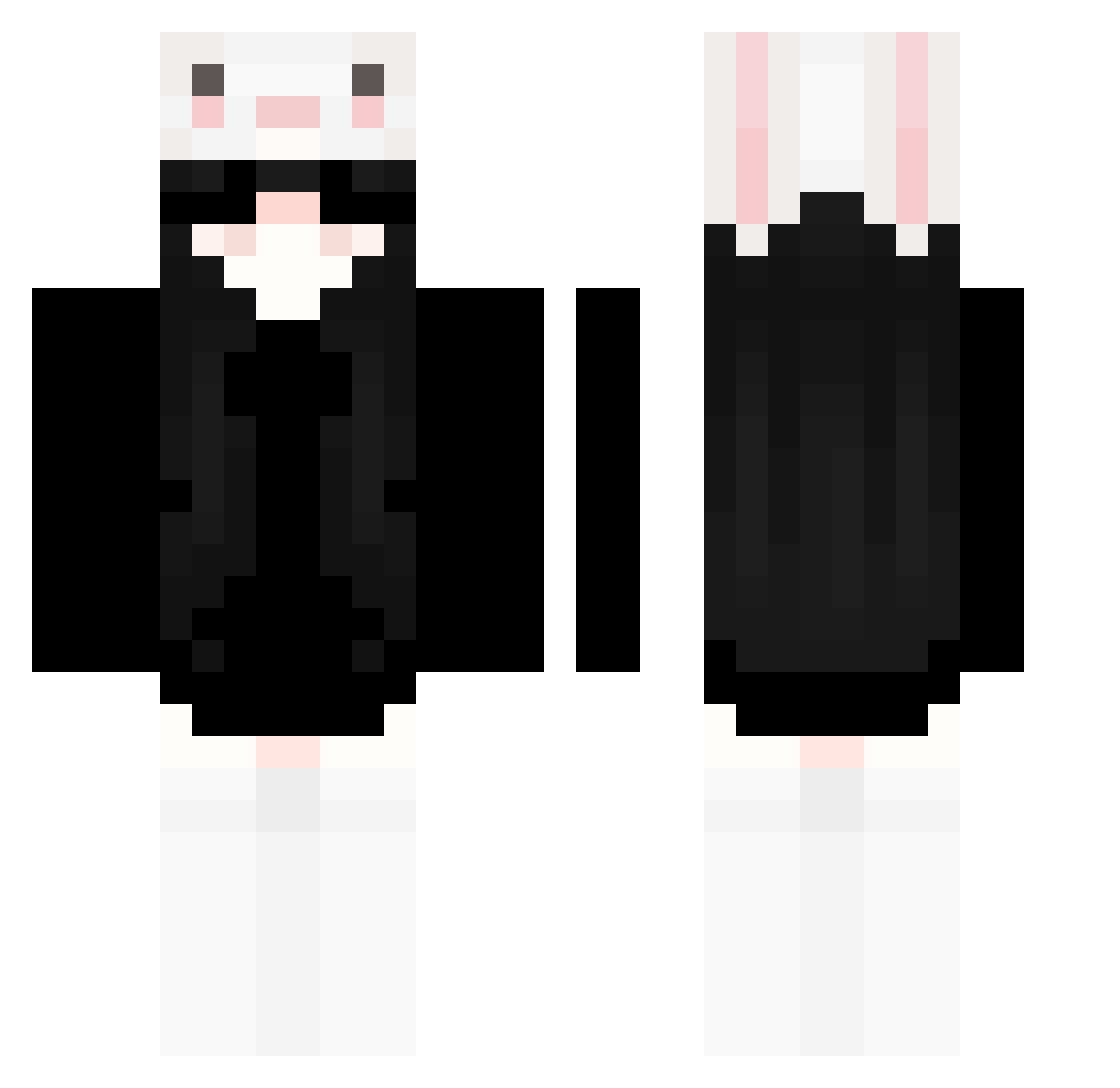
Current Minecraft skin of the player kumafae, loaded from the official Mojang API. Rotate the 3D model with your mouse or finger, then download the skin as a PNG file and use it in Minecraft: Bedrock Edition or Java Edition for free. When kumafae changes their skin, this page updates automatically and the old skin stays in the history below.
Other players with this skin (238)
kumafae was the 117th player we have seen with this skin, first spotted on 11.09.2026. The same skin was seen on these players. Open a nickname to see their current skin and skin history.
 MF_moyu Geno_sequence hxxun SzybkiFuras wR4n Heley_ semo_o Hxro7 clmn0v0 hze123 ULTRAMMVIII Ren0915 ekilpo Ruco8366 v1viaann Yuhan_L akacel isaknoms moti000 _Topinka_ TengJingZi Ohachi_ Aa147789 LuzPro11 Lhiop _KwiateQ_ HEIBAO_ HEJCIU MENGJIAJUN TaylorJ1989 tatsuoX blozzertt hostagethehacker S_O_L_O_ _RikoDW_ MART748 XIAOYANG55 huhynjn pyy123456 MmE3lon _yanfengqwq_ NONONONO_OK JVITOR10012 angzix awwegg Akimlc AssassinBabyy Dreamteam12237 Abican2011 Trw_Spaw summerxselena guyuan0947 attacksharkx3 Rat_Rot Han_MouTuT749237 JJKSON xiaowan6 Troubadixl AcheronBMei zhuzhyu
More Face Mask Minecraft skins
How to install the kumafae skin
- Press the Download button above to save the skin as a PNG file.
- Minecraft: Bedrock Edition (PE): open the Dressing Room from the main menu (or tap your character → Edit Character), go to Classic Skins → Owned, press the + (new skin) button, choose the downloaded PNG and pick the Classic (Steve) model. Works on PC and mobile; consoles cannot import custom skins.
- Minecraft: Java Edition: open the Minecraft Launcher, go to the Skins tab, click New Skin, load the PNG, pick the Classic (Steve) model and press Save & Use. You can also upload it at minecraft.net → Profile → Change Skin.
The skin does not show up after import - what should I do?
Restart Minecraft and open the Dressing Room again - imported skins sometimes appear only after a restart. Also make sure you selected the imported skin and picked the Classic (Steve) model.
Which model should I choose, Classic or Slim?
This skin is designed for the Classic (Steve) model. If you pick the wrong model, the arms of the skin will look stretched or squeezed.
Is the skin of kumafae free to download?
Yes. Press Download, save the PNG file and use it in Minecraft: Bedrock Edition or Java Edition - no payment or registration needed. The skin also works on multiplayer servers and Realms.
More skins
Looking for more? Go back to all Minecraft skins and check the top skins of the week, month and all time, or find any player's skin by nickname.