
krisif - Minecraft Skins & Skin History
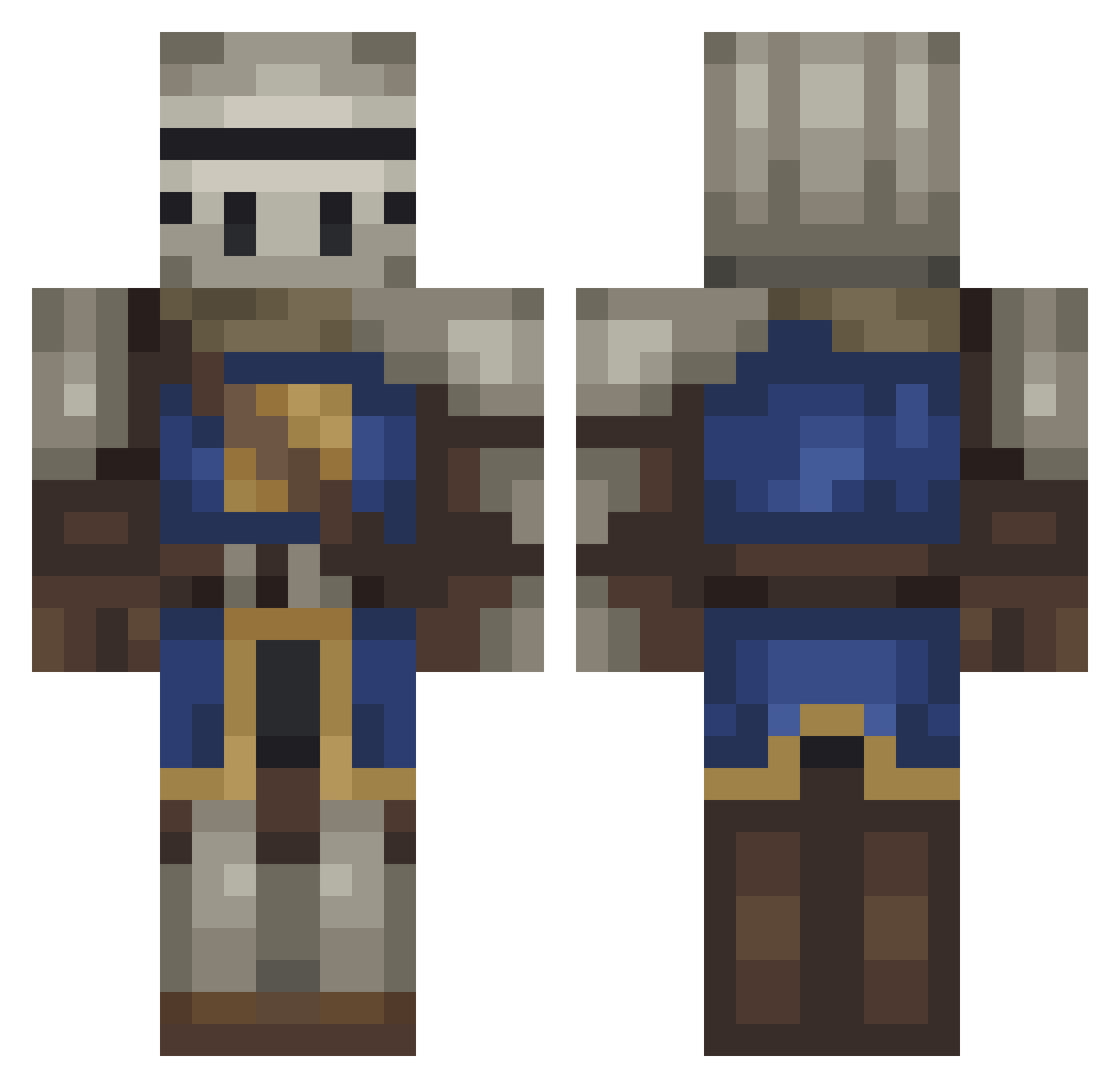
Current Minecraft skin of the player krisif, loaded from the official Mojang API. Rotate the 3D model with your mouse or finger, then download the skin as a PNG file and use it in Minecraft: Bedrock Edition or Java Edition for free. When krisif changes their skin, this page updates automatically and the old skin stays in the history below.
Other players with this skin (217)
krisif was the 194th player we have seen with this skin, first spotted on 20.10.2026. The same skin was seen on these players. Open a nickname to see their current skin and skin history.
 lovushe lavaan ALVAROVANO HuTao_34 Diegotjee CrusaderScience bazspartan LynxTheKnight Squidward_QT ThomasVEVO dedude3 _CallMeTom Alex2oo4 DeWEz31 ARJG Howture BaZe228 SnelleSaus Gh0stPlay3r CPLRR Thibob00 positive777 karmainn KTRKTR KingRP16 SPOUTCANCR MrBlobbious Vibrex_ Chickychu Tagly Blanman KatieJackson2001 McLovington _mac_attac Potatovsky Piestomuri SaftigerPiPiman Sapisdus SigmasSouls Papkalaa kreugxr jbird_76 JohnnySins10 Remicelli NeneDeAntes Vexlan badfac3 Niggros Phlumpers Suich Idle_Stark v666z BOSSMANHOUSE uyno scruffy435 Marczel Muvah Reaias SheerSplash4460 Exley19
More Medieval Minecraft skins
How to install the krisif skin
- Press the Download button above to save the skin as a PNG file.
- Minecraft: Bedrock Edition (PE): open the Dressing Room from the main menu (or tap your character → Edit Character), go to Classic Skins → Owned, press the + (new skin) button, choose the downloaded PNG and pick the Classic (Steve) model. Works on PC and mobile; consoles cannot import custom skins.
- Minecraft: Java Edition: open the Minecraft Launcher, go to the Skins tab, click New Skin, load the PNG, pick the Classic (Steve) model and press Save & Use. You can also upload it at minecraft.net → Profile → Change Skin.
The skin does not show up after import - what should I do?
Restart Minecraft and open the Dressing Room again - imported skins sometimes appear only after a restart. Also make sure you selected the imported skin and picked the Classic (Steve) model.
Which model should I choose, Classic or Slim?
This skin is designed for the Classic (Steve) model. If you pick the wrong model, the arms of the skin will look stretched or squeezed.
Is the skin of krisif free to download?
Yes. Press Download, save the PNG file and use it in Minecraft: Bedrock Edition or Java Edition - no payment or registration needed. The skin also works on multiplayer servers and Realms.
More skins
Looking for more? Go back to all Minecraft skins and check the top skins of the week, month and all time, or find any player's skin by nickname.