
koen17110 - Minecraft Skins & Skin History
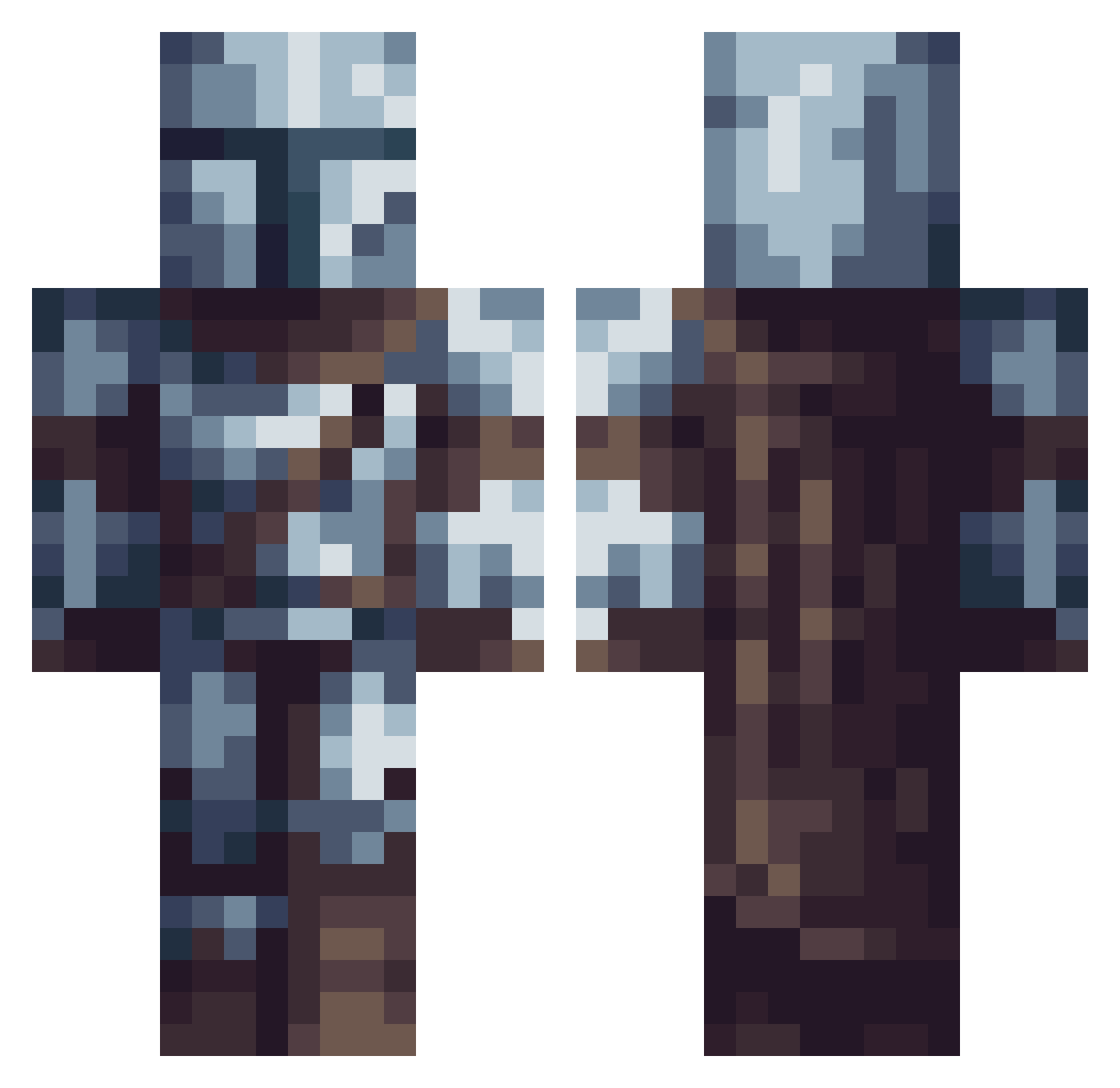
Current Minecraft skin of the player koen17110, loaded from the official Mojang API. Rotate the 3D model with your mouse or finger, then download the skin as a PNG file and use it in Minecraft: Bedrock Edition or Java Edition for free. When koen17110 changes their skin, this page updates automatically and the old skin stays in the history below.
Other players with this skin (614)
koen17110 was the 56th player we have seen with this skin, first spotted on 05.08.2026. The same skin was seen on these players. Open a nickname to see their current skin and skin history.
 Noodlestick22 luckerjc ANDIMAN11
 RaccoonWTAWrench JulixSansu Jetrake wilczek10 P4RSE Pittiie WolfMastar Rid3rFox99_ Arkangel121 AnhMinh610 louloudu68 AWX77 PaulMFBunyan fr4nfiandr0 Xiifo jaosandv leOnx1234 rezbot_ LootTAXI_ Tobson_ Krille_187 ght_PfBSrW rascal009 NeXoTiiX Astan28 FieryPlatypus54 edygurke solvinacz Styxerson Bombanane Ivanovich058 Qkazuu XSIEGERzZX Hittler239 MatteFire98 RaptorDaptor2013 night_wolf34 Welltror FaZeZichary Platanito2099 Goonk99 Lone_soldier15 IsakAndr3 MorphBlood kaiserlemke Krystuan8 ijlxu Falkon9 0zone19 JL_Twicher ThiagoTap evermore_13 yari3x Atra73 BlayznSkyes hxgo_1702 Kiyotakeshi
More The Mandalorian Minecraft skins
See all 591 The Mandalorian skins
How to install the koen17110 skin
- Press the Download button above to save the skin as a PNG file.
- Minecraft: Bedrock Edition (PE): open the Dressing Room from the main menu (or tap your character → Edit Character), go to Classic Skins → Owned, press the + (new skin) button, choose the downloaded PNG and pick the Classic (Steve) model. Works on PC and mobile; consoles cannot import custom skins.
- Minecraft: Java Edition: open the Minecraft Launcher, go to the Skins tab, click New Skin, load the PNG, pick the Classic (Steve) model and press Save & Use. You can also upload it at minecraft.net → Profile → Change Skin.
The skin does not show up after import - what should I do?
Restart Minecraft and open the Dressing Room again - imported skins sometimes appear only after a restart. Also make sure you selected the imported skin and picked the Classic (Steve) model.
Which model should I choose, Classic or Slim?
This skin is designed for the Classic (Steve) model. If you pick the wrong model, the arms of the skin will look stretched or squeezed.
Is the skin of koen17110 free to download?
Yes. Press Download, save the PNG file and use it in Minecraft: Bedrock Edition or Java Edition - no payment or registration needed. The skin also works on multiplayer servers and Realms.
More skins
Looking for more? Go back to all Minecraft skins and check the top skins of the week, month and all time, or find any player's skin by nickname.