
kinta2203 - Minecraft Skins & Skin History
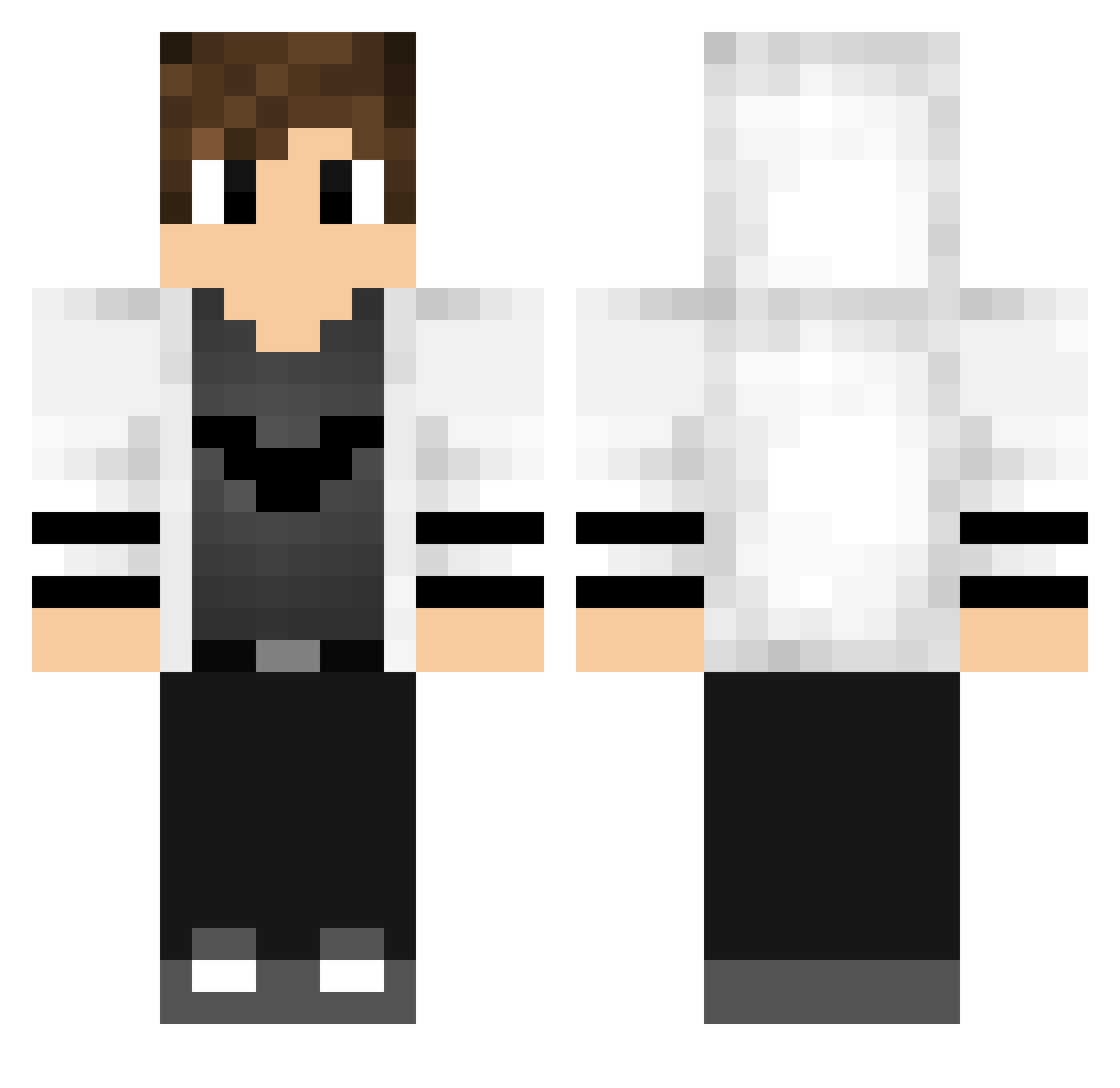
Current Minecraft skin of the player kinta2203, loaded from the official Mojang API. Rotate the 3D model with your mouse or finger, then download the skin as a PNG file and use it in Minecraft: Bedrock Edition or Java Edition for free. When kinta2203 changes their skin, this page updates automatically and the old skin stays in the history below.
Other players with this skin (768)
kinta2203 was the 284th player we have seen with this skin, first spotted on 09.09.2026. The same skin was seen on these players. Open a nickname to see their current skin and skin history.
 Joomarzu_ Ethanlee666 momonga_13 JnC3 Sality Kalle2088 CaduMaveriKk Alexis_Snipez666 ahdxb08 Probifrost Deerey DamirHR Phil_Vegas Print_Andsu Nathan6940 Erix_hehe HandsomeJSP BlacKkFeaR Fatal36 Sanchos006 kingmn20 shuumai0891 Damascus0 Fliper81 hakopiku PontifexMaximusI SquidDaddyy ccyao piyushmishhra Fofurinhas2 Mr_macus Romio_craft Jason_Dragons noah2906 ZacroXGD ZnAllen Gabriel2307 RicoCheh daidai6661 CLEVERundSMART SaftigSaft K11_Florian nyyck107 GuyThePrince PaPaD856 Darcrai08 TunderFirea ByHeyecanli PepGaming93 Pakeim TheBigMs BlackIena psunaj Expens1vee NoterI2013 not_Weroxx CEsinha0304 Gustavo_13 Cam__11 SSSSnower
More Bat Symbol Minecraft skins
How to install the kinta2203 skin
- Press the Download button above to save the skin as a PNG file.
- Minecraft: Bedrock Edition (PE): open the Dressing Room from the main menu (or tap your character → Edit Character), go to Classic Skins → Owned, press the + (new skin) button, choose the downloaded PNG and pick the Classic (Steve) model. Works on PC and mobile; consoles cannot import custom skins.
- Minecraft: Java Edition: open the Minecraft Launcher, go to the Skins tab, click New Skin, load the PNG, pick the Classic (Steve) model and press Save & Use. You can also upload it at minecraft.net → Profile → Change Skin.
The skin does not show up after import - what should I do?
Restart Minecraft and open the Dressing Room again - imported skins sometimes appear only after a restart. Also make sure you selected the imported skin and picked the Classic (Steve) model.
Which model should I choose, Classic or Slim?
This skin is designed for the Classic (Steve) model. If you pick the wrong model, the arms of the skin will look stretched or squeezed.
Is the skin of kinta2203 free to download?
Yes. Press Download, save the PNG file and use it in Minecraft: Bedrock Edition or Java Edition - no payment or registration needed. The skin also works on multiplayer servers and Realms.
More skins
Looking for more? Go back to all Minecraft skins and check the top skins of the week, month and all time, or find any player's skin by nickname.