
kindpeach02 - Minecraft Skins & Skin History
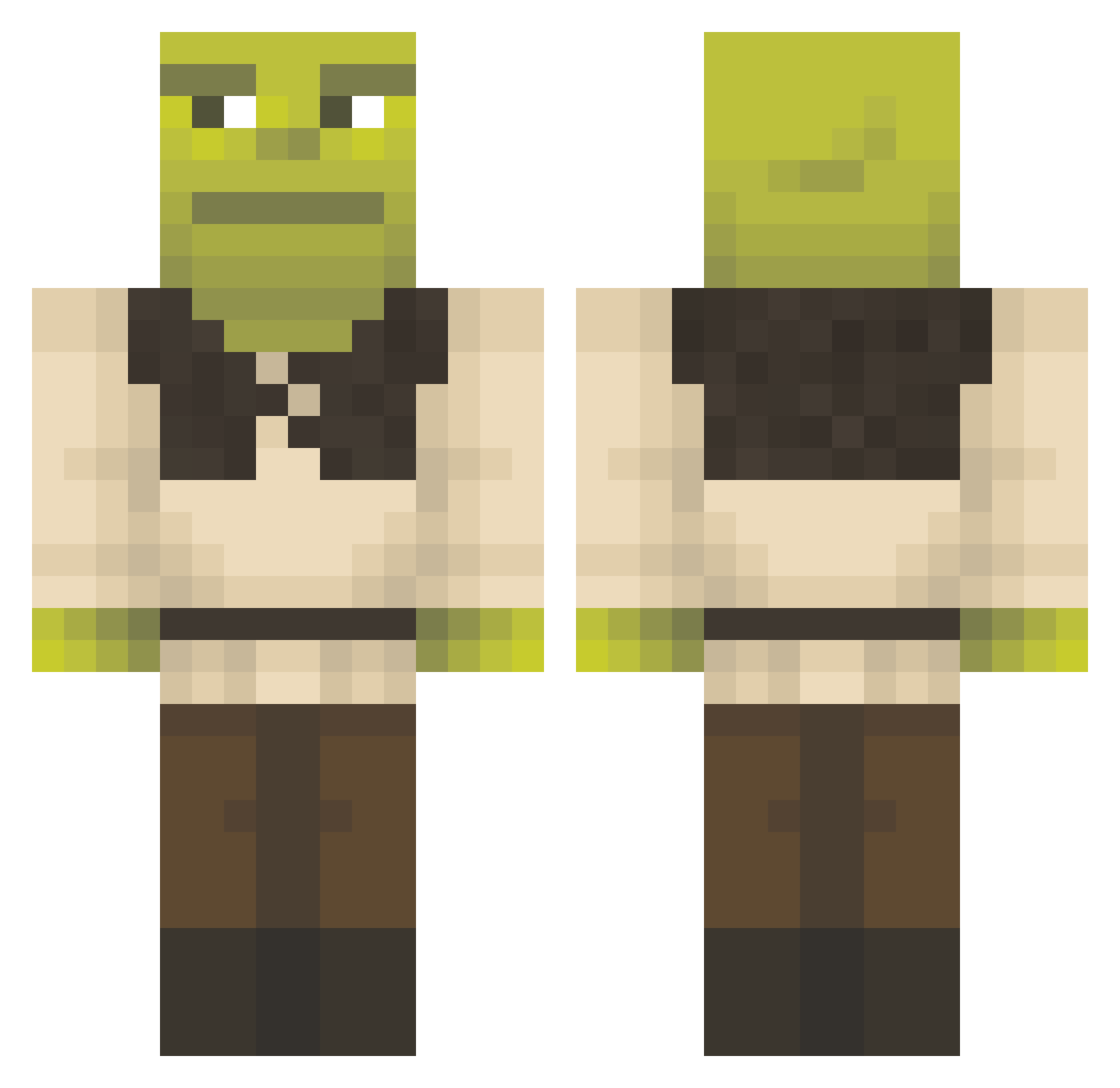
Current Minecraft skin of the player kindpeach02, loaded from the official Mojang API. Rotate the 3D model with your mouse or finger, then download the skin as a PNG file and use it in Minecraft: Bedrock Edition or Java Edition for free. When kindpeach02 changes their skin, this page updates automatically and the old skin stays in the history below.
Other players with this skin (1358)
kindpeach02 was the 557th player we have seen with this skin, first spotted on 08.09.2026. The same skin was seen on these players. Open a nickname to see their current skin and skin history.
 SciPhiSam F4Kan krannnzyy Kenjinium tinuska Visiory manuel10469 Infinlija GamingPear bigwangpapi _Reeser VulkanSS WillyMyWonka_ Momovieracht BUDDERCHICKEN_69 yarakmak 4bran U_Genix siebe_snipes moha067 nekke22 La_Vica Gumnoulissss willowbee33 armandoooo splare1 MrTin BananaBobb Tomal0k NoMoreYounglings CajunMayo PotDeCrayons ParthTempest RimReaper69 Dillthekill IbnBattuta26 Tim0416w Atlihero Lawsk1n lAxwelll SilverStang69 MC_Krakers_ grE3r27 Witnit2006 twrobyn420 IldDaemon Sampeeeee BurkaAdam VooDKa43 dogsugoi JamzG59 OverlOrDGT_PT Fantube fartyewest Pinguinorojo mariopopario BigAgnello MrDedzik Wynniam SpriteZeroKlan
More Shrek Minecraft skins
How to install the kindpeach02 skin
- Press the Download button above to save the skin as a PNG file.
- Minecraft: Bedrock Edition (PE): open the Dressing Room from the main menu (or tap your character → Edit Character), go to Classic Skins → Owned, press the + (new skin) button, choose the downloaded PNG and pick the Classic (Steve) model. Works on PC and mobile; consoles cannot import custom skins.
- Minecraft: Java Edition: open the Minecraft Launcher, go to the Skins tab, click New Skin, load the PNG, pick the Classic (Steve) model and press Save & Use. You can also upload it at minecraft.net → Profile → Change Skin.
The skin does not show up after import - what should I do?
Restart Minecraft and open the Dressing Room again - imported skins sometimes appear only after a restart. Also make sure you selected the imported skin and picked the Classic (Steve) model.
Which model should I choose, Classic or Slim?
This skin is designed for the Classic (Steve) model. If you pick the wrong model, the arms of the skin will look stretched or squeezed.
Is the skin of kindpeach02 free to download?
Yes. Press Download, save the PNG file and use it in Minecraft: Bedrock Edition or Java Edition - no payment or registration needed. The skin also works on multiplayer servers and Realms.
More skins
Looking for more? Go back to all Minecraft skins and check the top skins of the week, month and all time, or find any player's skin by nickname.