
kikinini7 - Minecraft Skins & Skin History
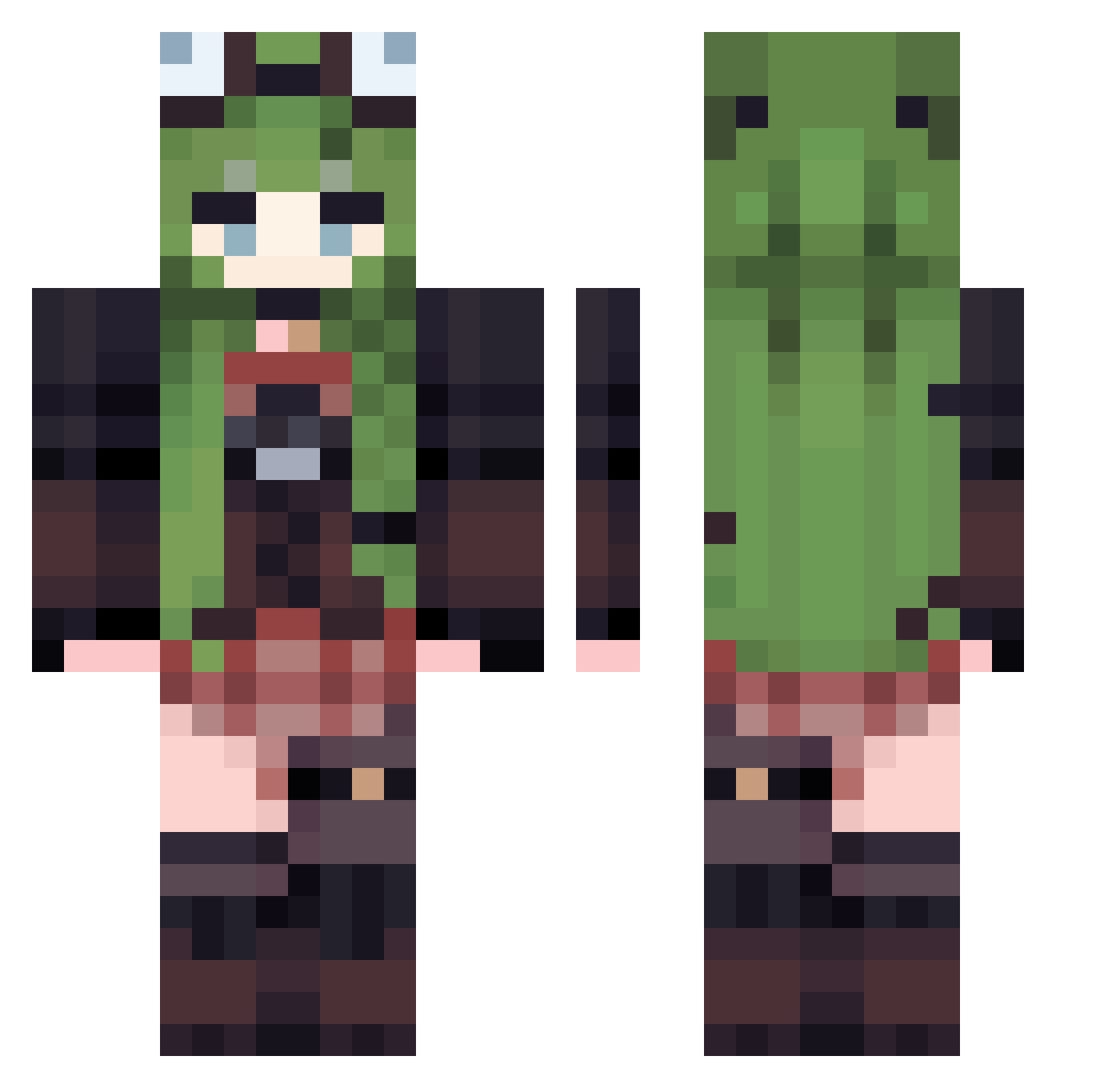
Current Minecraft skin of the player kikinini7, loaded from the official Mojang API. Rotate the 3D model with your mouse or finger, then download the skin as a PNG file and use it in Minecraft: Bedrock Edition or Java Edition for free. When kikinini7 changes their skin, this page updates automatically and the old skin stays in the history below.
Other players with this skin (529)
kikinini7 was the 253rd player we have seen with this skin, first spotted on 17.09.2026. The same skin was seen on these players. Open a nickname to see their current skin and skin history.
 JINI0907 BarelyAllen Shinkeiexe Taohoo88 caramelts Markhob apeapex09 Hestia_1 P15XD Bless108 Jasmina__ Hast_Gastik fanxing0314 Yasaniumu1212 sanchi_sanchi towersnow kamcio5432 dianimay Tomb_leng Serrend umaeru oseano_ yein05 llaurabear TribalEmpress majura00 Morozh xiaoxiong1016 SanLazy DJHENRY01 Metobunny Yeonsae Vh10A8H cyappee gengye kibblegurl Kawaii_pixel ianelkase SonodaUmi233 haoling11 c4lla raya_Shinzo rinniewinnie XanCage_ yuebo666 Qincai006 Meetryx 4nthracite ly4z Nebula_bee char_name HN124 Ann_Volta VETTI21 DigitalMuse lautatos cercza Sadpotatos polterace Goldfinger117
More Frog Hat Minecraft skins
How to install the kikinini7 skin
- Press the Download button above to save the skin as a PNG file.
- Minecraft: Bedrock Edition (PE): open the Dressing Room from the main menu (or tap your character → Edit Character), go to Classic Skins → Owned, press the + (new skin) button, choose the downloaded PNG and pick the Classic (Steve) model. Works on PC and mobile; consoles cannot import custom skins.
- Minecraft: Java Edition: open the Minecraft Launcher, go to the Skins tab, click New Skin, load the PNG, pick the Classic (Steve) model and press Save & Use. You can also upload it at minecraft.net → Profile → Change Skin.
The skin does not show up after import - what should I do?
Restart Minecraft and open the Dressing Room again - imported skins sometimes appear only after a restart. Also make sure you selected the imported skin and picked the Classic (Steve) model.
Which model should I choose, Classic or Slim?
This skin is designed for the Classic (Steve) model. If you pick the wrong model, the arms of the skin will look stretched or squeezed.
Is the skin of kikinini7 free to download?
Yes. Press Download, save the PNG file and use it in Minecraft: Bedrock Edition or Java Edition - no payment or registration needed. The skin also works on multiplayer servers and Realms.
More skins
Looking for more? Go back to all Minecraft skins and check the top skins of the week, month and all time, or find any player's skin by nickname.